Digital Productivity, Online planners, Planners
Event Management Template: Free Planning Tools
Mar
Okay so I just spent the last three weeks testing every free event management template I could find because honestly my client’s wedding shower turned into this whole thing and I needed to actually organize myself for once instead of just telling other people how to be organized.
The Google Sheets Template That Actually Works
The Google Sheets event planning template is probably where you should start because it’s free and you can access it from your phone when you’re standing in Party City trying to remember if you already bought streamers. I used the one from Google’s template gallery – just open a new sheet and search “event planning” in their templates.
What I like about it is the budget tracker actually links to your vendor list so when you update one the other changes too. Sounds basic but you’d be surprised how many templates don’t do this and then you’re manually updating numbers in three different places at 2am wondering why your totals don’t match.
The timeline view is where it gets really useful though. You can set it up so tasks change color as deadlines approach which saved me when I completely forgot about ordering the cake until five days before. My dog knocked over my coffee right when I was setting up the conditional formatting so that was fun but once you get it working it’s actually pretty foolproof.
What You Gotta Add Yourself
The default template doesn’t have a good section for dietary restrictions which is gonna bite you if you’re planning anything with food. I added a separate tab called “Food Notes” and honestly just made it a simple two-column thing with names and their requirements. Nothing fancy but it works.
Also add a “Day Of” timeline as a separate sheet. The main timeline is great for planning but when you’re actually at the event you need something that says “2:30pm – band arrives” not “Book band 60 days before event.”
Trello Board Setup For Visual People
Wait I forgot to mention – if you’re more visual like me and staring at spreadsheet rows makes your brain glaze over, the Trello board approach is honestly better. I set one up for a conference I was helping plan and it just makes more sense when you can drag cards around.
Create these lists: Ideas, To Book, Booked & Confirmed, Week Before, Day Of, Done. Then make cards for each vendor or task. The thing that made it actually useful was adding due dates to everything and turning on the calendar power-up so I could see what was coming up.
The Checklist Trick Nobody Tells You
Inside each Trello card you can add checklists which is where the real magic happens. For my “Venue” card I had a checklist like:
- Get quote in writing
- Confirm table/chair count
- Ask about insurance requirements
- Send deposit
- Final walkthrough 1 week before
This is gonna sound weird but I also added a “Panic Items” list at the end of my board for all the random stuff you think of at 11pm. Like “what if it rains” or “do we need a backup microphone” – just dump it there and deal with it later instead of letting it wake you up at 3am.
Notion Template If You Want Everything In One Place
Okay so funny story, I resisted Notion for like two years because everyone was so cult-y about it but then I actually tried their event planning template and I get it now. The free version lets you do pretty much everything unless you’re collaborating with more than 10 people.
The default event template has this database view that shows tasks, budget, and guest list all connected. When you mark someone as “attending” it automatically updates your headcount for catering which is the kind of thing that sounds small but saves you so much mental energy.
What really sold me was the ability to embed stuff. I embedded the Google Maps link to the venue, the Pinterest board my friend made with decoration ideas, and even the Spotify playlist we were building. Everything just lives in one place instead of having 47 browser tabs open.
Setting Up The Guest List Database
The guest list part needs some customization though. Add these properties to the database:
- RSVP Status (Yes/No/Maybe/No Response)
- Plus One (checkbox)
- Dietary Restrictions (text)
- Contact Info (text)
- Group (dropdown – like “work friends” or “family”)
The Group property is clutch because you can filter by it when you’re doing seating arrangements. I learned this the hard way when I mixed my client’s work friends with her college friends and it was… awkward.
Canva For Invites And Signage
Oh and another thing – Canva’s free tier has event invitation templates that don’t look like they came from 2008. I made save-the-dates, actual invitations, a welcome sign, and table numbers all matching which made me look way more put-together than I actually was.
The trick is to design everything at once using the same template so the colors and fonts match automatically. I was watching The Bear while doing this and got distracted so my first attempt had like three different color schemes mixed together but once you set it up right you can just duplicate and edit.
They also have a timeline template that you can print out for your vendors. I gave one to the caterer, one to the DJ, one to the photographer – everyone knew exactly when they were supposed to do what. Way better than trying to explain it verbally while things are happening.
The Airtable Option For Complex Events
If your event is really complicated with like multiple vendors, lots of moving parts, budget categories that need tracking across different areas – Airtable is basically a spreadsheet and database had a baby and it’s actually free for basic use.
I used it for a two-day conference thing and the ability to link records between tables saved my sanity. Like the “Vendor” table linked to the “Budget” table which linked to the “Timeline” table. When I updated a vendor’s payment status it showed up everywhere automatically.
The learning curve is steeper than Google Sheets though not gonna lie. Took me probably two hours of clicking around before I understood how the linking worked. But once you get it the power is kind of insane for a free tool.
Views That Actually Help
Set up these views in your main table:
- Calendar view for deadlines
- Kanban view for task status
- Grid view for detailed editing
- Gallery view for anything with images like venue options
Being able to switch between views depending on what you’re working on is the main reason to use Airtable over simpler options. Sometimes you need to see everything in a calendar, sometimes you need a list.
Simple Paper Template If You’re Old School
Wait I should probably mention – if all this digital stuff is making your head hurt, I still use paper for day-of coordination. I made a simple template in Google Docs that I print out and it’s just:
- Hour by hour timeline on one page
- Vendor contact list with phone numbers on another page
- Emergency contacts and backup plans on a third page
Clip them together and suddenly you’re not frantically scrolling through your phone when the florist is calling to say they’re lost. My phone died at the last event I helped with and having paper backup literally saved everything.
Budget Tracking That’s Not Terrible
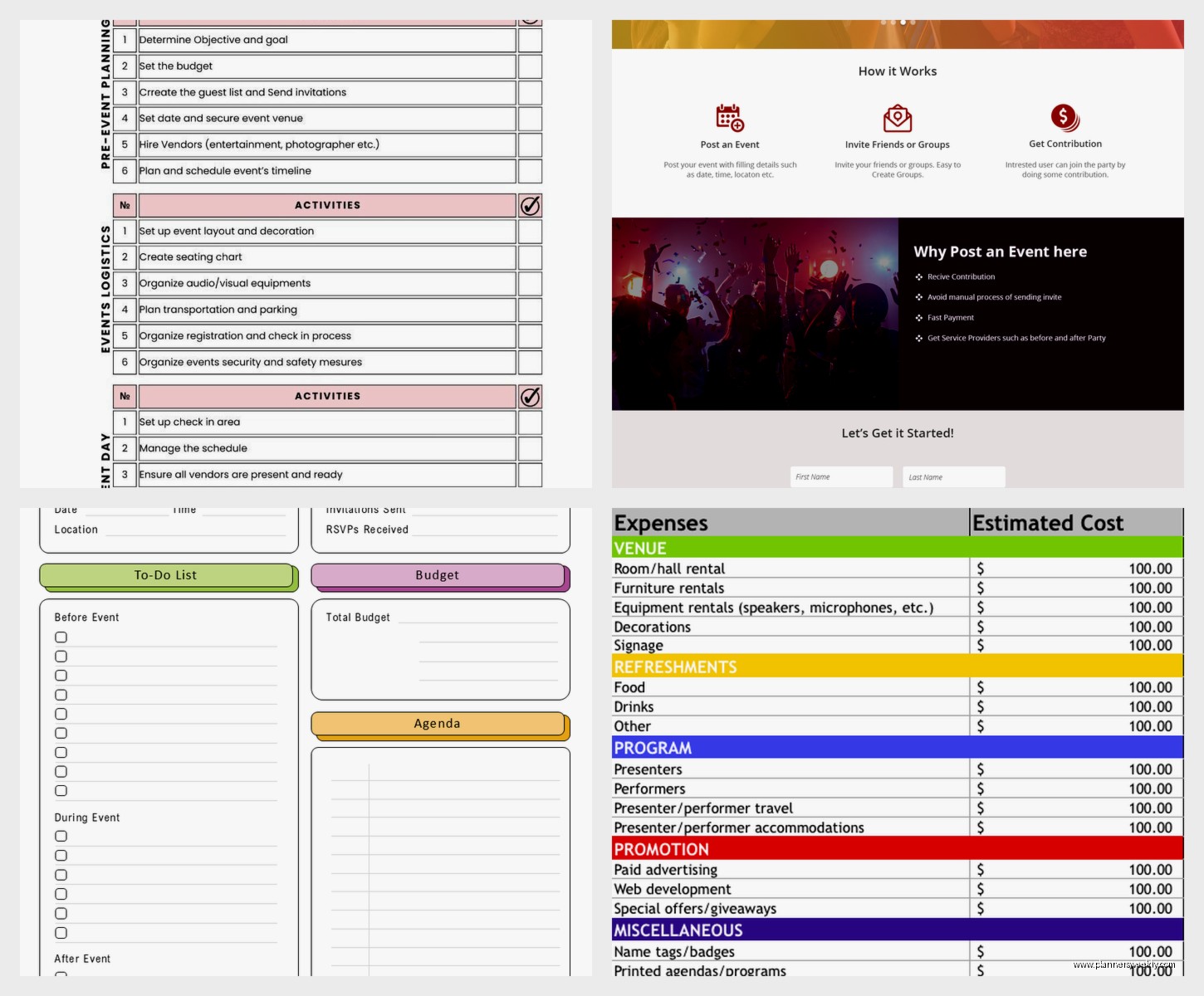
The budget part is where most templates fall apart honestly. What I do now is use a simple Google Sheets with these columns: Category, Item, Estimated Cost, Actual Cost, Paid, Notes.
Add a column that calculates the difference between estimated and actual because watching your budget creep up in real-time is painful but necessary. I color code anything that goes over estimate in red which sounds dramatic but it makes you actually pay attention.
Categories That Make Sense
Break your budget into categories like:
- Venue & rentals
- Food & beverage
- Entertainment
- Decorations
- Invitations & paper goods
- Photography
- Transportation
- Miscellaneous (always budget 10% here trust me)
That miscellaneous category catches all the random stuff you didn’t think about. Last minute poster board, extra batteries, that emergency Uber when someone missed their ride – it adds up fast.
Communication Templates You Need
Something I wish someone had told me earlier – make email templates for common communications. I keep these in a Google Doc:
- Initial vendor inquiry
- Booking confirmation
- One week reminder to vendors
- Day before final details
- Thank you after event
Just fill in the blanks each time instead of writing from scratch. My cat walked across my keyboard and sent a half-written email once so now I always draft in Google Docs first then copy over when it’s ready.
The Day-Of Coordination Sheet
This is the most important template honestly and most free ones don’t include it. Make a one-page timeline that shows every single thing that happens the day of the event with times and who’s responsible.
Format it like:
9:00am – Vendor Setup Begins
Florist arrives (Contact: Jane 555-1234)
Tables should be set up by venue already
Check that power outlets near DJ area work
10:00am – Decorations
Team arrives to set up centerpieces
Hang welcome sign at entrance
Set up gift table
Just keep going through the whole day. Print multiple copies because people will lose them I promise you.
What Actually Matters
After planning way too many events this year here’s what I’ve learned – the template matters way less than actually using it consistently. Pick one system whether it’s Sheets or Trello or Notion or whatever and just commit. I wasted so much time switching between systems trying to find the “perfect” one when they all work fine if you actually update them.
Also take photos of your templates after events to see what sections you actually used and what was just clutter. I had this elaborate seating chart system that I literally never looked at during the actual event so I deleted it from my template.
The vendor contact list though? Used that probably 50 times day-of. Some sections earn their place and some are just there because they seemed like a good idea.