Digital Productivity, Online planners, Planners
Task Calendar Template: Free Productivity Downloads

Mar
Okay so I just spent the last three weeks testing like every free task calendar template I could find because honestly my old system was a mess and I needed something that actually worked. Here’s what I discovered.
The Basic Grid Template Is Your Starting Point
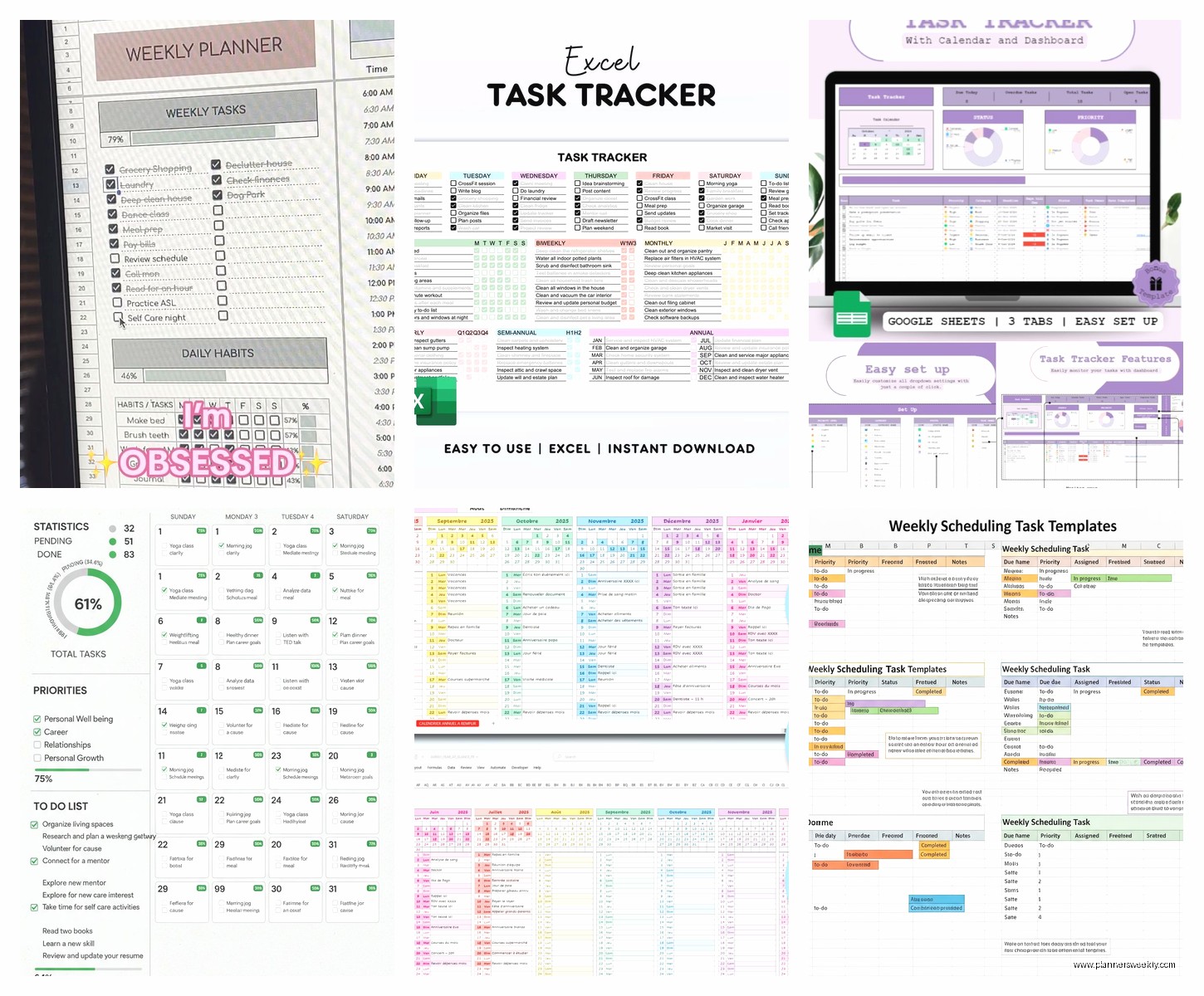
Most people overthink this but the simple monthly grid with task boxes is genuinely the best place to start. I found this one on Google Sheets that’s basically just a calendar layout with space under each date for 3-5 tasks. Nothing fancy. You can color code if you want but like… you don’t have to.
What made it click for me was realizing I don’t need to see my entire life on one page. Just the current week plus a few days ahead. The monthly overview is great for blocking out big deadlines but the daily task boxes need to be realistic. Three major tasks per day max. Maybe five if they’re quick ones.
I tested this against those elaborate templates with time blocking and priority matrices and honestly? The simple grid won. My dog kept interrupting my testing sessions so I needed something I could update in like 30 seconds between his walks and the basic template was the only one that didn’t make me feel overwhelmed.
Wait I Forgot To Mention The Weekly Sprint Template
This one’s different because it focuses on just seven days at a time. Found it on Notion and immediately duplicated it to test. The layout shows Monday through Sunday in columns and you drop tasks into each day but here’s the thing that makes it actually useful.
There’s a separate section at the top for your three weekly priorities. Like the BIG stuff that needs to happen this week no matter what. Then your daily tasks support those priorities. I know that sounds obvious but most templates don’t structure it that way and you end up with random tasks that don’t connect to anything meaningful.
The weekly sprint approach works really well if you’re juggling multiple projects. I had a client cancel last Tuesday so I spent like two hours testing different versions of this and the ones that included a “rollover” section for incomplete tasks were game changers. Because let’s be real, not everything gets done.
How I Actually Use The Weekly Sprint
Sunday night I fill in my three priorities for the week. Takes maybe ten minutes. Then I rough out which days I’ll tackle tasks related to each priority. I don’t assign specific tasks yet because I’ve learned that Monday morning Emma has different energy than Sunday night Emma.
Monday morning I look at my priorities and add actual tasks to Monday and Tuesday. That’s it. Just two days. On Tuesday afternoon I plan Wednesday and Thursday. This rolling planning thing keeps it flexible and I’m not constantly moving tasks around when plans change.
Oh and another thing about the weekly template is that most free versions include a notes section at the bottom. I use this for random stuff that comes up during the week. Links I need to check, ideas that pop up, things people mention in meetings. It’s not organized but it’s captured and that’s what matters.
The Time Block Template Situation
Okay so time blocking templates are everywhere right now and I really wanted to love them because they look so productive and organized. The template I tested had hourly slots from 6am to 10pm with space to write tasks in specific time windows.
Here’s my honest take after using it for two weeks straight. It works great if your days are actually predictable. If you have back to back meetings or a structured work environment, time blocking is fantastic. You know exactly what you’re doing at 2pm on Thursday.
But if your schedule is more fluid or you work for yourself or you have kids or basically any variable that makes days unpredictable… it’s gonna stress you out more than help. I found myself constantly erasing and rewriting because things shifted and the template wasn’t designed for that kind of flexibility.
The one exception is using time blocks just for your morning routine and maybe one focused work block. I found a modified template that only time blocks 6am to 10am and then switches to a regular task list for the rest of the day. That hybrid approach actually worked because my mornings are pretty consistent but afternoons are chaos.
Project Based Calendar Templates
This is gonna sound weird but I stumbled onto these almost by accident. Was looking for something else and found a template that organizes tasks by project rather than by date. Each project gets a section with its own mini calendar and task list.
At first I thought this was backwards because isn’t the point of a calendar to see everything chronologically? But then I realized for anyone managing like three or more ongoing projects, this view is actually super helpful.
You can see all your marketing tasks together with their deadlines. All your content creation stuff in one place. All your admin tasks grouped. Then there’s a master calendar view that pulls the urgent items from each project onto one page.
I tested this with my own work since I’m usually juggling blog reviews, client coaching sessions, and my own content creation. Having project sections meant I could think about each area separately without mixing everything up. The master calendar kept me from missing deadlines.
The downside is setup takes longer initially. You gotta decide on your project categories and build out each section. But once it’s set up, daily maintenance is actually faster than a traditional calendar because you’re not sorting through mixed tasks.
Where To Find Good Project Templates
Notion has the best free project calendar templates honestly. The database feature lets you tag tasks by project and then filter views however you want. One day you look at it by date, next day you filter by project, next day you filter by priority.
Trello also has calendar power ups that work well for this. Each board is a project and the calendar view shows all cards with due dates. Not technically a template you download but it functions the same way and it’s free.
Google Sheets has some decent project calendar templates but they’re more manual. You’re basically building your own system with formulas and conditional formatting. Worth it if you like customization but there’s a learning curve.
The Daily Focus Template
My client specifically asked about daily templates last week so I went deep on these. They’re single page layouts for one day only. Usually includes sections for your top priority, secondary tasks, appointments, notes, and sometimes gratitude or reflection prompts.
I tested probably eight different versions and the best one was super minimal. Just had spaces for the date, one must do task, three should do tasks, and a notes section. That’s literally it. No time slots, no elaborate categories, no motivational quotes.
What makes the daily template work is printing it fresh each morning or opening a new copy if you’re digital. It’s like a reset button for your day. You’re not looking at yesterday’s incomplete tasks or tomorrow’s stress. Just today.
I got into a routine where I’d fill it out during my morning coffee while my cat was doing her weird zoomies around the apartment and honestly it became this calm planning moment instead of feeling like another task.
Digital Versus Printed Daily Templates
Tried both extensively because I genuinely wasn’t sure which I’d prefer. Digital is obviously more convenient, you’ve got it on your phone or laptop, you can edit easily, nothing gets lost.
But printed hit different. There’s something about physically writing your tasks and then physically crossing them off. I used a free PDF template from a productivity blog, printed like 30 copies at once, and kept them in a folder.
The printed version made me more intentional because I couldn’t just keep adding tasks throughout the day. The space was limited so I had to be realistic. Digital templates let you keep adding rows and before you know it you’ve got 15 tasks for one day which is just setting yourself up to feel bad.
My compromise now is planning on paper in the morning but keeping a digital running list for stuff that comes up during the day. New items go on the digital list and I evaluate them during the next morning’s planning session.
Habit Tracker Calendar Combos
Oh wait I need to mention these because they’re weirdly effective. Found a template that combines a monthly calendar with habit tracking checkboxes. Each day has space for 2-3 tasks plus checkboxes for habits you’re trying to build.
So like you might have checkboxes for exercised, drank water, no social media before noon, whatever habits you’re working on. The visual of checking boxes throughout the month creates this pattern you can see and it’s oddly motivating.
I tested this in March when I was trying to be more consistent with my morning routine and having those checkboxes right on my task calendar meant I couldn’t ignore the habit stuff. It was integrated into my daily planning instead of being separate.
The free templates usually include space for five to seven habits max which is actually the right amount. More than that and you stop checking boxes consistently. Less than that and you might as well just use a regular calendar.
The Rolling Weekly Dashboard
This template style is newer and I only found like three good free versions but it’s worth knowing about. It’s basically a dashboard view that shows your current week, next week preview, monthly goals, and a brain dump section all on one page.
The layout is more visual than list based. Uses boxes and sections instead of lines. You get a bird’s eye view of everything without drowning in details. Tasks are grouped by categories like work, personal, admin, health.
What I liked during testing was how it reduced the need to flip between multiple pages or documents. Everything’s right there. What I didn’t like was that it only really works on computer or tablet screens. Printing it makes everything too small to be functional.
Best use case for this template is if you’re primarily digital and you want your planning hub to live in one browser tab or app. I kept mine open in Notion and referenced it probably twenty times a day during my test week.
Picking The Right Template For Your Actual Life
Okay so after testing all these, here’s what I figured out about matching templates to real situations.
If your days are mostly the same, time blocking templates will feel natural. If every day is different, stick with simple task lists organized by day.
If you manage multiple projects, the project based calendar saves so much mental energy. If you’re mostly executing tasks someone else assigns, a basic weekly or daily template is plenty.
If you struggle with follow through, the habit tracker combo keeps you accountable. If you’re already consistent but just need organization, don’t overcomplicate with tracking features.
If you’re on your computer all day anyway, elaborate digital templates are fine. If you’re moving around or prefer less screen time, printed daily sheets are gonna serve you better.
I rotated through different templates for different seasons of work too. When I was deep in a big project, the project calendar was essential. During lighter weeks, the simple daily focus template was all I needed. You don’t have to commit to one system forever.
The free downloads are honestly good enough that you don’t need to buy anything fancy. I’ve reviewed plenty of paid planners and templates and yeah they’re prettier but functionally? The free Google Sheets and Notion templates do the same thing.
Just pick one based on what sounds least annoying to maintain, test it for two weeks minimum, and adjust as needed. None of these systems work if you don’t actually use them consistently and the only way to use them consistently is if updating them doesn’t feel like a whole extra task you’re dreading.