
Digital Productivity, Online planners, Planners
Daily Work Planner: Best Productivity Systems & Tools

Mar
Okay so I tested like eight different daily planners last month and here’s what actually works
The Passion Planner is honestly where I’d start if you’ve never used a structured system before. I bought mine in January thinking I’d be all organized and then didn’t touch it until March because that’s apparently how I function. But when I actually sat down with it, the layout makes sense in a way that those minimalist planners just don’t. You get these timed slots from 7am to 9pm, and there’s this whole section at the start of each month where you’re supposed to map out your goals which sounds cheesy but actually helped me figure out why I kept procrastinating on client emails.
The thing is, it’s BIG. Like really big. I couldn’t fit it in my work bag without sacrificing my lunch container, so it lived on my desk which meant I never used it when I was working from the coffee shop on Thursdays. That’s actually a huge consideration nobody talks about – where are you gonna physically use this thing?
The whole digital versus paper situation
Look, I tried going all-digital with Notion for about six weeks and my brain just… didn’t retain anything. There’s something about writing “call Sarah about the workshop proposal” by hand that makes it stick in my head differently. But then I’d be in the grocery store and couldn’t check my task list because who brings their planner to buy milk?
So now I do this hybrid thing that probably sounds ridiculous but works. I use the Full Focus Planner for my daily pages – it’s got this system where you pick your three most important tasks (they call it the Daily Big 3 which is very branded but whatever). Then everything else goes in Todoist on my phone for the random stuff like “order more printer ink” or “text mom back about Thanksgiving.”
The Full Focus is expensive though, like $40 for a quarterly planner. Which made me feel guilty every time I skipped a day because that’s like $0.44 of wasted paper or something. My dog ate the corner of my January pages and I was genuinely upset about the cost per bite.

Time blocking actually changed how I work but it took forever to figure out
Everyone talks about time blocking like it’s this obvious thing you should already be doing. I tried it with a regular lined notebook first and just drew boxes around time slots and that was completely useless because I’d write “emails” in a 30-minute block and then spend 90 minutes on emails because of course I did.
The Structured app finally made it click for me. It’s digital (iOS only which is annoying if you’re on Android), and it shows you your day as a timeline with tasks dropping into specific time slots. You can drag things around when your 2pm meeting gets moved to 4pm. The visual thing really helps – I can see that if I say yes to a 30-minute call, I’m losing my writing block and then I’ll be cramming blog posts at 9pm again.
But here’s what nobody tells you about time blocking: you gotta build in buffer time or you’ll lose your mind. I learned this when I scheduled back-to-back coaching calls for four hours and by call three I desperately needed to pee and also eat something. Now I do 45-minute blocks with 15-minute buffers, and those buffers are for bathroom breaks, getting water, or just staring at the wall because sometimes your brain needs that.
The systems that sound good but actually annoyed me
Bullet journaling. Everyone loves bullet journaling. I wanted to love bullet journaling. I bought the leuchtturm notebook and the fancy pens and watched like twelve YouTube videos about different layouts. Then I spent more time decorating my habit tracker than actually tracking my habits.
It works for some people – my friend Rachel has used the same bujo system for three years and she’s got her entire life color-coded in there. But for me it was too much decision-making every single day. Do I need a weekly spread? A daily spread? Where do I put the random note about the podcast idea I had at 11pm? I’d spend 20 minutes setting up the page and then have no energy left for actual work.
The Ink+Volt planner tried to be a middle ground – it’s got some structure but also dot grid pages for flexibility. I used it for two months and those blank dot grid pages just stayed blank because when I have zero structure I apparently do nothing with the space.
What actually works for different types of work situations
If you’re in back-to-back meetings all day: honestly just use Google Calendar and set up different calendars for different projects. Color code them. I have one client who’s a project manager and she’s got like eight different calendar layers and can toggle them on and off depending on what she needs to see. Add a daily task list in Google Tasks that syncs with your calendar and you’re basically set.
If you’re doing deep work or creative stuff: I keep coming back to paper for this. The Day Designer has hourly slots but also a big notes section on each page. I use the hourly part for appointments and time blocks, and the notes section for brainstorming or working through problems. Something about being able to draw arrows and circles and cross things out aggressively just works better than typing.
Oh and another thing – if you have ADHD or tend to get distracted easily (raises hand), the Pomodoro technique built into your planner system helps so much. I use the Focus Keeper app which is just a timer but I’ll write my tasks in 25-minute chunks in my planner. So instead of “write blog post” I’ll write “blog post – pomodoro 1: outline, pomodoro 2: intro + first section” and somehow that makes it less overwhelming.
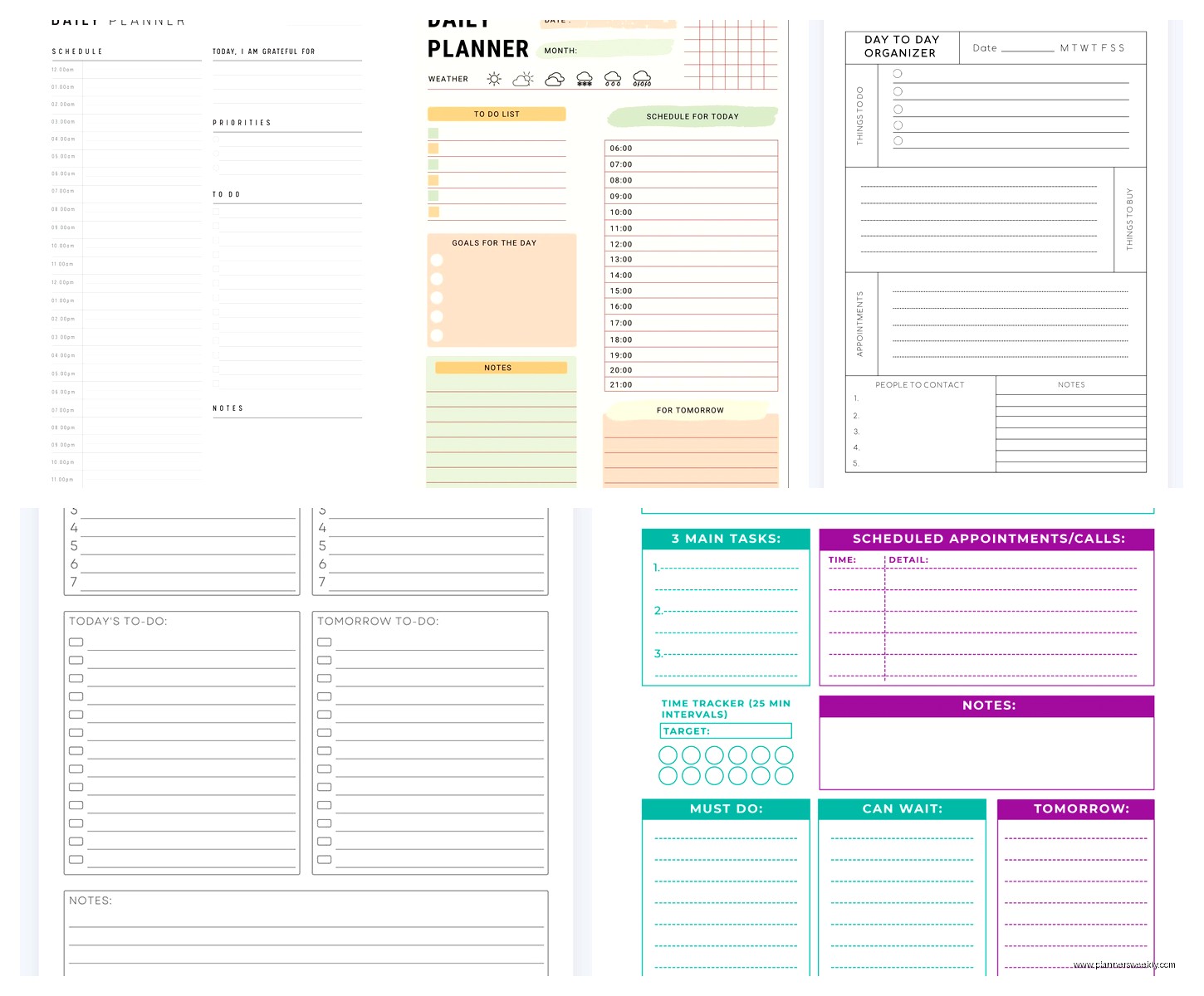
The actual tools I use right this second
My current system that’s been working for like three months now which is basically a record for me:
- Moleskine daily planner for time blocking and the three main tasks I gotta do that day
- Todoist for everything else – groceries, random errands, that thing I need to do next Thursday
- Structured app for days when I have a lot of meetings and need to visualize the chaos
- Regular notebook (literally just a cheap Mead notebook) for meeting notes and random thoughts because if I try to put those in my planner it gets messy
Is this too many tools? Probably. But each one does something specific and I’ve tried consolidating and it always falls apart.
The weekly review thing everyone says to do
Okay so David Allen’s Getting Things Done method has this weekly review concept where you’re supposed to look at everything you did, everything you need to do, update your lists, blah blah. It sounds so boring and I avoided it for years.
But then my client canceled one Friday afternoon and I was like fine, I’ll try this weekly review thing. Spent about 45 minutes going through my planner, checking off what got done, moving unfinished tasks to the next week, writing out my main goals for the following week.
And then Monday morning I actually knew what I was supposed to be doing? Instead of spending the first hour being like “uhhh what’s important today?” I just opened my planner and there it was. Been doing it most Fridays since then, though sometimes it’s Saturday morning with coffee which works just as well.
The Full Focus Planner has a weekly preview page that walks you through this process which is helpful if you need structure for your structure. It asks you specific questions like “what went well this week” and “what needs to be adjusted” which feels therapy-adjacent but actually helps you spot patterns. Like I realized I was consistently not finishing tasks I scheduled for Friday afternoons because apparently my brain checks out at 2pm on Fridays.
Wait I forgot to mention the energy level thing
This is gonna sound weird but tracking your energy throughout the day makes a huge difference in how you plan. I’m useless after 3pm for anything requiring real thinking. So now I schedule my coaching calls and writing projects in the morning, and afternoons are for emails, admin stuff, editing things I wrote earlier.
Some planners have an energy tracker built in – the Panda Planner has this whole section for rating your energy and mood each day. I found that excessive because I don’t want to rate my mood every single day like I’m in a clinical trial. But I did start putting little symbols in my planner margins – a sun for high energy tasks, a moon for low energy stuff – and that helps me plan better.
You can also just notice when you naturally have energy and work with that instead of against it. Revolutionary concept, I know, but I spent years trying to force myself into a 9-to-5 schedule when I do my best work from 7am to 11am and then again from 8pm to 10pm. Once I stopped fighting that and planned around it, everything got easier.
The mistakes I see people make constantly
Overplanning. You cannot schedule every single minute of your day and expect it to work. Life happens. Your internet goes out, you get a migraine, your neighbor decides to practice drums at noon. Leave white space in your planner.
Underestimating how long things take. When I first started time blocking I’d be like “emails: 20 minutes” and then wonder why I was always behind schedule. Now I literally double whatever time I think something will take and it’s way more accurate.
Buying a planner system because it looks aesthetic on Instagram. I bought the Erin Condren LifePlanner because everyone had these gorgeous decorated pages and mine just looked sad and empty because I’m not gonna spend time putting washi tape on my Tuesday.
Not having a place for random stuff. You need a capture system for all the random thoughts and tasks that pop up during the day. I use the notes app on my phone and then transfer things to the right place later, but some people use index cards or just a section in the back of their planner. Whatever works, just have somewhere to dump things so they’re not bouncing around your brain.
Tools that are worth the money versus ones that aren’t
Worth it: A good daily planner that you’ll actually use. If spending $40 on the Full Focus or Passion Planner means you’ll use it consistently, do it. The cheap $8 planner from Target that doesn’t quite fit what you need will just sit on your desk making you feel guilty.
Not worth it: Fancy pens. I mean, if you love fancy pens then go for it, but a regular Pilot G2 works just as well as a $30 fountain pen for checking off tasks. I say this as someone who owns several $30 pens that now live in a drawer.
Worth it: Apps that sync across devices. If you’re using digital tools, pay for the premium version that syncs. Nothing worse than adding tasks on your phone and then getting to your computer and they’re not there.
Not worth it: Productivity courses about planning systems. Look, some of them are good, but you don’t need to spend $200 learning how to write tasks in a notebook. Watch some YouTube videos, read some blog posts, experiment with different approaches until you find what works.
How to actually start without getting overwhelmed
Pick one thing. Just one. Don’t try to implement time blocking and habit tracking and goal setting and weekly reviews all at once. Start with a simple daily task list. Write down three things you need to do tomorrow. Do those things. Check them off. Feel the satisfaction of checking things off because that dopamine hit is real and useful.
Then maybe next week add time blocking for your mornings. The week after that, try a weekly review. Build slowly instead of creating this elaborate system that you’ll abandon by Wednesday.
I’ve been coaching people on productivity for years now and the ones who succeed are the ones who start simple and add complexity gradually. The ones who fail are the ones who buy five different planners and three apps and try to do everything perfectly from day one.
Also, your system will evolve. What works in summer when you’ve got more flexible time won’t work during busy season. What works when you’re single won’t work when you have kids. That’s fine. Systems are supposed to serve you, not the other way around. If something stops working, change it.
Oh and one more thing – take a photo of your planner pages at the end of each week before you move on. I started doing this and it’s actually really motivating to scroll back through and see everything I’ve accomplished over the past few months. Plus if you need to reference when you did something or what you were working on, you’ve got a record.
