
Digital Productivity, Online planners, Planners
Best Digital Planners: Complete Comparison & Reviews
May
okay so I’ve been testing digital planners for like three months now
and here’s what actually matters because half the reviews out there are just reading off feature lists. I literally used each of these as my actual planner, not just opened them once and said “oh nice stickers.”
So GoodNotes planners are probably where most people start and honestly they’re solid. I tested the Bloom Daily Planners digital version and the Clever Fox ones. The thing with GoodNotes planners is they’re basically PDF files that you write on, which sounds simple but it’s actually exactly what most people need? Like you don’t need your planner to sync with seventeen apps and send you notifications. You just need to write your stuff down.
The Bloom planners are really pretty, I’m not gonna lie. Lots of florals and that aesthetic everyone posts on Instagram. But here’s what I found after using it for two weeks – all those decorative elements actually got in my way. There’s like a quote at the top of every page and inspirational text boxes and I’m just trying to write down that I have a dentist appointment at 2pm, you know? It felt cluttered.
the ones I actually kept using
Clever Fox was better for actual daily use. Their layout is cleaner and they have this priorities section at the top of each day that I actually used. Not like “set your intentions” or whatever, just literal boxes that say priority 1, 2, 3. My cat kept walking across my iPad while I was testing this one which was annoying but also proved the palm rejection works pretty well.
But then I tried Notability planners and wait I forgot to mention – if you’re using an iPad, you gotta think about which app you’re using. GoodNotes vs Notability is its own whole thing. I prefer GoodNotes for planners because the page turning feels more like a real planner? Notability scrolls continuously which is fine for notes but weird for planning.
Okay so Notability planners though – they’re less common because most people make them for GoodNotes, but there are some good ones on Etsy. I found this minimalist one from a shop called MinimalDigital or something like that, and it had no decorations whatsoever. Just lines and boxes. Used it for three weeks straight and honestly got more done than with the pretty ones.
the actual differences that matter
Hyperlinks. This is huge and nobody talks about it enough. Some digital planners have clickable tabs that jump you to different months or sections. Some don’t. The ones without hyperlinks mean you’re sitting there swiping through like forty pages to get from January to June and it makes you want to throw your iPad across the room.
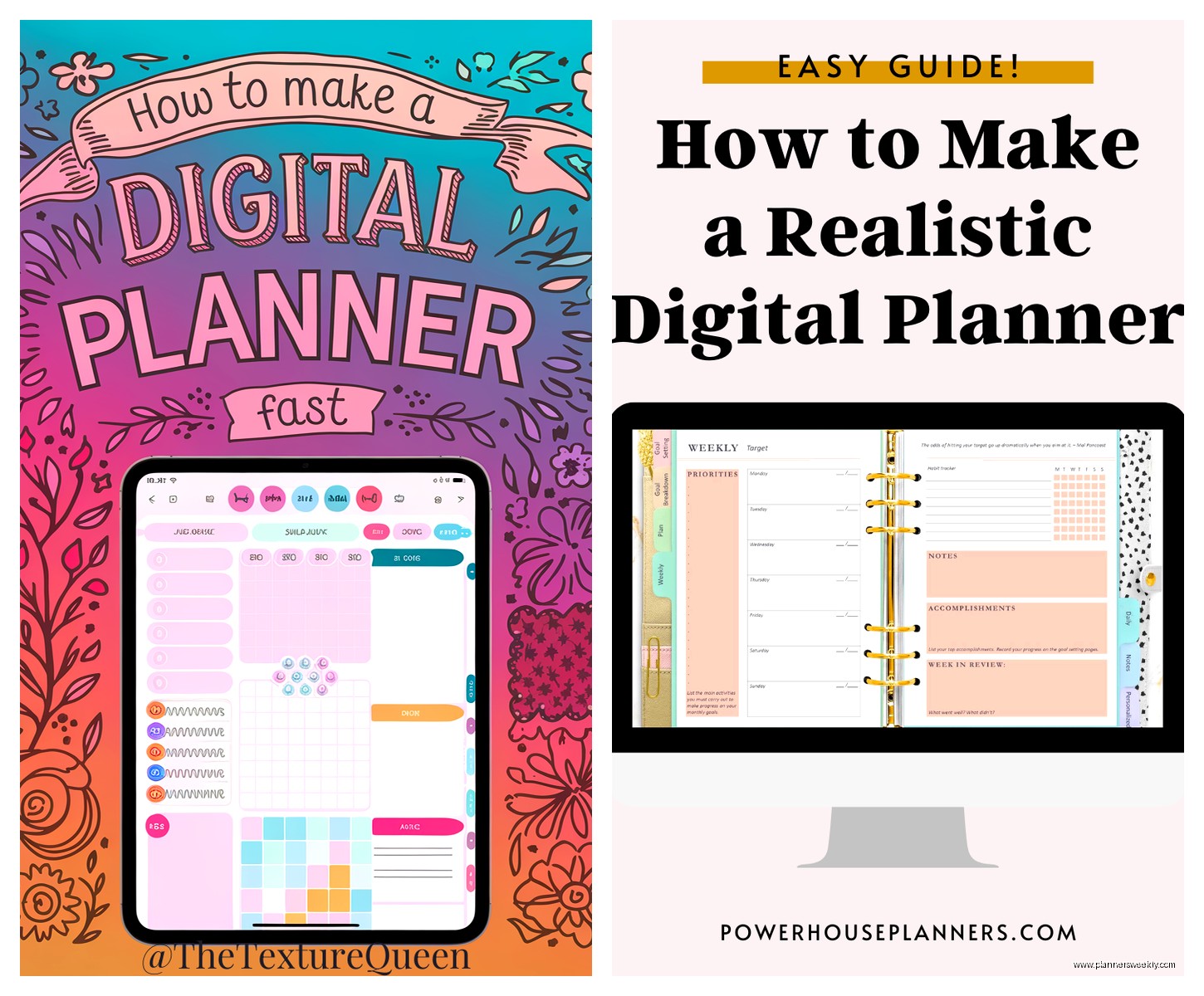
The Passion Planner digital version has really good hyperlinks. Little tabs on the side of each page, click them and boom you’re in the right month. They also have this “roadmap” section for long-term planning that I actually used for my Q2 client goals. Most planners have a yearly overview page that you look at once and never open again, but their roadmap thing is more practical.
Paper size matters too which sounds obvious but isn’t. Most are designed for standard iPad size but some are for iPad Pro 12.9 inch and if you open a 12.9 inch planner on a regular iPad everything is tiny and weird. I made this mistake with a $15 planner and couldn’t return it because digital products. So check the dimensions before buying.
the subscription ones are a whole different category
Okay so then there are app-based planners like Zinnia and Structured and these are completely different from the PDF planners. Zinnia is like $3 a month I think? And it’s specifically a journal-planner hybrid. You get daily prompts and can add your own pages and it syncs across devices which is actually useful if you use your iPhone and iPad.
I used Zinnia for about a month and here’s the thing – it’s great if you want guided journaling. Like if you need prompts to actually write stuff. But if you just want a blank planner to organize your tasks, it’s extra. There’s all these wellness check-ins and mood trackers and I’m like I just need to remember to buy dog food, I don’t need to rate my anxiety level.
Structured is more task-focused and it’s free with premium features. This one is actually really good for time-blocking. You drag tasks into time slots and it shows you a visual timeline of your day. I used this during a really busy week when I had back-to-back client calls and needed to see exactly where my time was going. It worked great for that specific purpose but I wouldn’t use it as my main planner because it’s too focused on today, not the bigger picture.
wait I forgot to mention OneNote
So this is gonna sound weird but some people use OneNote as a planner and honestly it works. It’s free, syncs everywhere, and you can set it up however you want. I spent like two hours one Saturday making a custom planner layout in OneNote with different sections and tables and it was actually pretty functional.
The problem with OneNote is it takes that setup time and most people don’t wanna do that. They want to buy something that’s ready to go. But if you’re very specific about your layout needs and can’t find a premade planner that works, OneNote is worth considering. Plus it’s free which is nice when you’ve already spent $47 on planners that didn’t work out.
the ones everyone raves about that I thought were just okay
The Happy Planner digital version – everyone loves this brand for physical planners so I had high expectations. It’s fine. It’s colorful and has lots of stickers and extras but I found it overwhelming? Like there are seventeen different page layouts and themed packs and I spent more time deciding which layout to use than actually planning.
My client canceled last Tuesday so I spent an hour just comparing the Happy Planner layouts to each other and I still couldn’t tell you the practical difference between half of them. If you really love options and customization, great. If you want to just open your planner and use it, maybe not.
Panda Planner digital – this one has a whole productivity system built in with weekly reviews and morning/evening routines. It’s very structured which some people love. I used it for two weeks and felt like I was doing homework every day. The weekly review section asks like eight questions about your week and I’m supposed to fill this out every Sunday? I barely remember what I had for breakfast.
That said, if you’re someone who actually does weekly reviews and wants that structure, Panda Planner is probably perfect for you. It’s just very… committed? You gotta be all in on their system.
the etsy situation
Okay so Etsy has thousands of digital planners and the quality is all over the place. I’ve bought probably ten from different shops at this point. Some are incredible, some are literally unusable.
Things to watch for on Etsy – check if they have hyperlinks, read the reviews specifically looking for complaints about functionality, and make sure they specify which app it works with. I bought one that said “for iPad” but didn’t mention you needed a specific app and it ended up only working properly in some random app I’d never heard of.
The good Etsy planners are usually $8-15 and are honestly better than some $30 planners from big brands. There’s a shop called PlannerPerfect or something (I should have written this down) that makes really clean, functional planners with good hyperlinks and no unnecessary decoration. Used their undated weekly planner for a month and it was great.
Undated vs dated is another whole thing. Dated planners are ready to go but if you start in March you’ve got two months of unused pages sitting there. Undated you have to write in all the dates yourself which is annoying but at least you’re not wasting pages. I prefer undated now after trying both.
what actually worked for my daily workflow
Here’s what I ended up settling on and I’ve been using this setup for about six weeks now – a minimalist undated planner from Etsy for daily planning, Structured app for specific busy days when I need time-blocking, and honestly just the regular Apple Calendar for appointments because trying to duplicate all my calendar stuff into a planner was making me crazy.
I think that’s the thing nobody tells you – you don’t have to do everything in your planner. Your digital planner doesn’t have to replace every other organizational system you have. It’s okay to use your planner for tasks and projects and keep using your regular calendar for appointments.
The minimalist Etsy planner I’m using has a monthly overview, weekly spreads, and daily pages. The daily pages have a schedule column, a tasks section, and a notes section. That’s it. No habit trackers or water intake logs or gratitude prompts. Just the basics. And I actually use it every day because it’s not trying to be everything.
the stylus situation because this matters
You need a good stylus for digital planning. I tried using a cheap Amazon stylus at first and it was awful. Laggy, imprecise, made me hate digital planning. Got an Apple Pencil (the expensive one, unfortunately) and it completely changed the experience.
If you can’t afford an Apple Pencil, the Logitech Crayon is like $70 and works pretty well. I let my friend borrow it for a week to test planners and she said it was fine, not as nice as the Apple Pencil but totally functional.
oh and another thing – screen protectors. Get a paper-like screen protector if you’re gonna do a lot of handwriting. The glass screen is too slippery for writing. I got the Paperlike brand one and it makes writing feel way more natural. It does make your screen look slightly less crisp but it’s worth it for the writing feel.
pricing reality check
Digital planners range from free to like $40 for the really elaborate ones. Here’s what I think is worth paying for – hyperlinks, clean functional design, and multiple page layouts (daily, weekly, monthly). You can find planners with all that for $10-15.
The $30-40 planners usually have tons of extras like sticker packs and multiple color schemes and bonus pages. If you’re really into customization and aesthetics, maybe worth it. But I’ve never used most of the extras that come with expensive planners. The sticker packs especially – I thought I’d use them constantly but I used like three stickers total.
Free options – there are some decent free digital planners if you search. They’re usually more basic and might not have hyperlinks but they work. Also some creators offer free samples of their planners which is smart to try before buying the full version.
the ones I haven’t tried but hear good things about
Digital Planner Society – several people in a productivity group I’m in swear by these. They’re on the pricier side but apparently have really good functionality and customer support. It’s on my list to test next.
Noteshelf planners – Noteshelf is another note-taking app and they have planners designed specifically for it. Supposed to have good integration with the app’s features. Haven’t tried it yet because I’m already invested in GoodNotes but curious about it.
Custom-made planners – there are people on Etsy who will make you a custom planner layout for like $50-100. If you have very specific needs and can’t find anything that works, might be worth it? Seems expensive to me but I know some people who did this and love their planners.
The main thing I learned from testing all these is that the best digital planner is the one you’ll actually use consistently, which sounds obvious but really just means don’t get caught up in features you don’t need. Most people need a monthly view, weekly view, daily pages, and that’s basically it. Everything else is nice to have but not essential.
Also you’re probably gonna try a few before finding the right one and that’s fine. I have like eight planners in my GoodNotes library that I don’t use anymore. It’s part of the process. Just maybe don’t spend $40 on your first one until you know what you actually want.
