
Digital Productivity, Online planners, Planners, Planners Design
Day Designer 2026 Planner: Full Review & Buying Guide

Feb
Okay so I’ve been using the Day Designer 2026 planner since they sent me an early copy in October and honestly I have THOUGHTS because this isn’t like previous years where they just slapped a new date on the cover.
The Layout Changes They Actually Made This Time
First thing you’ll notice is they tweaked the daily page layout and I’m not gonna lie, I was annoyed at first because why fix what isn’t broken right? But then I used it for like three weeks straight and okay fine they were onto something. The hourly schedule now runs from 6am to 9pm instead of 7am to 8pm which seems small but if you’re an early person or you work late this actually matters a lot.
The to-do list section got bigger. Like noticeably bigger. They shrunk the notes area at the bottom by maybe half an inch and gave that space to the task list instead. My client Sarah who’s a lawyer literally texted me at midnight when she got hers like “FINALLY” because she always ran out of room for tasks.
What The Daily Pages Look Like Now
- Hourly blocks from 6am-9pm (30 minute increments)
- Top priorities section with three checkboxes
- Extended to-do list that actually fits a realistic day’s worth of tasks
- Smaller notes section at bottom
- The little daily quote thing is gone thank god
Oh and another thing, the weekend pages are still condensed but they added this tiny habit tracker on Saturday/Sunday pages which is weird placement but I’ve actually been using it? I track my water intake there because I always forget on weekends.
Paper Quality Real Talk
So this is gonna sound weird but my dog knocked my coffee over onto the October monthly spread and it actually helped me test the paper quality accidentally. The paper is definitely thicker than the 2025 version. I compared them side by side because I’m that person apparently. No ghosting with my Pilot G2 pens which was the main complaint I saw in like every review last year.
They’re using 100gsm paper now instead of whatever thinner stuff they used before. I tested it with:
- Regular ballpoint pens (fine)
- Gel pens in 0.7mm (no bleed)
- Mild highlighters (slight show-through but not bad)
- Tombow brush pens (okay this bled a little but also who uses brush pens in a planner for actual planning)
The cream color is still there not bright white which is easier on my eyes during long planning sessions.
Size Options and Which One You Should Actually Get
They have three sizes for 2026 and I tested all of them because that’s literally my job but also because I couldn’t decide which one I wanted to keep.
Daily Edition (8.5″ x 11″)
This is the classic size and honestly still my favorite even though it’s bulky. If you work from a desk most of the time just get this one. It fits a full day with room for everything and you’re not gonna be squinting at tiny writing. I keep mine open on my desk basically all day. It’s too big for most bags though like it fits in my work tote but barely.
Weight is about 3 pounds which sounds like nothing until you’re carrying it plus your laptop plus everything else.
Mid-Year Option
Wait I forgot to mention they’re doing a mid-year start option again for 2026. Runs from July 2026 to December 2027. Same layouts as the regular version just different dates obviously. Good if you’re reading this late or if you like the academic year vibe.
Compact Edition (6″ x 8″)
This size is new-ish they only started it in 2024. It’s basically the same layout shrunk down and I wanted to love it because portability but the hourly blocks are SO small. If you have larger handwriting forget it. My friend Jamie uses this one and she writes tiny perfect letters like a fonts. I write like a doctor having a seizure so it didn’t work for me.
Good for students or people who are always running between meetings and need something that fits in a regular bag.
Flagship (9″ x 11″)
This is between the daily and compact size. Honestly I think this is the best compromise for most people? It’s big enough that the layout isn’t cramped but it’s not a huge brick. Fits in more bags than the full daily edition. This is what I recommended to my sister who’s a teacher and she’s been using it since January to plan out next school year.
Monthly Spreads Are Actually Useful Now
Okay so funny story I was watching The Diplomat on Netflix while testing the monthly pages and I got so distracted I wrote “Russia meeting” in the wrong week because of the show plot. Anyway.
The monthly calendar spreads at the front of each month are better designed. They added these goal boxes at the top that are actually big enough to write in. Previous years had these tiny boxes that fit maybe five words. Now you can write actual goals with like detail.
Each month also has a full notes page opposite the calendar which seems obvious but they didn’t always do this. I use mine for monthly expense tracking because I’m trying to be better about that and it’s literally right there.
The Cover Options For 2026
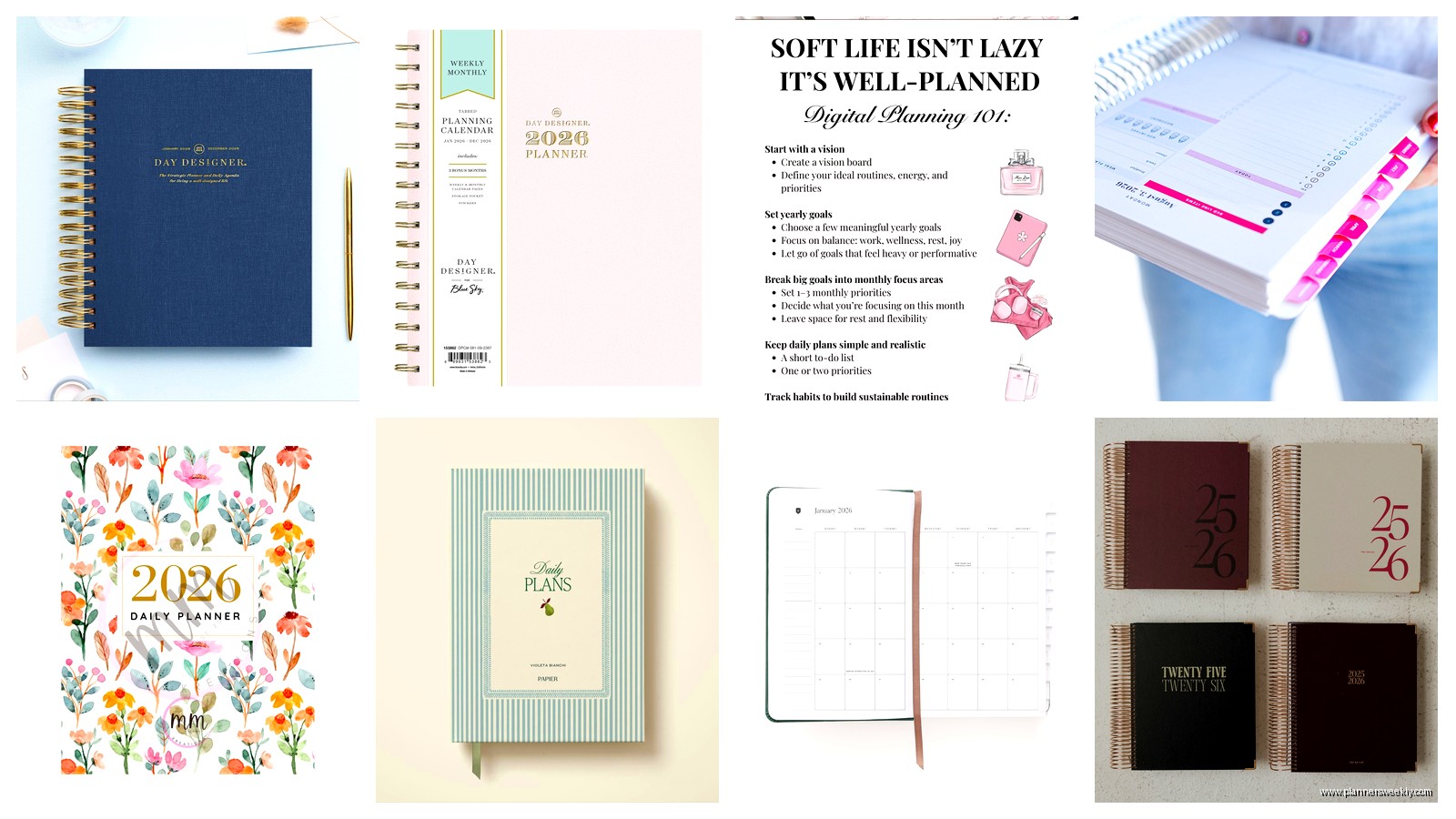
They went a little wild with covers this year there’s like twelve options. The classic navy blue is still there. I got the “Rosé All Day” one which is this dusty pink color and my teenage daughter said it looks like millennial trying too hard so take that for what it’s worth. It does look nice on my desk though.
New patterns include:
- Some kind of terrazzo print situation
- A sage green that’s actually pretty
- Black with gold foil (very professional looking)
- Floral patterns that are somehow not cheesy
- Marble print (white/grey)
All covers are the same laminated hardcover material. Durable, wipes clean, corners don’t get destroyed in your bag. I’ve been using Day Designers for like six years and I’ve never had a cover fall apart which is more than I can say for some other brands.
What’s Missing or Annoying
Because nothing’s perfect right? The coil binding is still black plastic which works fine but I wish they’d do gold or rose gold options to match some of the covers. That’s purely aesthetic though doesn’t affect function.
No pen loop. This drives me insane every year. They have a bookmark ribbon (just one) but no pen holder so you’re digging through your bag for a pen constantly. I stuck one of those adhesive pen loops on mine which looks janky but whatever it works.
The pocket in the back is pretty flimsy. It’s the same clear plastic pocket they’ve always used and stuff falls out of it if you turn the planner upside down. I don’t keep anything important in there anymore just like receipts I’m gonna throw away eventually anyway.
Price Comparison With Other Planners
The Day Designer 2026 runs about $42 for the daily edition which is… honestly expensive? Comparable planners:
- Passion Planner: $35-38
- Panda Planner: $29
- Erin Condren LifePlanner: $55 (way more expensive)
- Blue Sky: $20-25 (but quality isn’t the same)
So it’s mid-range pricing. Not the cheapest but not the most expensive either. I think the paper quality justifies the cost especially if you use it every single day. That’s like 12 cents per day if you use it for a full year which sounds reasonable when I do the math like that.
Who This Planner Is Actually For
Real talk this planner works best if you have a structured day with appointments and tasks. If your schedule is super flexible or you mostly just need a place for random notes this might be overkill. The hourly layout assumes you’re scheduling your day in chunks.
I recommend it for:
- People with ADHD who need structure (me included this is literally why I started using them)
- Anyone with back-to-back meetings
- Small business owners tracking client appointments
- Parents coordinating family schedules
- Students in grad school or professional programs
Maybe skip it if you’re more of a bullet journal person who likes total customization or if you primarily use digital calendars and just need a backup paper option.
Breaking In Your 2026 Planner Before January
Oh wait I should mention they start shipping these in like October 2025 so you can get it early. I always set mine up in December before the new year actually starts. Takes me like an hour with coffee and I write in:
- All known appointments for the first three months
- Birthdays and anniversaries in the monthly spreads
- Any recurring commitments or standing meetings
- Goals for each month in those goal boxes
This is gonna sound weird but I also go through and put little stickers on days that are holidays or important dates because otherwise I forget they’re coming and schedule stuff. The planner doesn’t mark holidays very clearly just tiny print at the top of the monthly calendar.
Actual Changes From 2025 Version
Since I have both sitting on my desk right now here’s what actually changed:
Paper is thicker like I mentioned. The 2025 had some ghosting issues with certain pens. Fixed in 2026.
Daily layout added that extra hour in the morning and evening. Small change but makes a difference.
More to-do list space. Probably the biggest improvement honestly.
Removed the daily quotes which some people will miss but I found them kinda annoying and they took up space.
More cover options. They had like six or seven for 2025, now there’s twelve.
Price went up by $3. Not thrilled about this but inflation exists I guess.
Tips For Actually Using It Consistently
Because buying a planner and actually using the planner are two very different things right? I coach people on productivity and the number one reason planners fail is people don’t build the habit.
What works: putting the planner in the same spot every single day. Mine lives on my desk next to my computer. It’s open to today’s page basically always. Out of sight out of mind is real.
Plan your day either first thing in the morning or last thing the night before. I’m a night before person because mornings are chaotic with getting kids ready and stuff. I spend like ten minutes around 9pm looking at the next day and writing in my top priorities and any appointments.
Don’t try to make it Instagram perfect with fancy handwriting and color coding and whatever. Just use it. My pages are messy with cross-outs and arrows and random notes in margins. That’s fine. It’s a tool not a scrapbook.
Keep it simple with like two pens maximum. I use black for regular stuff and red for urgent things. That’s it. I tried the whole color-coding system with different colors for different life areas and I spent more time picking pens than actually planning.
Where To Buy It
You can get the Day Designer 2026 from their website directly which usually has the full selection of covers. Amazon also carries them but sometimes with limited cover options. Target has them in stores and online but I’ve noticed Target’s stock is hit or miss with covers.
I’d order from the Day Designer website directly because they do run sales pretty regularly. I’ve seen 25% off a few times a year especially around holidays. Sign up for their email list if you wanna catch those sales but also be prepared for a lot of emails they send like three a week.
They have a pretty good return policy too if you get it and hate it you can return within 30 days I think? Check their current policy but they’re reasonable about it.
