
Digital Productivity, Online planners, Planners
Happy Planner Dashboard Layout: Setup Guide & Tips
Mar
Okay so I just spent like three hours yesterday reorganizing my Happy Planner dashboard setup because I realized I was doing it completely wrong for the past month and honestly it’s been a game changer. Let me walk you through what actually works.
First thing – the dashboard itself. You’ve got options between the clear plastic ones and the laminated cardstock ones, and I’m gonna be real with you, the clear plastic is where it’s at. I know the pretty printed ones look amazing on Instagram but here’s the deal: you can’t see through them when your planner is closed. Sounds obvious but I didn’t think about it until I bought like four of the decorative ones and then never used them because I couldn’t quickly check what was on the page behind it.
The clear dashboards come in different thicknesses too which nobody tells you. The standard ones are fine but they get bendy after a few weeks of use. The heavy duty clear ones cost like two dollars more and they’re worth it. I tested both side by side for a month and the regular ones started curling at the edges where I was constantly flipping past them.
Setting Up Your Dashboard Pockets
So the whole point of a dashboard is having pockets right? You can buy the pre-made pocket dashboards or make your own. I’ve done both and here’s what I learned – the pre-made ones from the Happy Planner brand have pockets that are too shallow. Like I put sticky notes in there and half of them stick out the top. Super annoying.
Making your own is honestly easier than it sounds. You need a clear dashboard, some heavy duty packing tape (the really clear kind), and either a laminating pouch or just another piece of clear plastic. Cut the second piece to create a pocket shape, tape three sides to your dashboard, leave the top open. Done. My cat knocked over my coffee while I was doing this last week so I had to start over but even with that disaster it only took fifteen minutes.
Oh and another thing – position matters SO much. I see people putting pockets on the back of their dashboards and I don’t get it? Like you have to flip the whole thing over to access anything. Put pockets on the front side, the side that faces you when you open your planner. I put mine in the bottom third of the dashboard so it doesn’t block my view of the actual planner page behind it.
What to Actually Keep in Dashboard Pockets
This is where I messed up initially. I was treating it like a storage unit and cramming everything in there. Stickers, washi tape samples, receipts, business cards, sticky notes, appointment cards. It was like three inches thick and made my planner impossible to close properly.
Here’s what actually makes sense to keep there:
- One sticky note pad maximum – I use the small square ones
- Three to five current task cards or note cards
- Maybe one or two appointment reminder cards
- A single sheet of stickers you’re actively using this week
That’s it. Everything else goes in a separate pouch or storage pocket elsewhere in your planner. The dashboard pocket should be for things you need to reference or grab multiple times per day.
The Positioning Problem Everyone Has
Okay so funny story – I had a client meeting where I was showing her my planner setup and she pointed out that I had my dashboard in the weirdest spot. I had it like six pages into my monthly section and it made zero sense. We both just started laughing because I’d been reaching past it constantly to get to my weekly pages.
Dashboard placement options that actually work:
Right behind your cover – this works if you use your dashboard mostly for storage and decoration. You see it every time you open your planner. Good for motivation quotes or pretty designs. Not great if you need frequent access to what’s in the pocket because you’re constantly flipping back to the front.
Before your current month – this is where mine lives now. I can flip to whatever week I’m in and the dashboard is right there at the start of that month’s section. Makes way more sense for active use.
Before your current week – some people do this and move it weekly. Too much maintenance for me personally but if you’re already doing a weekly reset routine it could work. I tried it for two weeks and forgot to move it like three times so I had dashboards scattered throughout my planner.
Multiple Dashboard Strategy
Wait I forgot to mention – you don’t have to use just one dashboard. I thought that was like a rule or something but it’s not. I currently have three in rotation.
One at the front with my monthly goals and a pocket that has my habit tracker sticky notes. One before my current month with weekly task cards. And one in my notes section at the back with blog post ideas and random thoughts.
The key is making sure each one has a specific purpose. Otherwise you’re just adding bulk to your planner for no reason and trust me, Happy Planners get heavy enough as it is. Mine is the classic size and with all my inserts and dashboards it’s like carrying a brick.
Dashboard Decoration Without Going Overboard
Look I love a pretty planner as much as the next person but decorated dashboards can get in the way of functionality real fast. I spent way too much money on printed dashboards from Etsy that I used for exactly one week before I got annoyed with them.
If you wanna decorate, here’s what actually works long-term. Use washi tape along the edges – adds color without blocking visibility if you’re using clear dashboards. Stick one or two small stickers in a corner. That’s it.
The full-page printed designs look gorgeous but they make it impossible to see what’s behind the dashboard and if you have anything in the pocket it competes visually with the decoration and just becomes chaos. This is gonna sound weird but I actually prefer my dashboards pretty plain now because it makes the actual planner pages stand out more.
Disc-Bound Specific Issues
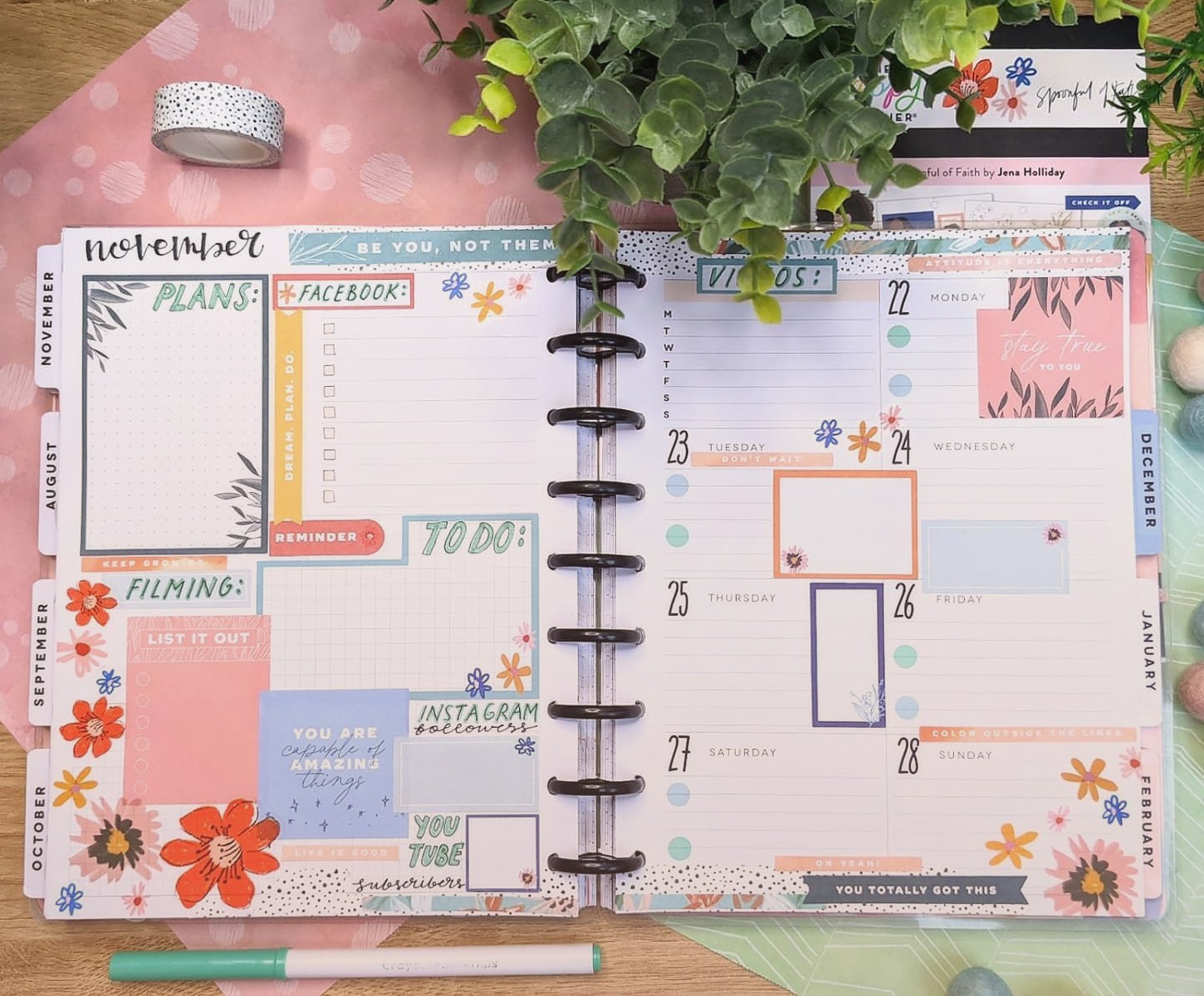
Since Happy Planners are disc-bound you gotta think about disc placement when you’re setting up dashboards. The discs take up space and if your dashboard pocket extends too far to the left it’s gonna interfere with the binding.
I learned this the hard way when I made a custom dashboard with a pocket that went almost edge to edge. Looked great flat on my desk but once I punched it and put it in my planner the discs created this weird bubble in the pocket. Anything I put in there would slide behind the discs and get stuck.
Leave at least an inch margin on the disc-bound side. Measure your specific planner because the mini, classic, and big sizes all have slightly different disc spacing. My classic has about a 1.25 inch span where the discs are so I keep all pockets and decorations at least 1.5 inches away from that edge.
Maintenance and Rotation
Dashboards aren’t set it and forget it. Well they can be if you want but they work better with some regular maintenance. Every Sunday I do a quick dashboard check – what’s in the pockets that I don’t need anymore? Are the sticky notes getting low? Is anything wrinkled or damaged?
The clear plastic ones get scratched up over time. Like I have one that I’ve been using since January and it’s got so many little scratches from pens and paper clips that it’s almost cloudy now. I probably should replace it but I keep forgetting to order new ones.
If you’re rotating dashboards seasonally or monthly, store the ones you’re not using flat in a drawer or folder. Don’t leave them in your planner taking up space. I have a file folder labeled “planner dashboards” where I keep extras and it lives in my desk drawer. Super boring system but it works.
The Laminating Hack
Oh wait this is actually important – if you’re making your own dashboards from cardstock or printed designs, get them laminated. Not just for durability but because laminated pages are smooth and things slide in and out of pockets way easier.
I tried using just cardstock dashboards without laminating and papers would catch on the rough texture constantly. Plus they started getting dingy after like two weeks of handling them. The laminating pouches you can run through a home laminator work fine. You don’t need to go to a print shop or anything fancy.
Common Dashboard Mistakes I See All the Time
Making the pocket too deep – if your pocket goes more than halfway down the dashboard, things fall to the bottom and you can’t grab them without taking everything out.
Using tape that’s not strong enough – regular scotch tape will not hold up. Use packing tape or the heavy duty clear tape. I’ve had pockets fall apart mid-week because I used cheap tape and it was so annoying.
Putting too many dashboards in one section – I watched a YouTube video once where someone had like eight dashboards in a row at the front of their planner. Why? What’s the point? You’re just making it harder to get to your actual planner pages.
Not considering thickness – every dashboard adds bulk. If you’re already struggling to close your planner or the discs are maxed out, adding dashboards is gonna make it worse. Be realistic about how much you can actually fit.
Budget-Friendly Dashboard Options
You don’t need to spend a ton on dashboards. The official Happy Planner ones are nice but there are cheaper options that work just as well. Page protectors from any office supply store can be trimmed down and punched to fit. They’re like a dollar for five of them.
Old file folders cut to size work great for cardstock dashboards. Free if you have some laying around. Laminate them and they’re basically the same as the ones you’d buy for eight bucks each.
My dog chewed up one of my expensive printed dashboards last month and I was so mad until I realized I could just print my own designs on cardstock at home. Literally costs like twenty cents per dashboard if you already have a printer. There are tons of free printable dashboard designs online.
The disc binding punch is the only tool you really need and if you’re already using a Happy Planner you probably have access to one. Some craft stores have them available to use in-store if you don’t wanna buy your own.
Seasonal Dashboard Swaps
I’m not super into the whole seasonal planner decoration thing but I do swap out my front dashboard quarterly just to keep things fresh. Winter I use a clear one with some simple snowflake washi tape. Spring I’ve got a floral print one. Summer and fall I honestly can’t remember what I use because I’m writing this in February.
The content in my dashboard pockets changes weekly but the actual dashboard only gets swapped every few months. That feels like the right balance between keeping it interesting and not spending all my time redecorating my planner instead of actually using it.
Some people coordinate their dashboards with their weekly spreads and monthly themes and more power to them but that’s too much work for me. I tried it for exactly one month and then gave up because I was spending more time planning my planner than planning my actual life.
Anyway that’s basically everything I’ve figured out about dashboard setup after using Happy Planners for like three years now. The main thing is just make it functional for YOUR actual planning style, not what looks good in photos or what other people are doing. Took me way too long to figure that out honestly.
