Digital Productivity, Online planners, Planners
Task Planner Template: Free Productivity Downloads
Mar
Okay so I’ve been testing task planner templates for like three months now and honestly the free ones are sometimes better than the paid versions which is wild but here’s what actually works.
The Basic Daily Task Template Everyone Needs
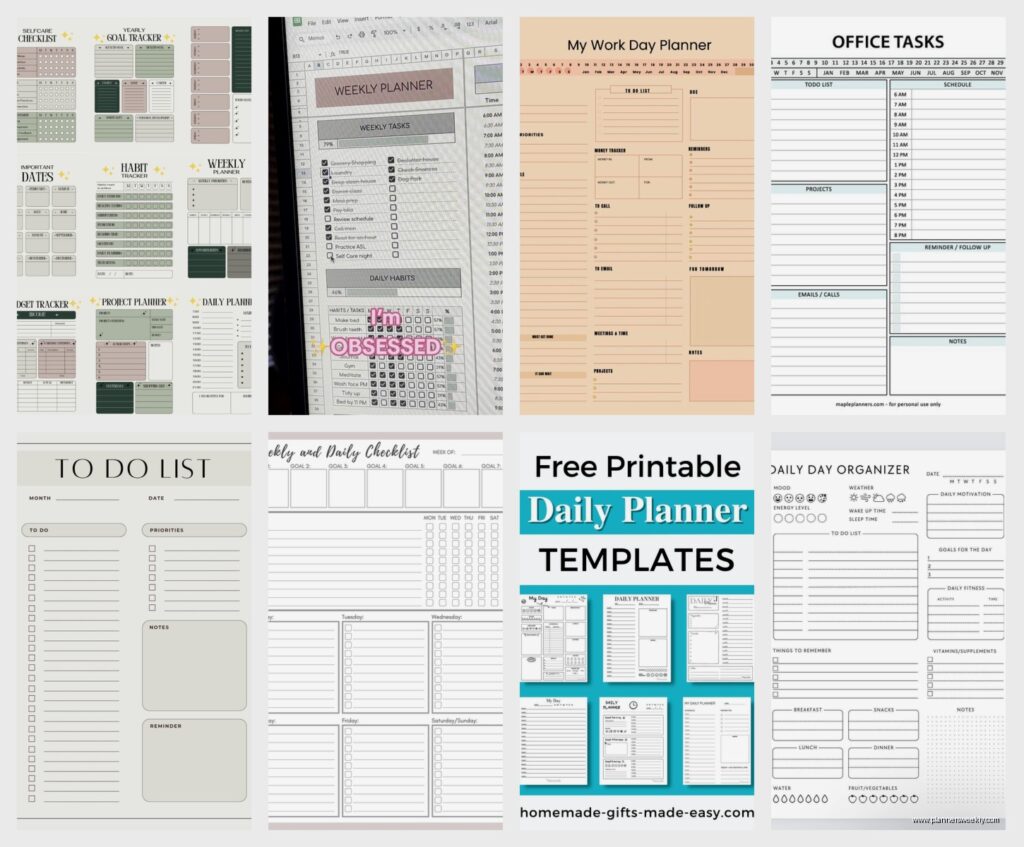
So the template I use literally every single day is this super simple one from Vertex42. It’s just an Excel file but you can open it in Google Sheets which is what I do because my laptop died last month and I’m still waiting on the new one. Anyway this template has three sections: priorities, regular tasks, and notes. That’s it. No fancy colors or motivational quotes or whatever.
The thing that makes it actually useful is you can see your whole day on one page. I know that sounds obvious but so many planners try to cram in habit trackers and water intake logs and meal planning and then you can’t find your actual work tasks. This one just shows you what needs doing.
How I Actually Use It
I fill it out the night before which sounds super organized but really it’s because I get anxious if I don’t write things down. Put your three biggest priorities at the top. Not five, not ten, THREE. If you write down ten priorities that’s just a regular to-do list and you’ll ignore it.
Then the regular tasks section is for all the small stuff that has to happen but isn’t gonna move your life forward. Responding to emails, scheduling that dentist appointment you’ve been putting off, ordering dog food because you’re down to like two cups and your dog eats twice a day so that’s cutting it close.
Oh and another thing, the notes section is criminally underrated. I use it to brain dump anything that pops into my head during the day. Client mentions they want to rebrand in Q3, write it down. Remember you need to text your sister back, write it down. Otherwise that stuff just cycles through your brain all day taking up mental space.
The Weekly Overview Template That Changed Everything
Wait I forgot to mention the weekly template I found on Canva. It’s free but you need an account. I resisted Canva for so long because I thought it was just for making Instagram graphics but they have these productivity templates that are actually good.
This weekly planner shows Monday through Sunday in columns and you can color-code by project or client or whatever system your brain likes. I color-code by energy level which sounds weird but like, I know I’m useless after 3pm on Fridays so I only schedule easy tasks then. The template lets you see patterns in your week.
The Setup Process Takes Forever Though
Gonna be honest, the first time you set up a weekly template it takes like an hour because you’re customizing all the fields and figuring out your categories. I did mine while watching that Netflix show about the chess player, what’s it called, Queen’s Gambit, and I still didn’t finish the template by the end of episode one.
But once it’s set up you just duplicate it each week. I have a folder in Google Drive called “Weekly Plans 2024” and every Sunday I copy last week’s template, clear out the completed tasks, and move forward anything that didn’t get done. Takes maybe ten minutes now.
Project-Based Templates For Bigger Stuff
Okay so if you’re working on anything that takes longer than a week you need a different kind of template. Daily and weekly planners are great for recurring stuff but terrible for projects with multiple phases.
I use the project planner from Template.net which has a free version. You can map out the whole project timeline, assign subtasks, set deadlines, all that. The free version limits you to three active projects which honestly is perfect because if you’re trying to juggle more than three big projects at once you’re lying to yourself about your capacity.
Breaking Down Projects Without Losing Your Mind
The way this template works is you start with the end goal and work backwards. So let’s say you’re launching a new service. The end goal is “service available for purchase on website.” Then you work backwards: before that can happen you need the sales page written, before that you need the pricing figured out, before that you need to know what you’re actually offering, before that you need to research what people want.
Each of those becomes a task block in the template. Then you assign realistic deadlines. And this is where I mess up every single time, I think things will take half as long as they actually do. My client canceled last Tuesday so I spent an hour going through my old project templates and literally everything took twice as long as I planned. So now I double all my estimates and it’s much more accurate.
The Monthly Goals Template Nobody Uses Correctly
This is gonna sound contradictory but monthly planning templates are mostly useless unless you’re using them for specific things. I tried doing monthly goal planning for like two years and it never stuck because a month is a weird timeframe. Too long to maintain urgency, too short to accomplish anything really big.
But there’s one monthly template from Notion (free account needed) that I actually use consistently. It’s not for goals, it’s for tracking metrics. How many client sessions did I do, how many blog posts did I publish, how much revenue came in, how many new email subscribers signed up.
Why Tracking Matters More Than Planning
The monthly review template helps you see if you’re actually making progress or just staying busy. Busy is answering emails and attending meetings and reorganizing your desk drawer. Progress is publishing content, signing clients, building systems.
I fill mine out on the last day of each month which is usually when I’m avoiding other work honestly. But seeing the numbers over time is weirdly motivating. Like in March I only published two blog posts but in April I published six. That happened because I could see the March number was embarrassingly low.
Time-Blocking Templates That Actually Work
Okay so time-blocking is one of those productivity things that sounds great in theory but most templates make it way too complicated. I’ve tested probably fifteen different time-blocking templates and most of them fail because they assume you have complete control over your schedule.
The one I actually use is from Google Sheets Templates gallery, just search “time blocking schedule” and it’s the blue one. It’s simple, shows your day in 30-minute chunks, and you can adjust the time increments if you want.
My Weird Time-Blocking System
Here’s what works for me: I only time-block my mornings. Trying to plan every single hour of your day is exhausting and also impossible because life happens. But mornings I can usually control.
I block 9am to noon for deep work, which means actual work that requires thinking. Writing, planning, strategy stuff, reviewing client materials. No meetings, no email, no Slack. Then noon to 1pm is admin catch-up where I deal with all the communication stuff that piled up.
Afternoons I leave mostly open except for scheduled calls and meetings. This flexibility is key because otherwise you’re constantly rearranging your perfect time-blocked schedule and that takes more time than just doing the actual work.
The Pomodoro Template For Chronic Procrastinators
Wait I forgot to mention Pomodoro templates. If you struggle with getting started on tasks, these are genuinely helpful. The basic idea is 25 minutes of work, 5 minute break, repeat. After four cycles take a longer break.
There’s a free printable Pomodoro planner on Productivity501 that I keep next to my desk. It’s literally just boxes you check off as you complete cycles but something about physically checking boxes makes my brain happy.
Why Physical Sometimes Beats Digital
This is the only template I use in physical form instead of digital. I print like ten sheets at once and keep them in a binder. There’s something about seeing the checked boxes pile up that keeps me going. Also when I’m procrastinating I’m usually on my computer, so having the planner on paper means I can’t ignore it by switching browser tabs.
I use it mostly for tasks I’ve been avoiding. Writing proposals, updating my website, organizing my digital files, anything where I keep finding excuses. Set the timer, work for 25 minutes, check the box. It’s weirdly effective.
Habit-Stacking Templates For Building Routines
Okay so this isn’t exactly task planning but it’s related. Habit-stacking templates help you attach new tasks to existing habits. I found a good free one on James Clear’s website, he wrote Atomic Habits and has a bunch of free resources.
The template is basically “After I [current habit], I will [new task].” So like “After I pour my morning coffee, I will review my daily task list.” Or “After I close my laptop at night, I will set up tomorrow’s top three priorities.”
The Tasks That Need Routine
Some tasks work better as habits than as items on your to-do list. Planning your day, reviewing your goals, checking your budget, these aren’t one-time things. They need to happen regularly and if you rely on remembering or motivation you’ll skip them.
I’ve got about five task-related habits stacked into my routine now. Morning coffee triggers daily planning. Lunch triggers inbox zero attempt (I never actually reach zero but I try). End of workday triggers tomorrow’s prep. It took like two months for these to feel automatic but now they just happen.
The Emergency Brain Dump Template
This is gonna sound weird but I have a template specifically for when I’m overwhelmed and can’t think straight. It’s just a blank document with prompts: “What’s making you anxious right now?” “What absolutely has to happen today?” “What can wait until next week?”
I found this concept on the Bullet Journal website under their free resources. They call it a brain dump but I think of it more as an emergency reset button. When I have too much going on and my regular task planner isn’t helping because everything feels urgent, I use this.
You just write everything out without organizing or prioritizing. Get it all out of your head. Then you go through and mark what’s actually urgent versus what just feels urgent because you’ve been thinking about it too much. Usually like 80% of what feels urgent can wait.
Templates That Didn’t Work For Me But Might For You
Oh and another thing, I tested a bunch of templates that were too much for my needs but could work if you have different requirements. The GTD (Getting Things Done) template from David Allen’s website is incredibly thorough but requires like an hour of weekly maintenance. If you’re managing a team or have a super complex role it might be worth it.
The Eisenhower Matrix template is popular but I found it too rigid. You categorize tasks by urgent/not urgent and important/not important. In theory it helps you prioritize but in practice I spent more time deciding which quadrant tasks belonged in than actually doing them.
There’s also templates that combine task planning with meal planning, budget tracking, and fitness logging. These “life planner” templates sound great but I’ve never stuck with one longer than two weeks. Too many things to update, too easy to fall behind and then abandon the whole system.
How To Actually Stick With A Template
The real question isn’t which template is best, it’s how do you actually use it consistently. Because I’ve downloaded probably fifty templates over the years and used most of them exactly once.
What works for me is starting with one template. Just one. Use it for at least two weeks before adding anything else. I started with just the daily task template and used only that for a month before adding the weekly overview.
Also your template needs to fit into your existing workflow, not the other way around. If you’re always on your phone, don’t pick a template that requires a desktop computer. If you hate typing, find a printable one you can handwrite. If you’re visual, get something with color-coding options.
Where To Find These Templates
Most of what I use comes from:
- Vertex42 for Excel/Google Sheets templates, especially good for basic structured planners
- Canva free account for visual weekly and monthly layouts
- Notion free tier which has tons of community templates, some overcomplicated but some genuinely useful
- Google Sheets template gallery, just search productivity or task planning
- Template.net has free versions of most templates with some limitations
Also just searching “free task planner template PDF” brings up hundreds of printable options. I keep a folder of PDFs I’ve downloaded and occasionally I’ll try a new one if my current system isn’t working.
The main thing is free templates are actually really good now. You don’t need to spend money on fancy planners or apps. The basic structure of “what needs doing and when” hasn’t changed, so a simple free template usually does the job fine.
Just pick one, use it for two weeks minimum, adjust what isn’t working, and don’t overcomplicate it. Your task planner should take less time to maintain than it saves you in getting organized. If you’re spending 30 minutes a day managing your planner, something’s wrong with your system.