Digital Productivity, Online planners, Planners
Trip Planner Template: Free Travel Planning Tools

Mar
Okay so I just spent like three weeks testing every free trip planner template I could find because honestly I was planning this Portugal trip and figured I might as well be thorough about it. Here’s what actually worked.
Google Sheets Templates Are Your Best Friend
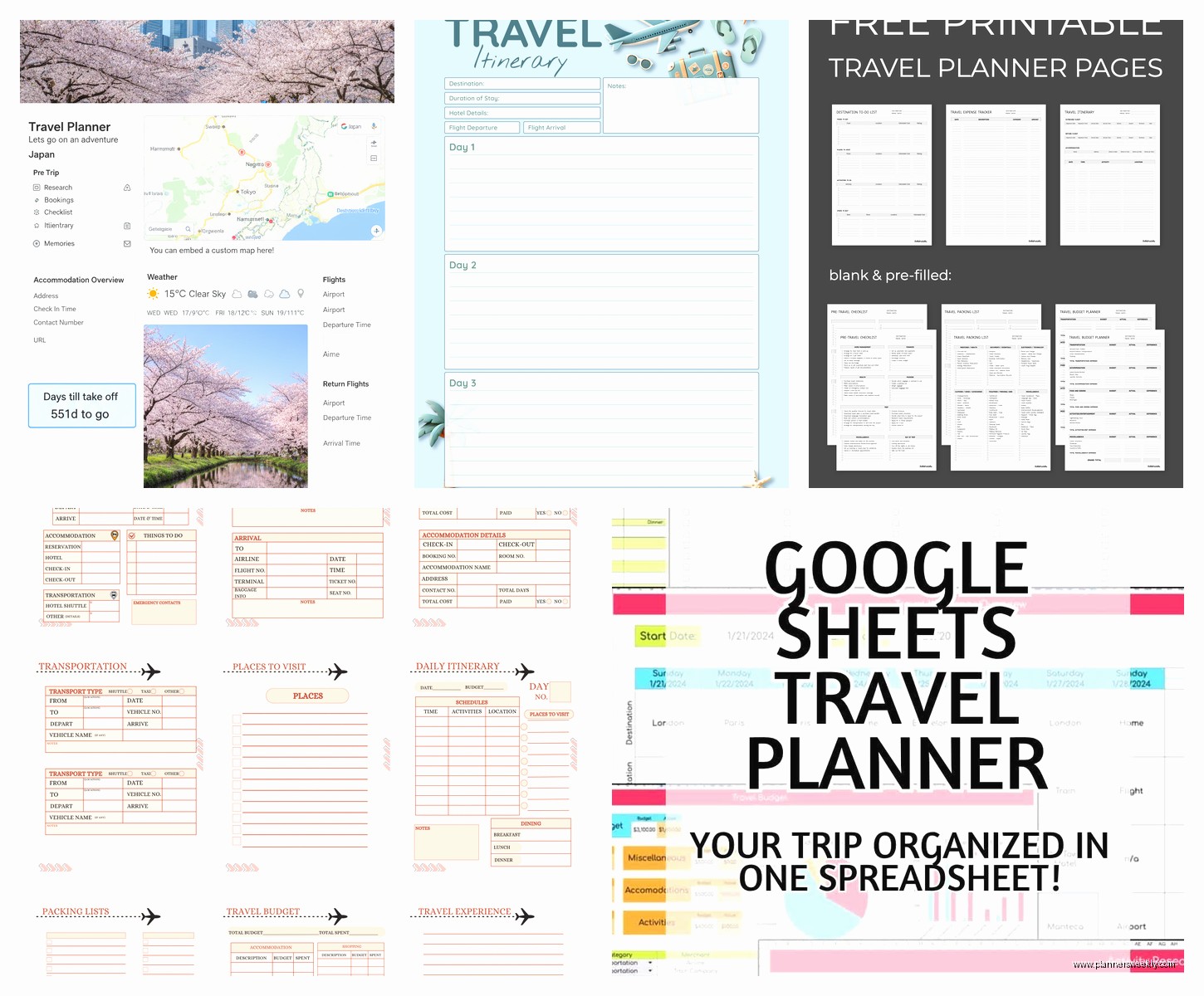
The Google Sheets travel planner templates are genuinely the most practical ones I’ve found. I know, I know, spreadsheets sound boring but hear me out. I grabbed this one free template from Vertex42 and it has literally everything—budget tracker, packing lists, daily itinerary sections, even a tab for tracking your flight info.
What I love is you can access it from your phone when you’re actually traveling. Like I was standing in the Lisbon airport trying to remember which hotel I’d booked and just pulled it up right there. No printing required, which is huge because my printer has been broken for like six months and I keep forgetting to replace it.
The budget section is where these really shine. You set up categories (flights, accommodation, food, activities, that random stuff you always buy) and it auto-calculates everything. I went over budget on pastéis de nata by approximately 40 euros but at least I knew exactly how much I was overspending.
Setting Up Your Google Sheets Template
Download whatever template looks good to you. Make a copy so you don’t mess up the original. Then spend like 20 minutes customizing it because the default categories are never quite right. I always add a “coffee shops” category because that’s genuinely a significant travel expense for me.
The daily itinerary tab is where you’ll probably spend most of your time. I like to color-code mine by type of activity—blue for museums, green for outdoor stuff, orange for restaurants. My dog knocked over my coffee while I was doing this and I had to redo an entire day but whatever, it looks pretty now.
Notion Travel Templates If You’re Into That
Oh and another thing, if you’re already using Notion for other stuff, their travel templates are actually really solid. There’s this free one called “Travel Planner” in their template gallery that’s basically a database approach to trip planning.
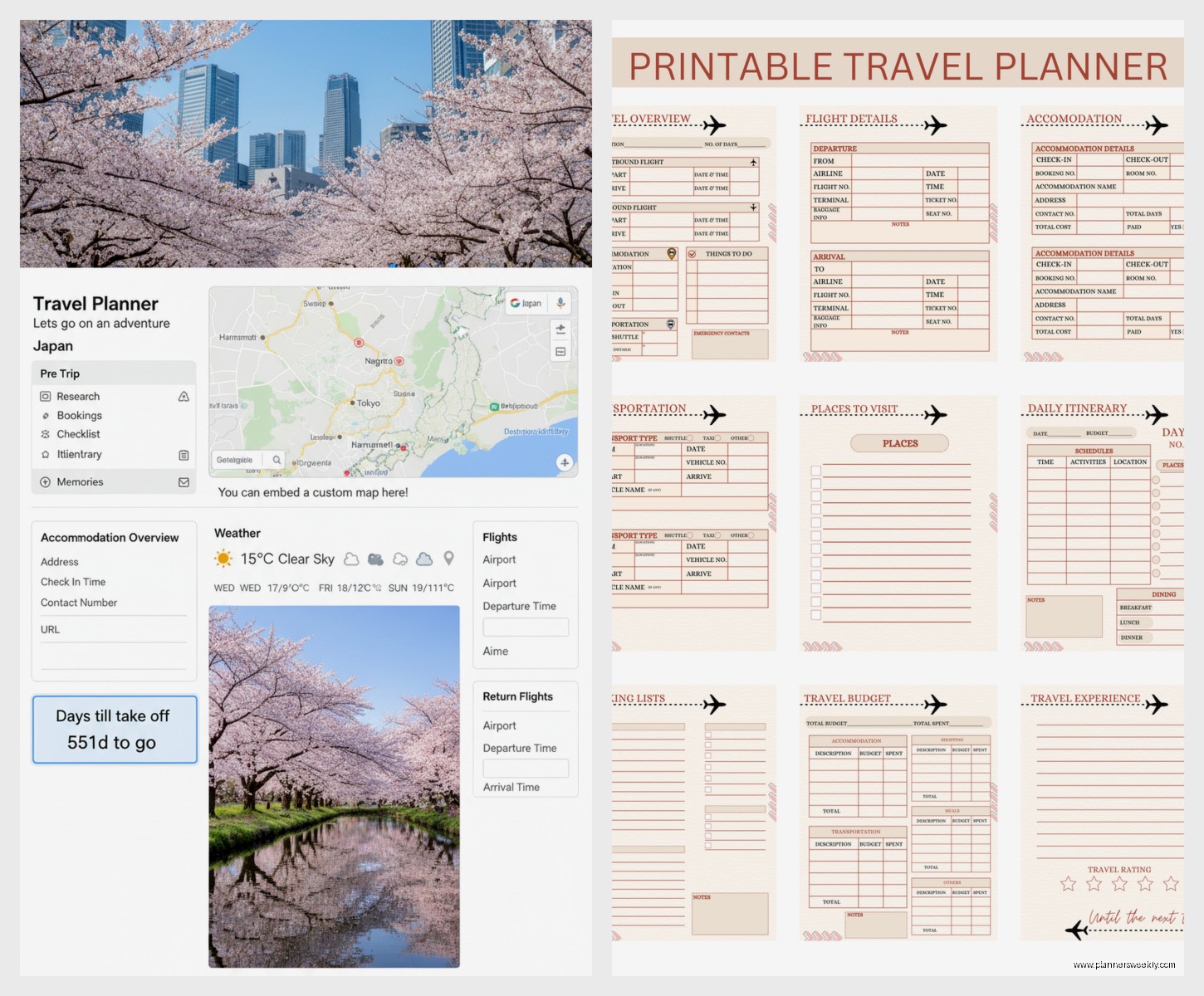
What’s cool about Notion is you can embed maps, add photos of places you wanna visit, link to restaurant websites, all in one place. It’s more visual than a spreadsheet which some people prefer. I used it for a Colorado trip last fall and having all the hiking trail photos right there in my planner was super helpful for deciding what to prioritize.
The learning curve is steeper though. If you’ve never used Notion before, you’re gonna spend your first hour just figuring out how databases work. I had a client session that got canceled so I spent that time watching YouTube tutorials and honestly that’s what it takes. Not complicated once you get it, just different.
Printable PDF Templates For Old School Planning
Wait I forgot to mention the printable options. Sometimes you just want paper, you know? I grabbed a free PDF template from Canva (they have a travel planner section) and printed it at the library because again, broken printer situation.
These work great if you like physically writing things down. There’s something about writing “Day 3: Porto” with an actual pen that makes it feel more real. Plus no battery life to worry about. I kept mine in a small binder with those plastic sheet protectors and it survived getting rained on, which my phone definitely would not have.
The Canva templates are customizable before you download them which is nice. You can change colors, add your own sections, put in photos. Takes maybe 15 minutes to personalize then you’ve got something that actually looks professional.
TripIt If You Want Automation
Okay so funny story, I was manually entering all my flight confirmations into my spreadsheet like a chump, and then my friend told me about TripIt. It’s free for the basic version and here’s the thing—you just forward your confirmation emails to their special address and it automatically builds your itinerary.
Like I forwarded my hotel booking, my flight confirmation, my rental car reservation, and it organized everything chronologically with all the confirmation numbers and addresses. This is gonna sound weird but it felt like magic? I didn’t have to type anything.
The free version doesn’t have all the fancy features (the paid version alerts you about flight delays and finds alternate flights and stuff) but for basic trip organization it’s legitimately great. Works as an app on your phone too so you’ve got everything offline once it syncs.
Only downside is it doesn’t really handle the planning phase well. It’s more for organizing stuff you’ve already booked. So I still used my Google Sheet for the “should we do this or that” phase and then moved everything to TripIt once I actually made reservations.
Google My Maps For Location Planning
This one’s not technically a planner template but I gotta mention it because it changed how I travel. Google My Maps lets you create custom maps with pins for every place you want to visit. I make a new map for each trip and color-code the pins—red for must-see, yellow for if-we-have-time, blue for restaurants.
You can add notes to each pin, save addresses, even plan out walking routes between places. Then when you’re actually there, you open Google Maps on your phone and your custom map shows up with all your pins. So useful for visualizing where everything is relative to your hotel.
I spent an entire evening watching Netflix and dropping pins for my Japan trip that’s coming up. Added like 60 restaurants because priorities. My cat kept walking across the keyboard which made me accidentally pin some random location in the middle of the ocean but I fixed it.
The best part is you can share these maps with whoever you’re traveling with. My sister and I both added places to our map before our Chicago trip and then just met in the middle on what to actually do.
Combining Tools For Maximum Efficiency
Here’s what I actually do now after testing all this stuff: Google Sheets for budget and overall planning, Google My Maps for locations, TripIt for organizing confirmations. I know that sounds like a lot but they each do one thing really well and using all three takes maybe 10 extra minutes of setup.
I keep the Google Sheet link and the My Maps link saved in my phone notes so I can pull them up quickly. TripIt is just an app so that’s always there. Then everything’s accessible whether I have wifi or not because they all work offline once you’ve loaded them.
Trello Travel Boards Actually Work
Oh wait, I should mention Trello because I’ve been using it more lately. You can set up a board with lists like “Research,” “Booked,” “Packing,” “Day 1,” “Day 2,” etc. Then add cards for each thing you need to do or remember.
What I like about this approach is you can move cards around super easily. Like I had “Visit Sintra” in my Day 2 list but then realized the weather would be better on Day 4, so I just dragged the card over. Very satisfying.
You can also add checklists within each card. So my “Packing” card has a checklist of everything I need to bring. My “Flight” card has check-in time, gate info, seat number, all that. Keeps everything contained but organized.
The free version limits you to like 10 boards or something but unless you’re planning multiple trips simultaneously that’s plenty. I’ve got three boards going right now and haven’t hit any limits.
Simple Note Apps Work Too
This is gonna sound too simple but honestly sometimes I just use Apple Notes or Google Keep. Make a note for each day, list out what you’re doing, paste in addresses and confirmation numbers. Done.
Not as fancy as the other options but if you’re taking a short trip or you’re not a super detailed planner, this might be all you need. I used just Apple Notes for a weekend in Austin and it was totally fine. Had my restaurant list, hotel address, and a rough idea of what I wanted to do each day.
The search function is surprisingly useful too. I just searched “hotel” when I needed the address instead of scrolling through everything. Takes two seconds.
Packing List Templates Save Your Life
Every travel planner should have a packing section but a lot of them don’t, which is weird. I found a really good packing list template on Google Sheets that breaks everything down by category—clothes, toiletries, electronics, documents, medications, all that.
What’s smart about having a template is you can reuse it. I keep a master packing list and just copy it for each trip, then delete whatever I don’t need. Way faster than making a new list from scratch every time and you never forget your phone charger.
I add to mine every time I travel. Like I forgot my reusable water bottle on my last trip and was annoyed about it, so now “water bottle” is on my master list. It’s becoming this comprehensive thing that actually reflects how I travel.
Budget Tracking Features You Actually Need
Any template you use should have real budget tracking, not just a place to write down how much you spent. I mean auto-calculations, categories that show you percentages of your total budget, maybe even some charts if you’re into that.
The thing about travel budgets is they’re always wrong. You always spend more than you planned. But having actual tracking helps you make decisions in the moment. Like I could see I was under budget on activities which meant I could splurge on that fancy dinner without guilt.
Set up categories that match how you actually spend money. Everyone says to have a “miscellaneous” category but I never use it because it’s too vague. I’d rather have “snacks and coffee” as its own line item because that’s real spending that happens every day.
Daily Itinerary Structure That Works
Your daily itinerary section should have time blocks, not just a list of stuff. Like “9am breakfast at X, 11am museum, 2pm lunch, 4pm walk around neighborhood, 7pm dinner reservation.” The timing helps you figure out if you’re being realistic about what you can actually do.
I always overestimate how much I can fit into a day and having times written out makes that obvious. You realize pretty quick that you can’t do eight things between 10am and 5pm when two of them require transportation.
Leave buffer time too. I add 30-minute blocks labeled “travel time” or “rest” between activities. Sounds excessive but you actually need that time and if you don’t schedule it, you end up running late for everything and getting stressed.
Collaboration Features If You’re Not Traveling Solo
If you’re traveling with other people, whatever template you choose needs to be shareable. Google Sheets and Notion are great for this. Multiple people can edit at the same time and everyone stays on the same page.
My friend and I planned a Mexico trip together and we just both had access to the same Google Sheet. She’d add restaurants she found, I’d add activities I wanted to do, and we’d use comments to discuss whether things would actually work. Way better than texting back and forth about everything.
Make sure you set up sharing permissions right though. I accidentally gave view-only access to my sister once and she couldn’t add anything and got frustrated with me. Edit access is what you want for collaborative planning.
Honestly that’s most of what I’ve learned from testing all these tools. The main thing is just pick something and actually use it instead of keeping everything in your head or scattered across random emails. Any system is better than no system when you’re trying to organize a trip.