Digital Productivity, Online planners, Planners
Personalized Monthly Planner: Custom Calendar Options
Mar
Okay so I just spent like three weeks testing different personalized monthly planners because honestly my regular one wasn’t cutting it anymore and here’s what I actually found out.
The Whole Digital vs Paper Thing You’re Probably Wondering About
Look, I know everyone’s gonna tell you to go digital but here’s the thing – I tested both extensively and personalized paper planners hit different when you actually customize them right. Like yeah, Google Calendar is great for reminders but there’s something about having a planner that’s actually designed around YOUR schedule, not some generic Monday-Sunday layout that assumes you work 9-5.
The best custom options I found let you pick your start day which sounds basic but it’s huge. I start my weeks on Wednesday because that’s when my coaching clients reset their goals and having a planner that actually reflects that instead of forcing me to mentally adjust every single time… game changer.
What “Personalized” Actually Means
So this is where it gets confusing because companies use “personalized” to mean like five different things:
- Just slapping your name on a generic planner
- Choosing cover colors and that’s it
- Actually customizing the internal layout
- Adding specific sections you need
- Picking your date range and start month
The first two are basically garbage if you want actual functionality. I mean sure, a pretty cover is nice but if the inside doesn’t work for how you actually plan, you’re gonna abandon it by February.
Cover Customization Options
Most places let you do the standard stuff – upload photos, pick patterns, add text. I tested Minted, Shutterfly, and Artifact Uprising for this. Minted has the nicest paper quality honestly, their covers feel substantial. Shutterfly is cheaper but the covers feel kinda flimsy? Like I had one in my bag for two weeks and it already looked beat up.
Artifact Uprising is gorgeous but pricey. We’re talking like $45 for a basic monthly planner. But the linen covers are really nice if you’re into that aesthetic thing.
Layout Customization Is Where It Gets Interesting
This is what actually matters for productivity and I cannot stress this enough. My client canceled last Tuesday so I literally spent three hours comparing layout options across different platforms and here’s what’s actually available:
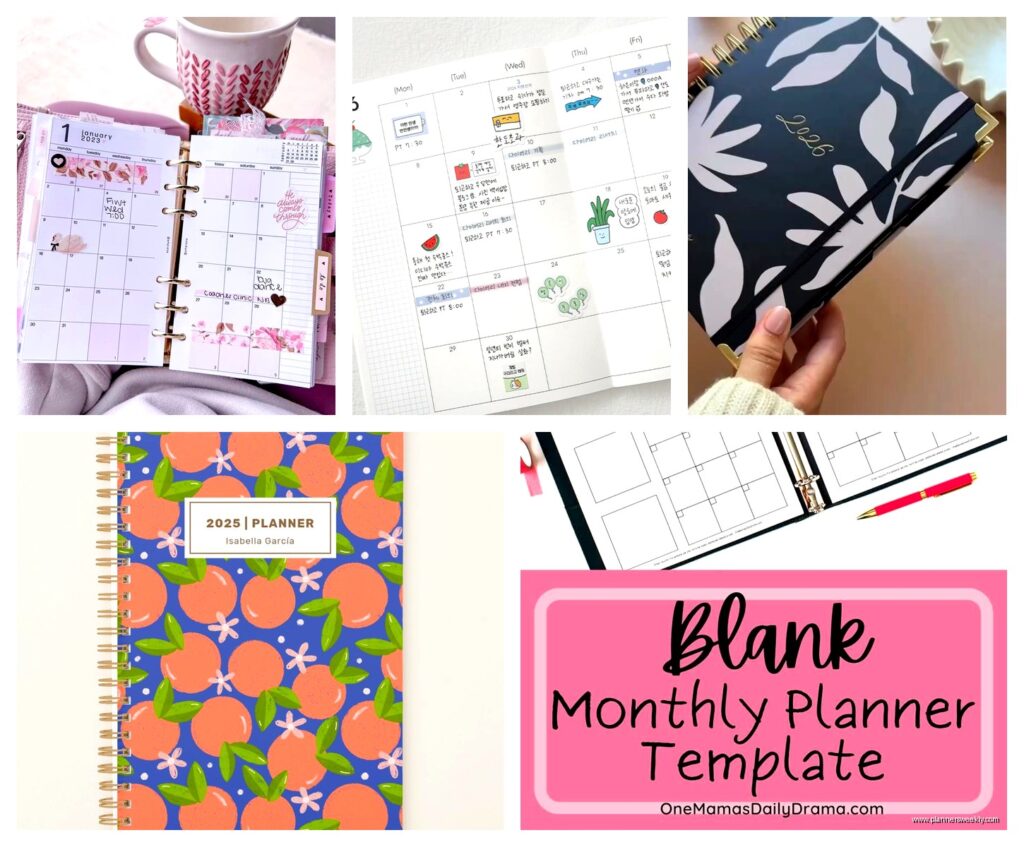
Monthly view options: You can usually pick between full month spreads, month-at-a-glance with weekly sections, or month overview with daily boxes. I personally need the month-at-a-glance with weekly breakdown because I plan content in monthly themes but execute weekly.
Some platforms like Plum Paper let you choose whether you want lined daily boxes, blank boxes, or grid boxes. Grid is superior for anyone who sketches out ideas or does visual planning btw.
The Weekly Spread Dilemma
Okay so funny story, I ordered three different planners with three different weekly layouts to test which one I’d actually use. My dog ate the corner of one (the Erin Condren one, RIP) but I tested the other two thoroughly.
Horizontal weekly layouts work better if you time-block. Vertical layouts are better for task lists. I know that sounds obvious but I had to actually use them both for like a month to figure out which matched my brain.
If you’re getting a custom planner, really think about whether you:
- Time block your days (go horizontal with hourly slots)
- Make task lists (vertical with checkbox sections)
- Do a mix (some planners let you have both which seems extra but it’s actually useful)
Custom Sections That Are Actually Worth It
Most personalization platforms let you add custom sections and pages. Here’s what I actually use versus what sounded good but I never touch:
Actually useful:
- Goal tracking pages at the start of each month – I use these religiously for client metrics
- Habit trackers if you’re into that – I track water intake and when I publish blog posts
- Notes sections between months – critical for quarterly reviews
- Project planning pages – I have dedicated pages for my blog editorial calendar
Seemed cool but I literally never use:
- Meal planning sections (I just cannot commit to planning meals a week ahead)
- Budget trackers (I do this digitally, it’s easier)
- Gratitude journaling prompts (too structured for me)
Wait I forgot to mention – some platforms let you add custom tabs or dividers. This is lowkey one of the best features if you’re using your planner for multiple areas of life. I have tabs for Client Work, Content Creation, and Personal and it makes flipping to the right section so much faster.
Date Range Customization
This is gonna sound weird but starting your planner in January is not mandatory and actually kinda limiting?
I order mine to start in March because that’s when I do my annual business planning. Having a planner that runs March to February just makes more sense for how I structure my year. Most custom planner sites let you pick any start month now.
You can also choose:
- 12 months, 18 months, or 24 months
- Undated layouts (you fill in dates yourself)
- Academic year (August to July)
- Fiscal year options
Undated is actually really smart if you’re inconsistent with planner usage. No guilt about blank pages for weeks you didn’t use it, you just pick up where you left off.
Size Matters More Than You Think
I tested like five different sizes and here’s the reality – bigger is not always better even though it seems like more space would be helpful.
A5 size (5.8 x 8.3 inches): Perfect for bags, actually fits in most purses, can write enough but stays portable. This is my go-to.
Letter size (8.5 x 11 inches): Great for desk planning, too big to carry around comfortably. I keep one of these at my desk for content planning but I’d never take it to a coffee shop.
Personal size (3.7 x 6.7 inches): Too small for my handwriting honestly but if you write tiny or just do minimal planning these are super portable.
Binding Options Nobody Talks About
Okay so binding affects how your planner actually lays flat and whether you can fold it back on itself and this matters way more than I thought it would.
Spiral binding is the most functional – lays completely flat, you can fold it back. But it catches on stuff in your bag and looks less professional if you’re pulling it out in client meetings.
Perfect binding (like a book spine) looks cleaner but doesn’t lay flat unless you break the spine which some people hate doing. I’m fine with it but my friend refuses to crease her planners so she only buys spiral.
Disc binding systems (like Levenger Circa or ARC) are actually amazing for customization because you can add and remove pages. But you’re committing to a whole system at that point.
Where to Actually Order Custom Planners
Based on my testing here’s the breakdown:
Plum Paper: Best overall customization for the price. You can choose like everything – layout, colors, sections, add-ons. Takes about 2-3 weeks to ship. Quality is solid, not luxury but definitely good.
Erin Condren: More expensive but really nice quality. The coiled planners are their thing. Customization is more limited than Plum Paper but the paper is thicker. Good if you use markers or pens that bleed.
Agendio: This is for people who want TOTAL control. You can customize literally every aspect – fonts, spacing, what goes in each section. It’s almost too much customization? Like I spent an hour just trying to decide on spacing options. But if you have very specific needs this is it.
Minted: Best if you care about aesthetics first. Their designs are gorgeous and you can customize them somewhat but it’s more about the pretty factor than functionality.
The Features I Didn’t Think I’d Care About But Actually Use
Okay this is random but – page layouts that include weather tracking? I added this on a whim and I actually reference it all the time when planning outdoor client sessions.
Also page numbers. Sounds boring but if you’re someone who references back to previous months for patterns (like I do for content performance) having page numbers makes it so much easier.
Elastic closure bands keep your planner from flopping open in your bag. Seems unnecessary until papers start falling out.
Pen Loops and Pockets
Every planner should have a pen loop, this is non-negotiable. I lose pens constantly and having one attached to my planner means I always have something to write with.
Back pockets are useful for storing receipts or quick notes. I don’t use mine as much as I thought I would but it’s nice to have.
What About Digital Custom Options
Okay so I know I said paper but lemme talk about digital for a sec because some people really do need digital and there are custom options there too.
Notion templates can be completely customized and there are people selling custom planner templates on Etsy. I bought one for like $12 and customized it further for my needs. The advantage is you can link pages, embed stuff, and update it constantly.
GoodNotes and Notability with custom PDF planners are also solid. You get the feel of writing by hand (if you have an iPad and Pencil) but digital flexibility. I use this for my editorial calendar because I can copy/paste and move stuff around easily.
Real Talk About Price
Custom planners range from like $20 to $80 depending on how fancy you get. My take after testing a bunch: spend the money if you’re actually gonna use it. A $50 planner you use daily is better than a $15 planner that sits in a drawer.
But also don’t go overboard on features you won’t use. I made that mistake with my first custom planner – added every possible section and addon and it ended up being overwhelming.
When to Order
Most custom planners take 2-4 weeks to produce and ship so plan ahead. Don’t order on January 1st expecting to start using it January 1st, you’re gonna be disappointed.
Also a bunch of companies do sales in November/December for the new year so if you’re price conscious that’s when to order. I got my current Plum Paper planner for 30% off during their Black Friday sale.
Testing Before You Commit
Here’s what I wish someone had told me – before you order a full year custom planner, test your layout preferences with a cheap basic planner or printable pages for like a month. I wasted money on a fully customized planner that I realized within two weeks didn’t match how I actually work.
You can find free printable monthly and weekly layouts online. Test a few different styles, see what you actually fill out versus what you skip. Then customize based on what you know works for your brain.
Oh and another thing – your planning needs might change throughout the year. That’s okay. You don’t have to commit to one planner forever. I actually use two different planners now – one for work that’s super detailed and one personal one that’s more minimal. It seems like overkill but it works for how I separate work and life.
The main thing is getting a planner that matches your actual workflow not what you think your workflow should be or what looks good on Instagram. I cannot stress this enough because I see so many people buy beautiful custom planners that don’t actually function for their needs and then they feel guilty about not using them.
Start with the basics of what you actually need to track and plan, then add customization from there. Don’t start with all the fancy features and try to force yourself to use them.