
Digital Productivity, Online planners, Planners
Free Aesthetic Online Planner: Best Beautiful Tools
Apr
Okay so I just spent like three weeks testing every free aesthetic online planner I could find because one of my clients asked me about this and honestly I fell down a rabbit hole. Let me tell you what actually works.
Notion Templates Are Everywhere But Here’s What You Need to Know
Notion is probably where you’re gonna end up if you want something aesthetic that’s actually free. The thing is, Notion itself looks kinda bland out of the box, but there are literally thousands of free templates people have made that are gorgeous. I’ve been using this one called “Life OS” that has these soft pink headers and toggle lists that make everything feel organized without being corporate.
The catch with Notion though, and this drove me crazy for like two days, is that you need to actually understand how databases work. Not in a technical way, just in a “this is how you make things connect to each other” way. I was watching The Bear while trying to set up my first aesthetic planner template and I kept having to rewind because I’d get distracted by whether I wanted gallery view or timeline view.
Best free aesthetic templates I found:
- Aesthetic Notion’s minimal daily planner (literally just search that in the Notion template gallery)
- The Productivity Studio by someone named Easlo, super clean
- Any of the Korean-style templates with the pastel color schemes
The mobile app is actually good now too, which wasn’t true like a year ago. You can add widgets to your phone home screen that show your tasks with whatever aesthetic you picked.
Milanote If You’re More Visual
Wait I forgot to mention Milanote first because honestly if you’re the kind of person who thinks in boards and images rather than lists, this might be better than Notion. The free version gives you 100 notes/images which sounds limiting but I’ve been using it for two months and haven’t hit the limit yet.
It’s like Pinterest met a planner and had a baby. You can drag images, create mood boards, add text cards, draw arrows between things. I use it for content planning and it’s so much prettier than Google Docs. The templates they offer are actually aesthetic by default, lots of white space, clean fonts, that whole minimal thing.
The downside is you can’t really use it as a daily task manager. It’s more for project planning, brainstorming, collecting inspiration. My cat walked across my keyboard while I was arranging cards once and somehow made the perfect layout so maybe that’s a feature.
Goblin Tools Planner Module Sounds Ugly But Hear Me Out
This is gonna sound weird but Goblin Tools has this magic task breakdown feature that I use before I put things into my aesthetic planner. It’s not pretty at all, super basic interface, but it helps you break down overwhelming tasks into steps. Then I copy those steps into whatever pretty planner I’m using that week.
Not really what you asked about but it’s free and it makes the aesthetic planners actually functional instead of just decorative.
Google Calendar But Make It Aesthetic
Okay so funny story, I was determined to find something that wasn’t Google Calendar because it’s so boring, right? But then I discovered you can customize it way more than I thought. You can create multiple calendars with different color schemes, and if you use the browser version, there are Chrome extensions that completely change how it looks.
I use one called “Aesthetic Google Calendar” which is literally what it’s called, super creative naming. It adds custom backgrounds, changes the font, makes everything softer. Still free, still syncs with everything, but now it doesn’t look like a corporate spreadsheet.
The best part is you can share these calendars with other people and they’ll see your color coding even if they don’t have the extension. I made one for a friend’s wedding planning and used this rose gold color scheme that made everyone think I was using some fancy paid tool.
Structured App for iPhone Users
If you have an iPhone, Structured is free and it’s one of those apps that’s so pretty you want to use it just to look at it. It’s a daily planner that shows your tasks on a visual timeline. Very clean, very minimal, comes in different color themes.
The free version is actually fully functional which is rare. You can add tasks, set durations, get notifications, all of that. The only thing you’re missing without paying is some advanced features and extra themes, but the default ones are gorgeous.
I gotta say though, it’s iPhone only which is annoying if you switch between devices. There’s no web version, no Android version. So if you’re in that ecosystem, great. If not, skip this one.
Notion Alternatives That Are Actually Different
Oh and another thing, if Notion feels too complicated (it is complicated, let’s be real), there’s this thing called Capacities that just launched their free tier. It’s like Notion but the learning curve isn’t as steep. The default design is really clean, lots of breathing room, good typography.
I’ve been testing it for like three weeks and the daily notes feature is actually better than Notion’s for journaling. It automatically creates a new page each day with whatever template you set up. Mine has sections for gratitude, top three priorities, and notes, all with these subtle divider lines that make it feel expensive.
The free plan is pretty generous too. No limit on pages, just some restrictions on file uploads and collaboration features. But for a personal planner? Totally fine.
Canva’s Planner Templates Are Underrated
Wait I should mention Canva because everyone forgets it’s not just for making Instagram posts. They have planner templates you can customize and use online. You can’t really use Canva as a dynamic planner where things update automatically, but you can create weekly spreads that are absolutely gorgeous and just update them manually.
I do this for my content calendar. Every Sunday I duplicate last week’s template, change the dates, fill in new content ideas. Takes maybe ten minutes and it looks professional enough that I screenshot it for client meetings.
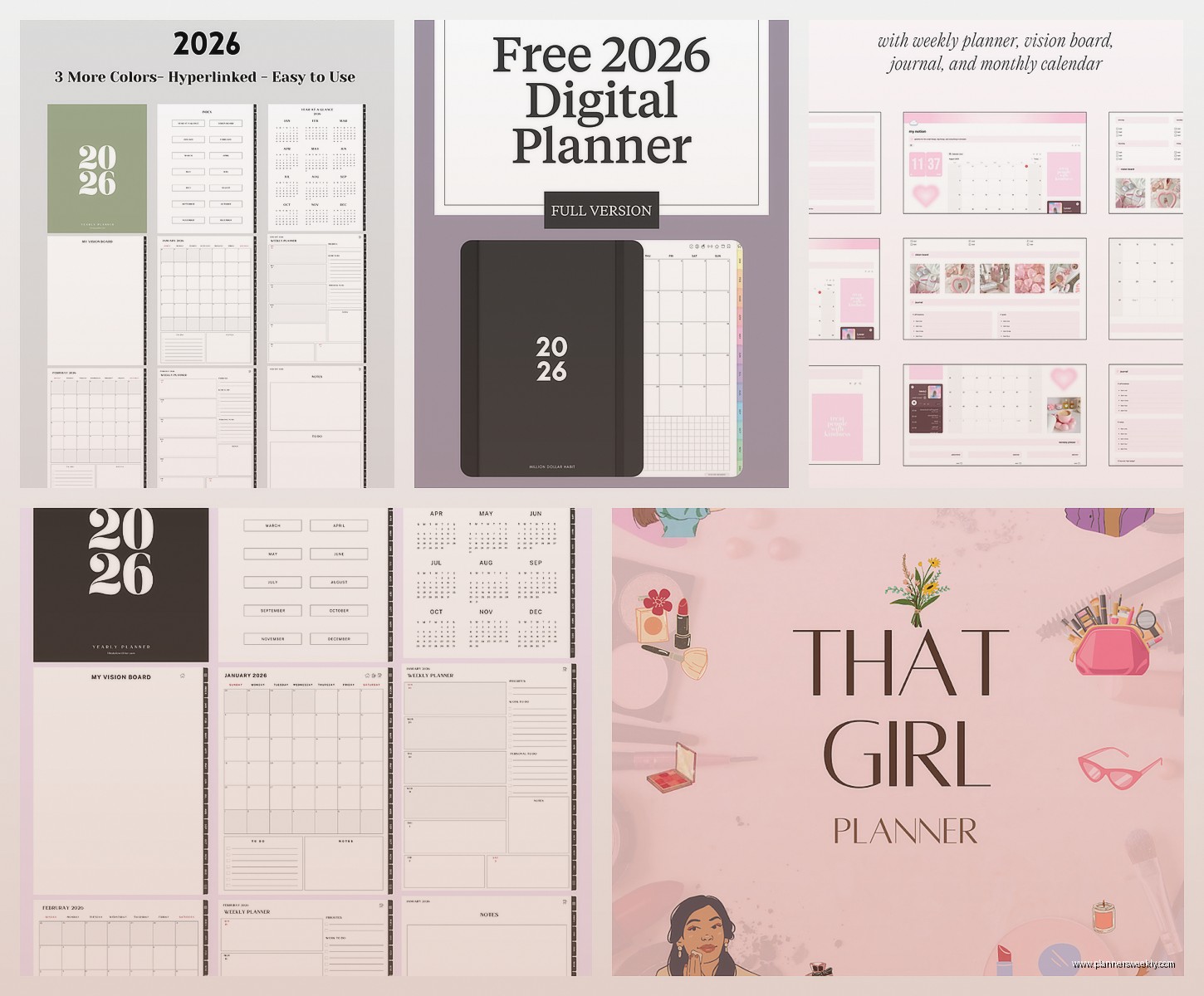
The aesthetic options are endless because it’s Canva. Floral themes, minimalist black and white, pastel everything, dark mode, literally anything. And it’s all free unless you want their premium elements.
Craft Docs for Mac and iOS People
Craft is another one that’s beautiful by default. The free version gives you one space with unlimited documents which is enough for a personal planner setup. The design is just inherently pretty, good fonts, nice spacing, supports images and links inline.
I use it more for note-taking but you can absolutely set it up as a planner. The daily notes feature works well, and you can create templates for weekly reviews or project planning. Everything has this subtle card-based design that feels modern without trying too hard.
My client canceled last week so I spent an hour comparing Craft versus Notion for aesthetic planning and honestly Craft wins on immediate visual appeal. Notion wins on functionality and customization. Pick based on whether you want pretty out of the box or pretty after you tinker.
Trello with Power-Ups Gets Surprisingly Aesthetic
Trello is usually associated with work project management but you can make it really pretty for personal planning. The free version lets you use background images on your boards and there are these things called Power-Ups that add functionality.
I made a personal planner board with a soft gradient background, created lists for different areas of life (work, personal, health, whatever), and used the Calendar Power-Up to see everything in timeline view. You can add covers to cards, use labels in custom colors, attach images.
It’s more visual than text-based planners which I like for certain things. My morning routine is a Trello card with a checklist and a photo of my coffee setup as the cover because why not make it aesthetic.
The Actual Setup Process Nobody Talks About
Here’s what nobody tells you about aesthetic online planners: setting them up takes forever the first time. Like, plan for at least two hours if you actually want it to look good and be functional.
What worked for me was picking one platform (I chose Notion but whatever), finding three templates I liked, and frankensteining them together. Took the daily spread from one, the habit tracker from another, the color scheme from the third. Don’t try to build from scratch unless you have like a whole weekend free.
Also, most aesthetic planners you see on Pinterest or Instagram? Those are screenshots of someone’s best week. Your planner is gonna have messy days where nothing is color-coded properly and you just dump everything in one list. That’s normal. The aesthetic part is aspirational, the functional part is what matters.
Mobile Access Is Important Trust Me
Make sure whatever you pick has a good mobile app because you will need to add tasks while you’re out. I learned this the hard way when I built this elaborate Notion setup on my laptop and then the mobile version was clunky and I just stopped using it.
Test the mobile experience before you spend hours customizing. Open it on your phone, add a task, check a task off, see if it feels smooth. If you’re fighting with the interface, you won’t use it consistently no matter how pretty it is.
Mix and Match Is Actually Fine
Oh and another thing, you don’t have to use just one tool. I use Notion for weekly planning and project tracking, Google Calendar for appointments, and Structured for daily task timing. They all look good, they all sync with each other (mostly), and I’m not trying to force one app to do everything.
The aesthetic part can be different across platforms too. My Notion is all pastels and soft edges, my Google Calendar is minimalist black and white, my Structured app uses a navy blue theme. As long as each individual thing looks intentional, the overall system feels cohesive enough.
Templates You Can Steal
If you search “aesthetic planner template free” on Reddit, specifically the Notion subreddit, people share their templates all the time. Same with Twitter and Pinterest. I have a whole folder of bookmarked templates I’ve never used but keep “just in case.”
The Notion template gallery has an official aesthetic category now too. Sort by most popular and you’ll find stuff that thousands of people are already using, which usually means it’s actually functional and not just pretty screenshots.
For Canva, search “weekly planner aesthetic” in their template section. For Milanote, check their template library under Personal Planning. Most platforms have caught on that people want things to look good, so they’re making it easier to find aesthetic options without digging through forums.
