
Digital Productivity, Online planners, Planners
Digital Personal Planner: Best Apps & Systems 2026
Apr
Okay so I just spent the last three weeks testing basically every digital planner out there and here’s what actually works
Right so Notion is still the one everyone talks about and honestly it’s kinda deserved? I rebuilt my entire planning system in it last month when my client canceled three sessions in a row and I suddenly had time. The template gallery is actually good now—like you don’t have to spend six hours building something from scratch unless you want to. I’m using this minimalist daily planner someone made that has a calendar view, task database, and habit tracker all connected. The learning curve is real though, not gonna lie. My friend Sarah gave up after two days because she just wanted to write down her to-do list without understanding databases and relations.
But here’s the thing with Notion—once you get it, you GET it. Everything links together. Your meeting notes can automatically populate in your calendar view. Your project tasks can show up in multiple places without you copying anything. It’s free for personal use which is huge, and the mobile app finally doesn’t suck as much as it did in 2024.
The Apple ecosystem people have it stupidly easy now
If you’re all-in on Apple stuff, just use Apple Notes with Apple Calendar and call it a day. I’m serious. Apple Notes added so many features this year that it’s basically a full planner now. You can create tables, add checklists that sync across devices, link notes together, and the handwriting recognition is creepy good if you have an iPad. I watched my cat knock over my coffee while testing the Apple Pencil thing and it still recognized my scribbles perfectly.
The Calendar app integrates with Reminders now in a way that actually makes sense—your tasks show up on your calendar timeline so you can see when you’re realistically gonna get stuff done. And the focus modes? Game changer. I have one called “Deep Work” that hides everything except my planner and timer apps. No notifications, no distractions, just me and my task list.
Wait I forgot to mention Structured
Structured is this app I found because someone on Reddit wouldn’t shut up about it and they were RIGHT. It’s specifically for time-blocking your day and it’s so visually satisfying. You drag tasks onto a timeline and it shows you exactly how your day flows. Works on iPhone and iPad, costs like $10 a year which is nothing. The thing that sold me is you can set flexible time blocks—so instead of “write blog post from 2-4pm” you can say “write blog post, approximately 2 hours, sometime after lunch” and it helps you find the slot.
Super helpful for those days when everything goes sideways. Which is most days let’s be honest.
For the people who miss paper planners but don’t wanna carry a notebook
GoodNotes 6 or Notability, pick one. I’ve used both extensively and here’s my take: GoodNotes has better organization and folder systems, Notability has better audio recording features if you’re in meetings a lot. Both let you import PDF planner templates and write on them with a stylus.
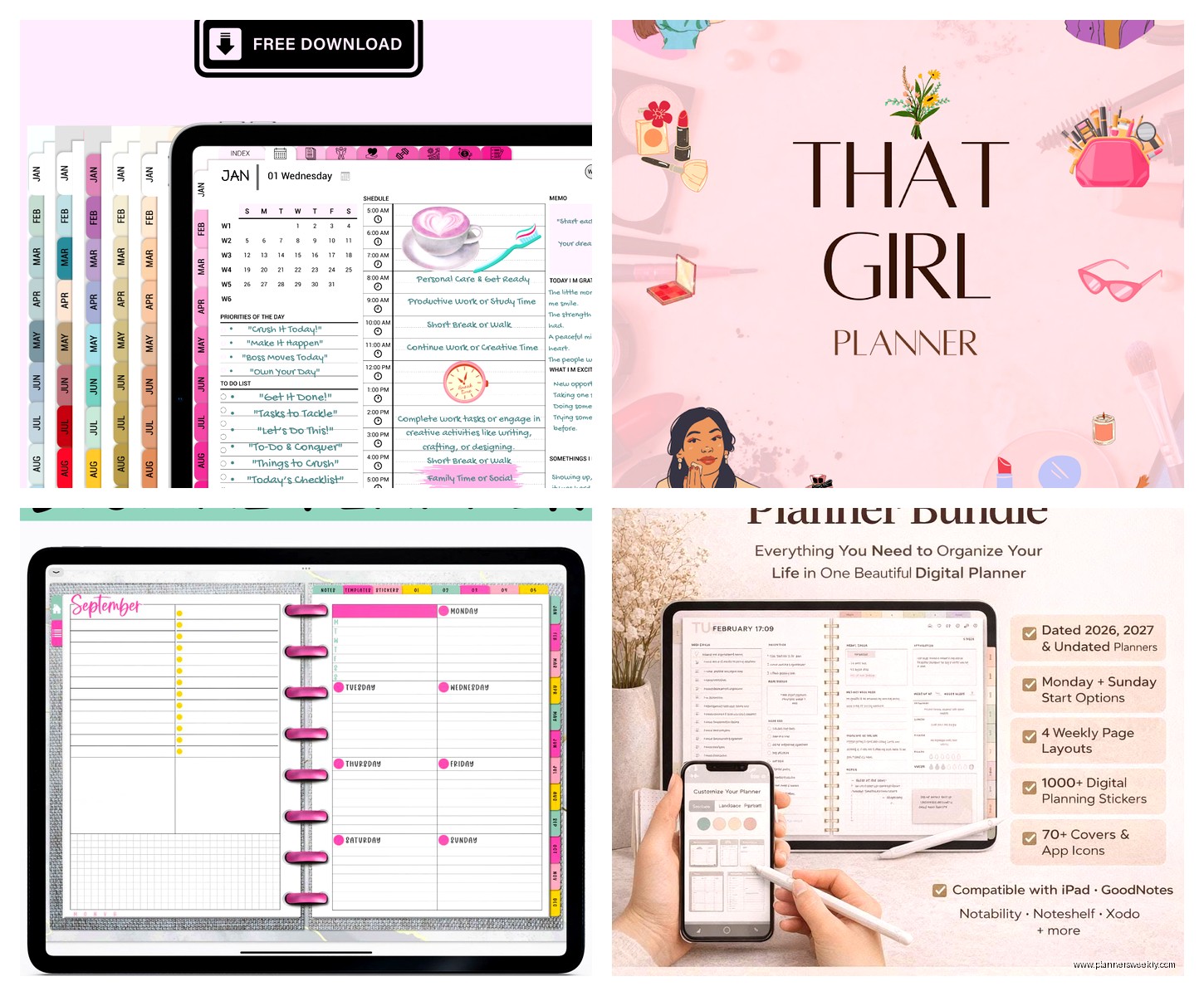
I bought this digital planner template from Etsy for $12—yeah I know that sounds weird but hear me out—and it has hyperlinked tabs so you can jump between months, weeks, and daily pages just like a real planner. The satisfaction of checking off boxes with an Apple Pencil is somehow almost as good as paper? My brain accepts it as “real” planning which is all that matters.
GoodNotes also has this thing where you can search your handwriting which has saved me SO many times when I scribbled a password or confirmation number somewhere and couldn’t remember where.
Todoist is still the best pure task manager fight me
If you don’t need a full planner and just want your tasks managed really well, Todoist hasn’t been beaten yet. I’ve tried TickTick, Things 3, Microsoft To Do, all of them. Todoist just works. The natural language input is chef’s kiss—you type “write report every Monday at 9am starting next week” and it figures out exactly what you mean.
The karma points system is gamified in a way that actually motivates me? Which is embarrassing to admit but true. I’m currently on a 47-day streak and I’m not breaking it. The free version is solid but I pay for Premium ($4/month) because I need reminders and labels and the ability to add comments to tasks.
Oh and another thing—it integrates with literally everything. Your email, your calendar, your smart home, whatever. I have it set up so when I tell Alexa to add something to my shopping list, it goes straight into my Todoist Errands project.
The surprising comeback: Microsoft OneNote
Okay so funny story, I avoided OneNote for years because it seemed old and clunky but Microsoft really turned it around. It’s completely free, syncs across everything including Android, and the organizational structure actually makes sense for planning. You have notebooks (like “Personal Life” or “Work”), sections (like “January” or “Projects”), and pages (like individual days or specific project notes).
What I love is you can put ANYTHING anywhere on a page. Like it’s a freeform canvas. Your to-do list can be in the top left, meeting notes bottom right, random thoughts in the middle. It’s chaos but organized chaos. And the mobile app lets you take photos that get OCR’d automatically so you can search text in pictures later.
I use it for long-term planning and project management because I can embed files, spreadsheets, even audio recordings all in one place. My entire 2026 goal-planning session is in there with vision board images, budget spreadsheets, and quarterly review templates.
For the minimalists: Day One + Reminders
This is gonna sound weird but some of my coaching clients who get overwhelmed by features do really well with just Day One (the journaling app) plus their phone’s default Reminders app. Day One for reflection and planning, Reminders for actual tasks. That’s it.
Day One got this timeline feature that shows you what you were doing a year ago, and people use it to track progress toward goals in a really meaningful way. Plus it’s beautiful and the act of opening it doesn’t feel like work. Sometimes that matters more than having 47 features you’ll never use.
The hybrid approach that’s working for me right now
Real talk, I use multiple apps because no single one does everything perfectly. My current system is Notion for big-picture planning and project management, Todoist for daily tasks, and GoodNotes for weekly reviews and brain dumps. Is it optimal? Probably not. Does it work? Yeah.
Every Sunday night I do a 20-minute review where I check Notion for upcoming projects, dump everything into Todoist for the week, and use GoodNotes to reflect on what worked and what didn’t. The apps talk to each other enough through automation (Zapier is your friend here) that I’m not manually copying stuff around.
Wait what about Google stuff
Google Calendar and Google Tasks are fine. They’re free, they work, they sync with everything. They’re the reliable Honda Civic of digital planning—not exciting but they’ll get you where you need to go. I recommend them for people who want something simple that just works without any learning curve.
Google Keep is underrated for quick capture. I use it when I’m cooking or my hands are messy and I need to voice-note something to remember later. It transcribes pretty well and syncs instantly.
The fancy AI stuff that’s actually useful
Motion and Reclaim are these AI calendar apps that auto-schedule your tasks based on your calendar availability and priorities. I tested Motion for two weeks and it’s… interesting? It basically becomes your manager, telling you what to work on when. For people who struggle with time blindness or prioritization, it’s genuinely helpful. For control freaks like me, it’s annoying.
Costs like $20/month though which is steep. Only worth it if you’re drowning in tasks and meetings and need something to make decisions for you.
Notion AI is built into Notion now and I use it occasionally to summarize my weekly notes or brainstorm project ideas. It’s $10/month on top of regular Notion. Useful but not essential.
This is gonna sound old school but Fantastical is worth the money
If you live in your calendar, Fantastical Premium is $40/year and worth every penny. The natural language parsing is even better than Todoist—you can type “lunch with mom next Tuesday at noon at that Italian place” and it creates the event with location and everything. The week view on mobile is better than any other calendar app I’ve tried.
It also has this feature where you can create event templates for recurring things. I have one for “client session” that auto-fills the video link, duration, and reminder settings. Saves me probably 10 minutes a day which adds up.
What about privacy and security because that matters
If you’re worried about your data, Standard Notes is encrypted end-to-end and can work as a basic planner. It’s not fancy but it’s secure. Obsidian is another option—all your notes are stored as local markdown files on your device so nothing’s in the cloud unless you choose to sync it.
I keep my personal journaling in Day One which has encryption, and my work planning in Notion which… doesn’t really but I’m not putting classified information in there so whatever.
The actual answer to which one you should use
Here’s what I tell people: try Notion if you want maximum flexibility and don’t mind a learning curve. Use Todoist if you just need task management that works everywhere. Get GoodNotes if you have an iPad and miss paper planning. Stick with Apple’s built-in apps if you’re already in that ecosystem and want simple.
Most important thing? Pick ONE system and stick with it for at least a month. I know someone who tried a different app every week for six months and never actually planned anything because they were always migrating data and learning new interfaces. The best planner is the one you’ll actually use consistently, even if it’s not perfect.
Oh and download your data periodically. I learned this the hard way when a planner app I loved shut down in 2024 and I lost three months of notes. Most apps have export features—use them quarterly at least.
My dog just knocked over my water bottle so I gotta go, but yeah that’s basically everything I’ve learned testing these things. The landscape changes fast but these are solid choices for 2026.
