
Digital Productivity, Online planners, Planners
2 Page Per Day Planner: Best Spacious Options
Apr
Okay so I’ve been testing 2-page-per-day planners for like three weeks now and honestly I didn’t think the extra space would matter that much but holy crap it does. Like I was using those single-page ones and constantly running out of room around 2pm.
The Bloom Daily Planners Situation
Started with the Bloom Daily Planners because they’re everywhere on Instagram right now. The 2-page spread gives you this whole left side for your actual schedule (hourly from 6am to 9pm) and then the right side has sections for top priorities, notes, and this gratitude thing at the bottom that I literally never fill out but whatever. It’s there if you’re into that.
What I actually like about it is the paper quality—it’s thick enough that my Pilot G2 pens don’t bleed through. Tested this specifically because I had a disaster with another planner last month where my notes from Monday showed through to Tuesday and it looked like a mess. The Bloom ones are 8.5 x 11 inches so they don’t fit in most bags which is annoying if you commute, but the space is genuinely useful.
Oh and another thing—they have dated and undated versions. I always go undated now because I’ve wasted too many planners by starting them in March or whenever and then half the pages are just sitting there unused from January.
Panda Planner Pro – The One Everyone Recommends
So then I tried the Panda Planner Pro because three different clients swear by it. This one is more structured which you’ll either love or hate, there’s no in between. The two pages are split into morning, afternoon, and evening sections on the left, and the right side has this whole productivity review thing where you’re supposed to reflect on what went well.
I’m gonna be honest—the reflection sections stressed me out at first. Like I don’t wanna think about whether I “learned anything new today” when I’m just trying to write down that I have a dentist appointment at 3pm. But after using it for about a week I actually started filling them out? Not every day but enough that I noticed patterns in when I was actually productive versus when I was just busy.
The size is slightly smaller than Bloom at 8.5 x 11 but the binding is better. Lays flat which matters more than you’d think when you’re trying to write in it at a coffee shop or whatever.
Paper Quality Comparison Thing
Wait I forgot to mention—the Panda Planner paper is also good but slightly thinner than Bloom. Still no bleed-through with regular pens but if you use markers or highlighters, be careful. I tested this with my Mildliners and got some ghosting on the back.
Passion Planner – For People Who Actually Plan Everything
Okay so funny story, my cat knocked my coffee onto my first Passion Planner within like two days of getting it, so I had to order another one. But even with that disaster I kept using this brand because the layout is actually genius for people who need a LOT of space.
The 2-page spread here is divided into half-hour increments from 7am to 11pm which sounds excessive but if you have back-to-back meetings or clients, you need that level of detail. The right page has a full blank space for notes, brainstorming, whatever. I use it for my article outlines and blog ideas and there’s actually enough room to sketch out a whole concept.
They also have this roadmap section at the start of each month where you plan out your goals and then there’s a reflection page at the end. This is gonna sound weird but I actually use those pages? Like I never thought I would but tracking what I accomplished each month has been helpful for when clients ask what we’ve been working on.
Size options are better than most—they have compact (5.5 x 8.5), medium (7.5 x 9.75), and large (8.5 x 11). I use the medium because it fits in my work bag but still has enough space to not feel cramped.
The Lemome Thing Nobody Talks About
This one doesn’t get mentioned as much but I tested it because it was on sale and actually ended up really liking it. The Lemome 2-page daily planner has this faux leather cover that feels more professional than the others. Like if you’re taking it to corporate meetings it doesn’t look like you bought it at Target.
The layout is simpler—just hourly scheduling on the left (6am to 10pm) and lined pages on the right for notes. No productivity prompts or gratitude sections or any of that. Just space to write stuff down. Sometimes that’s exactly what you need.
Paper is cream-colored instead of white which is easier on the eyes if you’re someone who stares at your planner a lot throughout the day. Also thick enough for most pens. The only issue I had was the binding is a little stiff at first so you gotta break it in.
Price Breakdown Because That Actually Matters
- Bloom Daily: around $30
- Panda Planner Pro: $25-30 depending on size
- Passion Planner: $28-35
- Lemome: usually $18-22
None of them are cheap exactly but they last a full year if you’re using the dated versions, or longer if you go undated.
The Erin Condren Situation
Okay I need to talk about Erin Condren even though it’s more expensive because people keep asking me about it. The LifePlanner has a 2-page daily option and yes, it’s really nice. Like genuinely well-made with coil binding that actually lasts and thick pages that feel premium.
But here’s the thing—it’s $60-75 depending on what add-ons you get. And you can customize literally everything which is cool but also overwhelming? Like I spent an hour just trying to decide on the cover design because there are too many options.
The layout itself is solid—left page has hourly scheduling with more sections than you probably need, right page is blank lined for notes or lists or whatever. They also have this checklist section at the top of each day which I actually use for my must-do tasks.
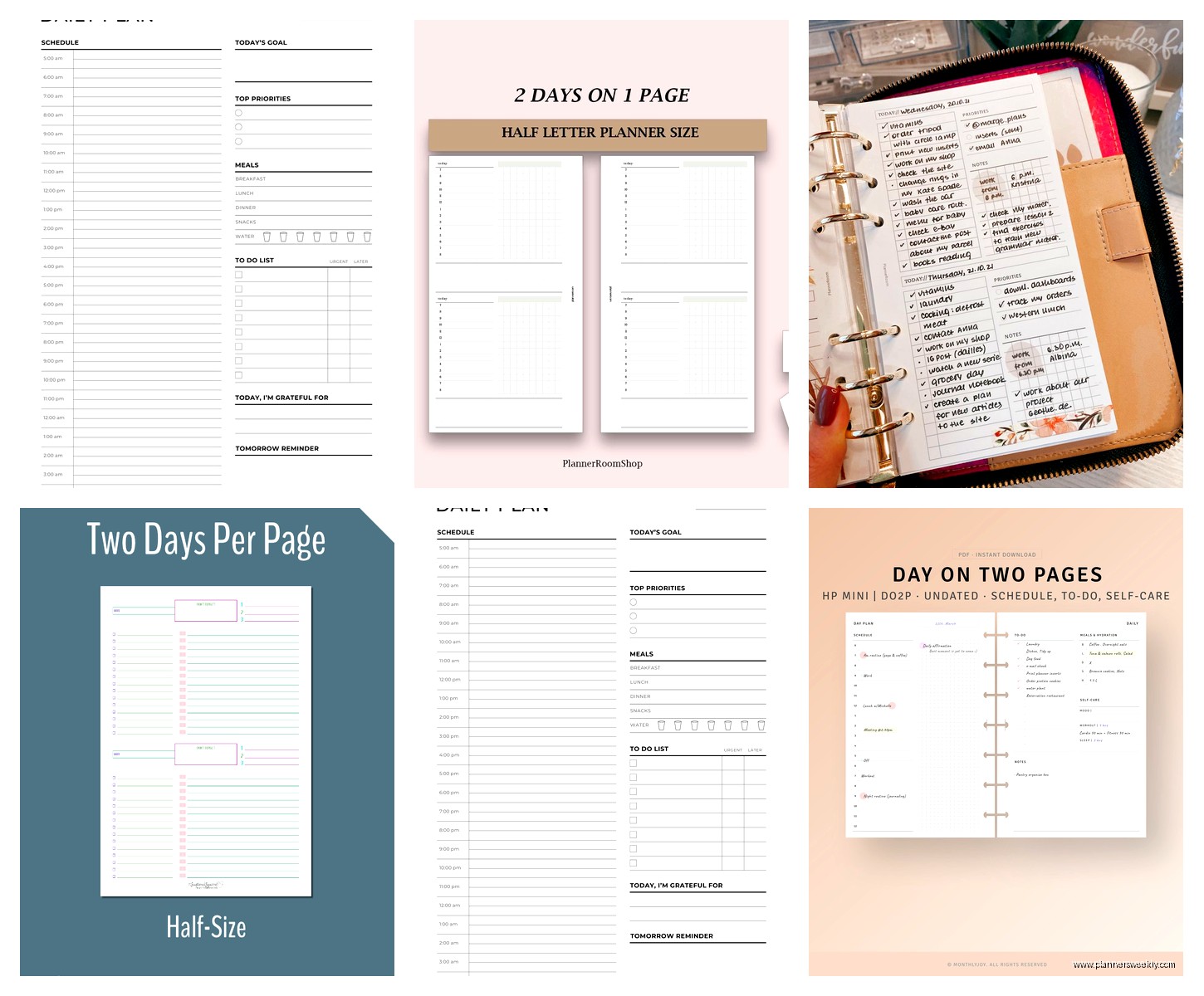
My client canceled last week so I spent an hour comparing the Erin Condren to my Passion Planner side by side and honestly? The main difference is the customization and the binding quality. The actual usable space is pretty similar. So if you want something that feels fancy and will definitely last the full year, Erin Condren. If you want the same functionality for half the price, go with one of the others.
What Actually Matters in a 2-Page Daily Planner
After testing all these I figured out what actually makes the difference in daily use:
Hourly increments matter more than you think. If yours only has morning/afternoon/evening sections and you have specific appointment times, you’ll end up squeezing stuff in margins. Get one with actual hours marked.
The notes section needs to be actually usable. Some planners give you like three lines on the right page and call it a notes section. That’s not enough. You want at least half a page of blank or lined space.
Paper thickness is non-negotiable. I don’t care how pretty the cover is, if your pen bleeds through you’re gonna hate using it. Test with your actual pens before committing if you can.
Binding type affects everything. Spiral/coil binding lays flat which is better for writing. Perfect binding (like a regular book) looks nicer but you gotta hold it open or break the spine which feels wrong.
Size Considerations That Nobody Mentions
This is gonna sound obvious but actually think about where you’ll use this thing. I made the mistake of getting a full-size 8.5 x 11 planner when I was commuting three days a week and it was a pain to carry. Switched to a medium size and suddenly I actually brought it places instead of leaving it on my desk.
But if you work from home mostly? Get the bigger size. The extra space is worth it when you’re not hauling it around.
The Digital Integration Question
Oh wait I should mention—none of these have great digital integration if that matters to you. Like you can’t sync them with Google Calendar or whatever. They’re just paper planners. There are some hybrid options like Rocketbook but those don’t have the 2-page daily spread layout.
I use both honestly. Google Calendar for scheduling stuff with other people and time-specific appointments, paper planner for daily task management and notes. Works better than trying to do everything in one place.
Weird Things I Noticed During Testing
The weekend pages are different in almost every planner. Some brands give weekends the same 2-page spread which is overkill unless you’re working seven days a week. Others condense Saturday and Sunday into one page each or combine them. The Bloom planner does full 2-page spreads for weekends which I thought would be wasteful but I actually use the space for weekly planning and review.
Also bindings break differently depending on brand. My Panda Planner started getting loose around month eight. The Passion Planner is still solid after ten months. Might not matter if you’re getting a new one each year anyway but worth knowing.
This is probably just me but the ones with monthly tabs are way easier to navigate. Flipping through looking for the right date gets old fast. Panda and Passion both have these, Bloom doesn’t.
If You’re Still Deciding
Honestly just get the Passion Planner medium size if you want a solid all-around option. It has enough structure to be useful but enough blank space to adapt to however you actually work. And the price point is reasonable.
If you need something more budget-friendly, the Lemome is genuinely good for the price. Just know you’re getting less structure and guidance.
If you want all the bells and whistles and don’t mind spending more, Erin Condren. But you’re paying for customization and premium materials, not necessarily better functionality.
And if you like the idea of reflection prompts and productivity tracking built into your planner, Panda Planner Pro. It’ll either make you more intentional about your days or annoy you into just using it as a regular planner.
I’m currently using the Passion Planner medium for work stuff and honestly it’s the one I reach for every morning. The Bloom one sits on my desk for meal planning because that extra space is perfect for weekly grocery lists and recipe notes even though that’s not what it’s designed for.
