Digital Productivity, Online planners, Planners
Content Planning Calendar Guide: Templates & Strategies

Mar
Okay so I spent the better part of January testing like five different content planning systems because my own editorial calendar was an absolute mess and honestly? The whole thing started because I spilled coffee on my planner and had to rebuild everything from scratch.
Here’s what actually works in 2025 and what’s just pretty but useless.
The Basic Setup Nobody Tells You About
First thing – you need to decide if you’re gonna go digital or paper and I know everyone says “use what works for you” but let me be real. If you’re planning content for multiple platforms you’re gonna hate yourself if you go full paper. I tried it. My desk looked like a crime scene with sticky notes everywhere and my dog ate the corner of my April spread.
Digital doesn’t mean complicated though. I’ve been using a hybrid system that’s working way better than expected. Google Sheets for the master calendar because you can share it with clients or team members without paying for fancy software. Then I use a physical monthly spread just for the overview because something about seeing the whole month at once on paper hits different.
The Google Sheets Template That Actually Makes Sense
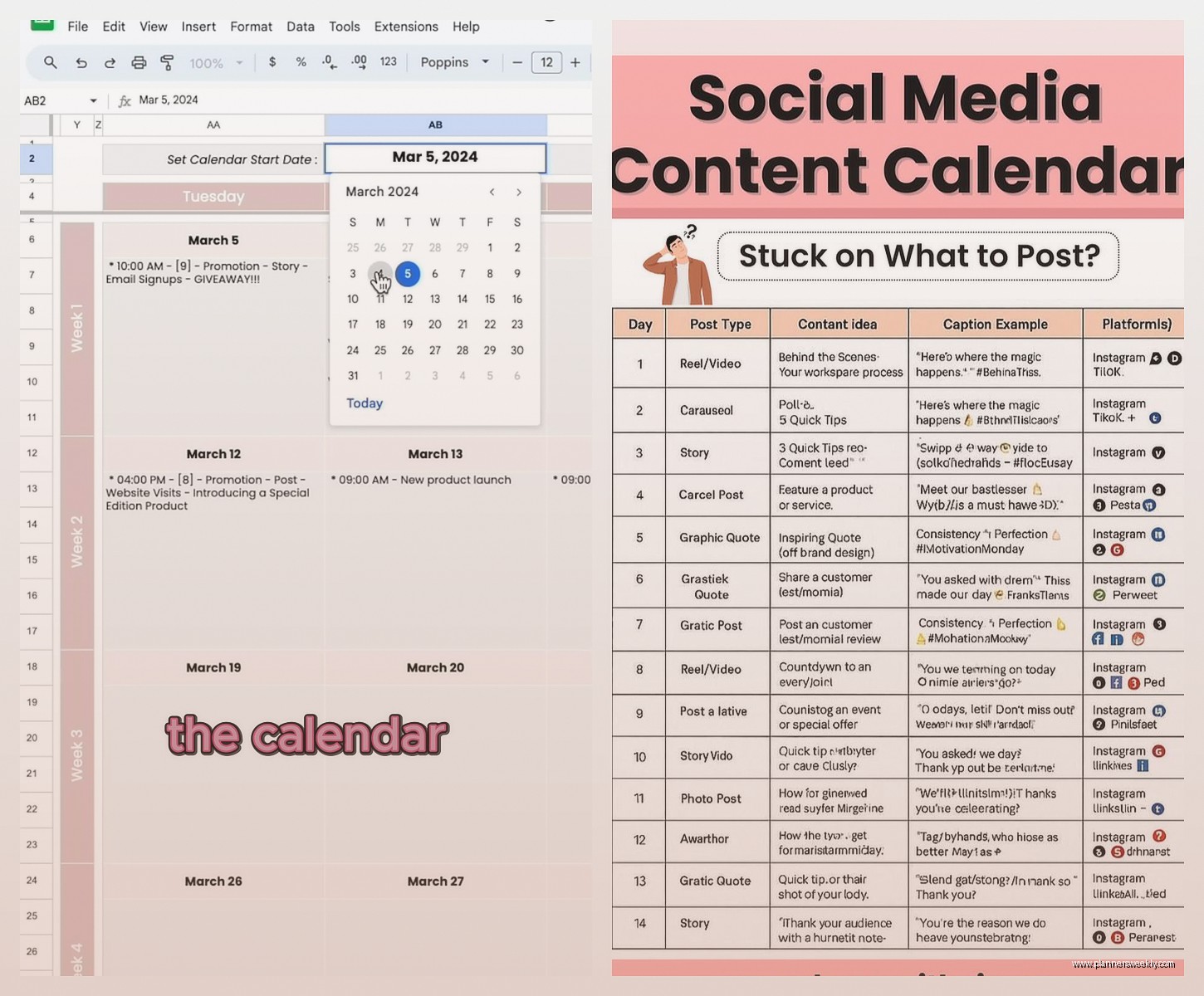
So the template I’m using now has these columns: Date, Platform, Content Type, Topic/Title, Status, Notes, and Links. Super basic right? But here’s the thing – I added a color coding system that saves me probably an hour a week. Green for published, yellow for in progress, red for needs attention, blue for scheduled.
The mistake I see people make is they create these elaborate tracking systems with like fifteen columns and then never update them because it’s too much work. Keep it simple or you won’t use it.
Oh and another thing – I duplicate the sheet for each quarter instead of making one massive yearly tab. Way less overwhelming when you open it and don’t have to scroll past six months of old content to find what you’re working on.
Content Batching Schedules
This is where planning calendars actually save you time instead of just making you feel organized while you’re still stressed. I batch content on specific days and my calendar reflects that.
Mondays are for blog posts – I write or outline everything for the week. Tuesdays I’m filming or recording anything video/audio. Wednesdays are for social media graphics and scheduling. This seems rigid but it’s actually freed up so much mental space because I’m not constantly switching between tasks.
In my calendar I mark these as “creation days” and block them off. Then I have “admin days” on Thursdays where I handle emails, comments, analytics, all that stuff that piles up. Fridays are for planning the next week and catching up on whatever fell through the cracks.
The calendar template I use for this is literally just Google Calendar with recurring blocks. Nothing fancy. I tried Notion for this and it was overkill – took longer to update the pretty dashboard than to actually do the work.
Platform-Specific Planning
Different platforms need different planning approaches and this took me way too long to figure out. Instagram needs that visual grid planning so I use Later’s visual calendar feature – it’s like $18 a month and worth it just for the drag and drop grid view. You can see how your feed looks before posting which matters if you care about aesthetics.
For blog content I keep a separate sheet that’s more detailed – keyword targets, internal links I need to add, images needed, meta descriptions. This lives in the same Google Sheets file but different tab.
YouTube is its own beast. I plan those at least a month out because editing takes forever and I need time for thumbnails. My YouTube calendar includes: filming date, editing deadline, thumbnail due, scheduled publish date, and promo plan.
Wait I forgot to mention – newsletters need their own planning too. I send mine weekly and I keep a running list of topic ideas in my Notes app that I reference when planning. Every Sunday I look at the next week and pick which topic makes sense with what else is publishing.
The Templates I Actually Use vs The Ones That Look Pretty on Pinterest
Real talk – most of those aesthetic content calendar templates on Pinterest are made by people who don’t actually plan content regularly. They’re designed to look good in screenshots not to be functional.
I bought this $27 Notion template back in February that looked GORGEOUS and I used it for like three days. Too many clicks to get to what I needed. Too many views and databases linked together. Just give me a simple list I can check off.
The free Trello template though? Actually useful. I have a board with lists for each week of the month, then cards for each piece of content. It’s visual enough to feel organized but simple enough that I actually update it. You can add due dates, labels, checklists within each card. And it’s free unless you need the fancy features.
Quarterly Planning Sessions
This is gonna sound weird but the best thing I added to my system was quarterly planning sessions where I block off like 3 hours and just brain dump everything.
I do this the last week of March, June, September, and December. I look at:
- What content performed well last quarter
- What I’m sick of talking about
- What questions people keep asking me
- Any seasonal or timely topics coming up
- Product launches or promotions planned
Then I fill in my calendar skeleton with just topics and dates. Not full titles or anything detailed just “blog post about planning tools” or “Instagram carousel on productivity tips.” The details come later when I’m actually creating.
My cat literally walked across my keyboard while I was doing this in December and somehow created a new tab I didn’t notice for two weeks.
The Tracking Part Everyone Skips
Having a content calendar is pointless if you’re not tracking what actually works. I add a “Performance Notes” column that I update monthly. Just quick notes like “this got 3x normal engagement” or “crickets on this one.”
Every month I spend maybe 20 minutes reviewing and highlighting the winners. Then when I’m planning next quarter I can reference what topics and formats are worth repeating.
I also keep a “content graveyard” tab for ideas that seemed good but flopped. Before I spend time on similar content I check if I already tried something like it and it didn’t work.
Flexibility Built Into the System
The biggest mistake I made with content calendars in like 2023 was planning everything so rigidly that I couldn’t adapt to trending topics or last-minute opportunities. Now I leave 20% of my calendar open.
So if I’m planning 4 blog posts a month, I only schedule 3 in advance. That fourth slot is for whatever comes up – a trending topic, a question someone asked that needs a detailed answer, or just something I’m excited about in the moment.
Same with social media – I schedule about 70% of posts in advance and leave room for real-time content. The calendar shows these as “flex spots” so I know they’re intentionally empty not forgotten.
Tools That Integrate With Your Calendar
Okay so funny story – I was watching The Bear while setting up my content calendar automation and got so distracted I scheduled everything for the wrong month. But anyway here’s what actually helps.
Buffer or Hootsuite for social scheduling – these sync with your calendar and you can see everything in one place. I use Buffer because it’s simpler and cheaper. You can schedule posts directly from your calendar view.
CoSchedule has a marketing calendar that’s actually designed for content planning not just social media. It’s pricier but if you’re managing multiple content types and team members it might be worth it. I tested the free trial and it was powerful but too much for my solo operation.
Airtable is like Google Sheets on steroids – you can create calendar views, kanban boards, galleries all from the same data. I use this for client work where I need multiple views of the same content plan. The learning curve is steeper though.
My Actual Current System
Since you’re probably wondering what I actually use after testing everything – here’s my current stack:
Google Sheets master calendar for quarterly overview and detailed planning. This is the source of truth. Trello board for weekly/monthly visual planning and task management. Buffer for social media scheduling. Google Calendar for blocking time and setting reminders.
And yeah I still use a physical planner for daily tasks and notes because I’m apparently 80 years old and can’t think without writing things down.
Common Planning Mistakes I Keep Seeing
Planning too far in advance – anything past 3 months is probably gonna change. Focus on the next quarter in detail and just rough outline stuff beyond that.
Not accounting for creation time – if you need a week to write and edit a blog post, don’t schedule it for next Tuesday. Build in realistic timelines or you’ll always feel behind.
Ignoring your actual energy patterns – I cannot write anything good on Friday afternoons. My brain is mush. So I don’t schedule content creation then. Figure out when you work best and plan around that.
Making the calendar the priority instead of the content – the calendar is a tool not the goal. If you’re spending more time organizing your calendar than creating content something’s wrong.
Specific 2025 Considerations
Video content is taking way longer to plan now because quality expectations are higher. If you’re doing video build in extra time for scripting, editing, thumbnail creation. I’m blocking 2-3x more time for video than I did last year.
AI tools are helpful for idea generation but you gotta plan time to edit and personalize that content. I use AI to generate topic ideas and outlines but the calendar needs to reflect the time I spend making it actually sound like me.
Cross-platform content needs better coordination – that TikTok you post might work on Reels but needs different text for YouTube Shorts. My calendar now includes a “format variations” column so I remember to adapt not just repost.
Making It Actually Sustainable
The whole point is to make content creation less stressful not more. If your calendar system stresses you out it’s not working.
I do a monthly review where I ask: Did I stick to the plan? What got skipped and why? What felt rushed? What felt easy? Then I adjust the next month based on that.
Some months I can handle 8 blog posts and daily social content. Other months I’m traveling or have client work packed in and can only manage 4 posts and minimal social. The calendar should flex with your actual life.
Also honestly sometimes I just don’t feel like creating what I planned and that’s fine. I swap it out for something else I’m more excited about. The calendar is a guide not a prison sentence.
Last thing – start simple and add complexity only if you need it. You don’t need a fancy system to start planning content. A Google Doc with dates and topics is enough to begin. You can always upgrade later once you know what features you actually use.