Digital Productivity, Online planners, Planners
Monthly Calendar Template: Free Printable & Digital Options
Apr
Okay so I’ve been testing monthly calendar templates for like three weeks now because honestly my whole system fell apart in January and I needed something that actually worked. Let me just dump everything I learned because some of these are actually good and some are complete garbage.
Google Calendar Template Situation
Right so Google Calendar is free obviously and you’d think that means limited options but actually there are SO many templates floating around. The thing nobody tells you is that Google has this template gallery that’s kinda hidden? You have to go to Google Sheets first, not Calendar, which is weird. Click on “Template Gallery” at the top and there’s a whole section for calendars.
The 2024 monthly calendar template there is actually pretty solid. It auto-fills dates which sounds basic but I’ve used paid templates that don’t even do this properly. You can color-code things, add multiple calendars for different areas of your life, and here’s the part I love – it syncs across devices without you doing anything.
But here’s where it gets annoying. If you want to print from Google Calendar, the print layout is absolutely terrible. Like whoever designed it has never printed anything in their life. The margins are wrong, important events get cut off, and there’s no way to customize what shows up on the printed version versus the digital one.
The Workaround I Actually Use
I keep my main schedule in Google Calendar for the syncing, but then once a month I export it to a printable template. Yeah it’s an extra step but my brain just works better when I can see the whole month on paper sitting on my desk.
Canva Templates Are Surprisingly Good
So Canva has like thousands of monthly calendar templates and most of them are free. I was skeptical because I figured they’d all be too cutesy or whatever, but there are actually really clean minimalist ones.
Search for “monthly calendar” and then filter by free templates. My favorites are the ones that have the full month grid plus a section for notes or goals on the side. There’s this one called “Minimalist Monthly Planner” that I’ve been using – it’s just black and white, super clean, and you can customize literally everything.
The cool thing about Canva is you can save your customized version and just update the dates each month. Takes maybe five minutes to switch from March to April or whatever. And the print quality is actually really good if you download as PDF.
Oh and another thing – Canva has these “content planner” templates that are technically for social media but work perfectly as regular monthly calendars. They usually have more space for writing notes about each day which I need because my handwriting is tiny and I cram way too much information into small spaces.
The Canva Problems Though
The free version limits how many designs you can save, which is annoying if you’re like me and want to keep templates for different purposes. Work calendar, personal calendar, meal planning calendar – you’ll hit that limit pretty fast. The paid version is like $13 a month which honestly isn’t bad if you use it for other stuff too, but just for calendars seems excessive.
Also some of the templates have these locked elements that you can’t edit without Canva Pro. Super frustrating when you find the perfect layout but can’t change the color of one specific thing.
Notion Calendar Templates
Wait I forgot to mention – if you’re already using Notion, their calendar database thing is actually incredible. It’s not a traditional monthly calendar template but hear me out.
You create a database and then view it in calendar format. Sounds complicated but it takes like two minutes to set up. The advantage is that each “day” can have unlimited information attached to it. I have mine set up with properties for task priority, category, time estimate, all that stuff.
Then you can filter the view to only show certain types of tasks, or switch between monthly view, weekly view, whatever. My client canceled last Tuesday so I spent an hour just playing with different Notion calendar setups and honestly it’s so customizable it’s almost overwhelming.
The templates in Notion’s template gallery are hit or miss though. Some people create these elaborate systems that are way too complex for normal humans. I’d recommend starting with Notion’s basic calendar database and then adding to it as you figure out what you actually need.
Notion’s Actual Problem
The mobile app is clunky for calendar stuff. Like you can view your calendar fine but actually adding or editing entries on your phone is not great. Also if you want to print from Notion… good luck. The print formatting is bizarre and inconsistent.
Microsoft Excel and Word Templates
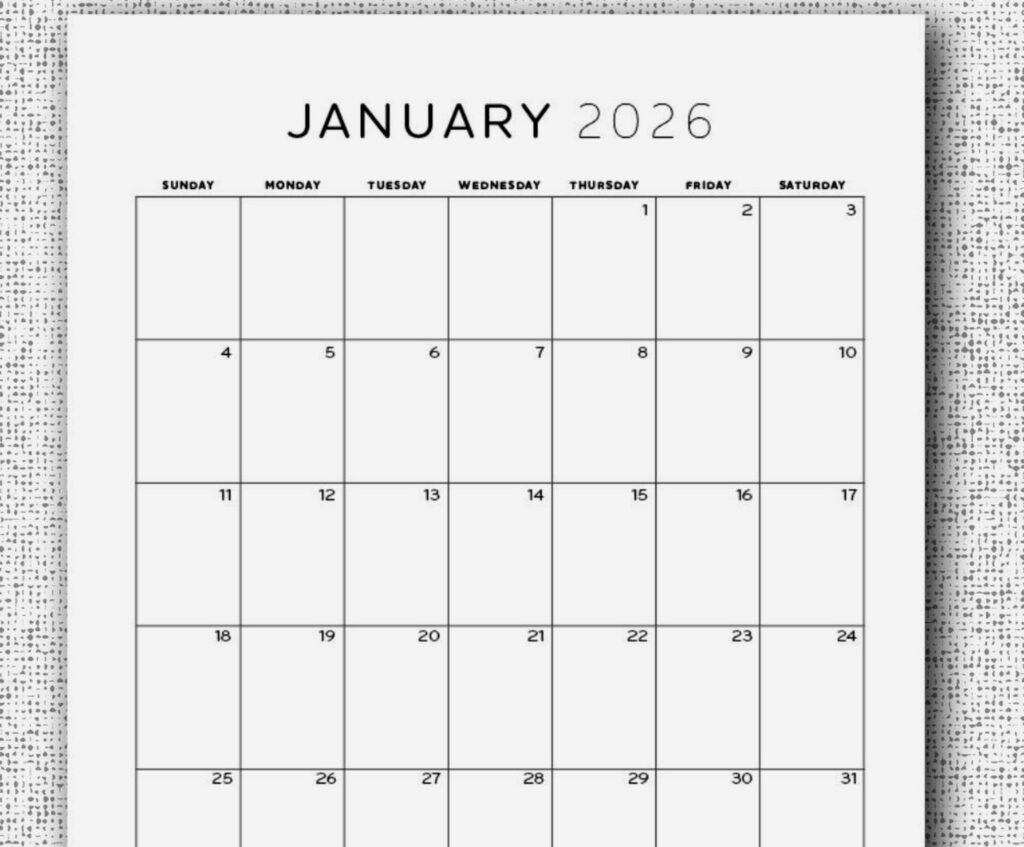
Okay so this is gonna sound weird but the built-in Microsoft templates are actually really functional. Not pretty, but functional. If you open Excel or Word and search for “calendar” in the template search, there are probably hundreds of options.
The Excel ones are better for tracking and planning because you can add formulas and stuff. Like I have one that automatically calculates how many tasks I have each week and color-codes days when I’m overbooked. Super nerdy but actually helpful.
Word templates are better if you just want something simple to print and write on. They usually have bigger date boxes and look more like traditional paper calendars.
The problem with both is that they’re not connected to anything. You can’t sync them across devices, they don’t send you reminders, they’re just static documents. But sometimes that’s exactly what you need? Like I keep a printed Word calendar template on my fridge for family stuff and it works perfectly for that.
Printable PDF Options From Random Websites
There are approximately one million websites offering free printable calendar PDFs. I’ve tested like twenty of them and here’s what I learned.
The good ones:
- Vertex42 – their templates are clean and actually customizable before you download
- CalendarLabs – tons of layouts, you can add holidays from different countries
- Printable Calendar – basic but reliable, good print quality
The ones that wasted my time:
- Any site that makes you sign up before downloading – they’re gonna spam you
- Sites with tons of ads where you can’t tell which download button is real
- Templates that look good online but print all blurry
Here’s my test – before I fully commit to a template, I print one month on regular printer paper. If the dates are readable, boxes are big enough to write in, and it doesn’t waste a ton of ink, then I’ll download the whole year.
The Paper Size Thing Nobody Talks About
Most free templates are designed for standard letter size (8.5 x 11) which is fine for keeping in a binder or whatever. But if you want something bigger for a wall calendar, you gotta specifically search for “large printable calendar” or “poster size calendar.”
I found this one site – Template.net I think? – that has 11×17 templates which print really nicely if you have access to a larger printer. My coworking space has one so I print my wall calendar there once a month.
iPad and Tablet-Specific Options
If you’re using a tablet with a stylus, GoodNotes and Notability both have really good monthly calendar templates. You can download free ones from Etsy (yeah Etsy has digital planners, wild) and import them.
The advantage here is you get the feel of writing on paper but it’s all digital so you can move stuff around, erase cleanly, and you’re not wasting paper. I was watching The Bear while testing these and honestly got so into customizing my digital planner that I missed like two episodes.
GoodNotes has better template options in my opinion. Their template store has both free and paid calendars, and the paid ones are usually only like $3-5. There’s this one called “Digital Monthly Planner” by some creator that has tabs for each month and it’s really intuitive.
The Stylus Matters
This is gonna sound obvious but using these templates with your finger versus an Apple Pencil or whatever is completely different. With a stylus you can actually write small enough to fit real information in the date boxes. With your finger it’s just frustrating.
Trello and Asana Calendar Views
Okay so these aren’t traditional calendar templates but if you use Trello or Asana for project management, they both have calendar views that work really well for monthly planning.
Trello’s calendar power-up is free and turns your board into a monthly calendar. Each card shows up on its due date. It’s not great for personal life stuff but for work projects it’s actually perfect. You can see everything you’re working on in one month view.
Asana’s calendar view is similar but has more features. You can color-code by project, see multiple team members’ tasks, all that. The free version is pretty limited though – you can only have so many tasks before they make you upgrade.
What I Actually Use Now
After testing all this stuff, here’s my current system. Google Calendar for appointments and time-specific stuff because I need those phone reminders. A printed monthly overview from Canva that sits on my desk – I recreate it each month with the current month’s goals and priorities written at the top. And then Notion for project planning and task management with a calendar database view.
Is this too many calendars? Probably. But each one serves a different purpose and honestly my productivity has been so much better since I stopped trying to force everything into one system.
The key thing I learned is that free doesn’t mean bad. Like I tried some paid calendar apps and premium templates thinking they’d be so much better, and honestly most of the free options work just as well. The paid stuff usually just has fancier designs or extra features you probably don’t need.
Quick Setup Tips That Actually Matter
Start on Sunday versus Monday – this is personal preference but it changes the whole feel of the template. Most templates let you choose.
Leave space for notes – calendars that are just date grids with no extra space are basically useless. You need somewhere to write goals, track habits, whatever.
Test print before committing – cannot stress this enough. So many templates look great on screen and terrible printed out.
Pick a consistent color coding system – if you’re gonna color code stuff, decide on your system once and stick with it across all your calendars. Red for urgent, blue for personal, whatever. Otherwise you’ll confuse yourself.
Don’t overcomplicate it – I wasted so much time trying elaborate systems with tons of categories and sections and whatever. Simple actually works better for most people.
The weird thing is I’ve been doing this productivity coaching thing for years and I still had to relearn what actually works versus what just looks nice. Free monthly calendar templates are honestly good enough now that unless you have very specific needs, you don’t need to pay for anything.