
Digital Productivity, Online planners, Planners
Work Plan Template Guide: Free Downloads & Best Practices
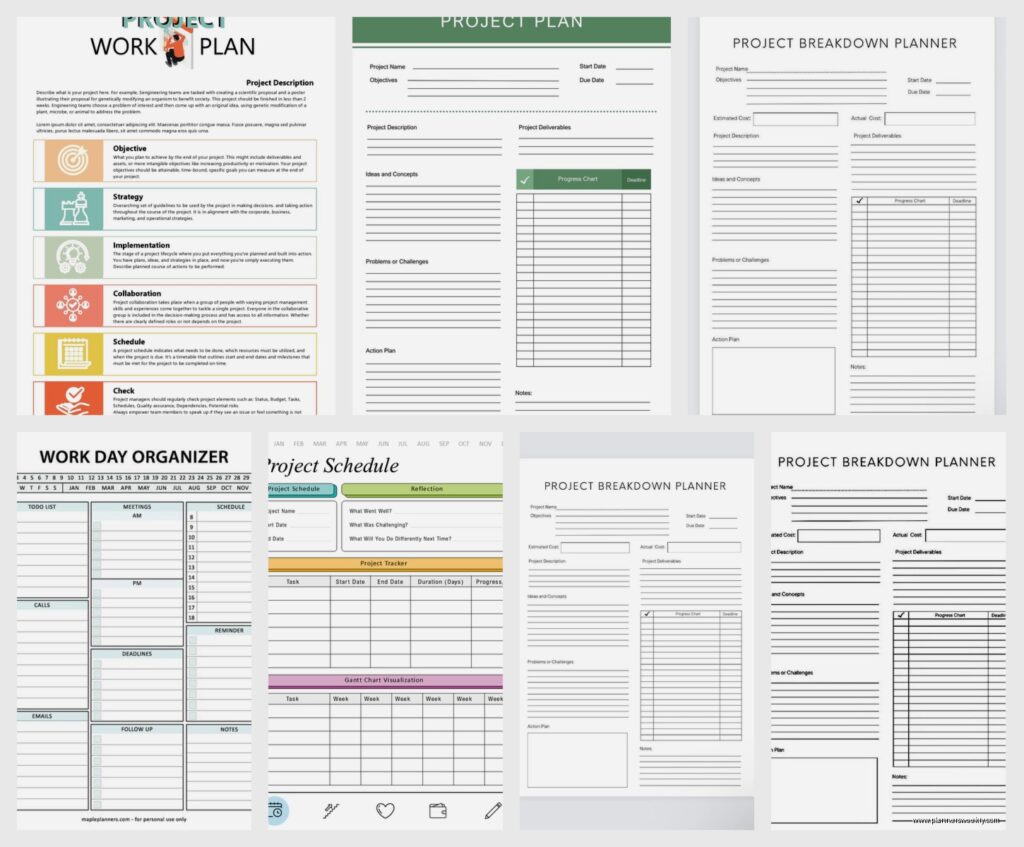
Mar
okay so I tested like fifteen different work plan templates last month and here’s what actually works
So I’ve been using work plan templates for basically forever now and I gotta tell you, most of them are either way too complicated or so basic they’re useless. Like last week I downloaded this one that had seventeen different sections and I’m sitting there thinking who has time for this? My dog was barking at the mailman and I’m trying to figure out what the difference is between “strategic objectives” and “tactical goals” and honestly it felt like homework.
The thing about work plan templates is you need to figure out what kind of planner you are first. Are you the type who needs everything mapped out in tiny detail or do you just need the broad strokes? I spent years trying to force myself into these super detailed templates because I thought that’s what productive people did, and then I’d abandon them by like day three.
the templates I actually use and why they don’t suck
Okay so the basic weekly work plan template is where most people should start. It’s literally just a grid with days across the top and time blocks down the side. Nothing fancy. I use one from Vertex42 that’s completely free and you can customize it in Excel or Google Sheets. The reason this one works is because it doesn’t try to be everything – it’s just your week, your tasks, done.
What I do is I have three columns for each day: Must Do, Should Do, and If There’s Time. This changed everything for me because I used to just have one massive list and then feel like garbage when I only finished half. Now I know exactly what’s critical and what’s just me being ambitious.
Oh and another thing – I color code by project type. Client work is blue, admin stuff is gray, content creation is purple. Sounds cutesy but when you’re looking at your week and everything is one color you know you’re too focused on one area. I noticed last month I had almost no blue and realized I’d been avoiding client work because I was anxious about a difficult conversation. The template literally showed me my avoidance pattern.
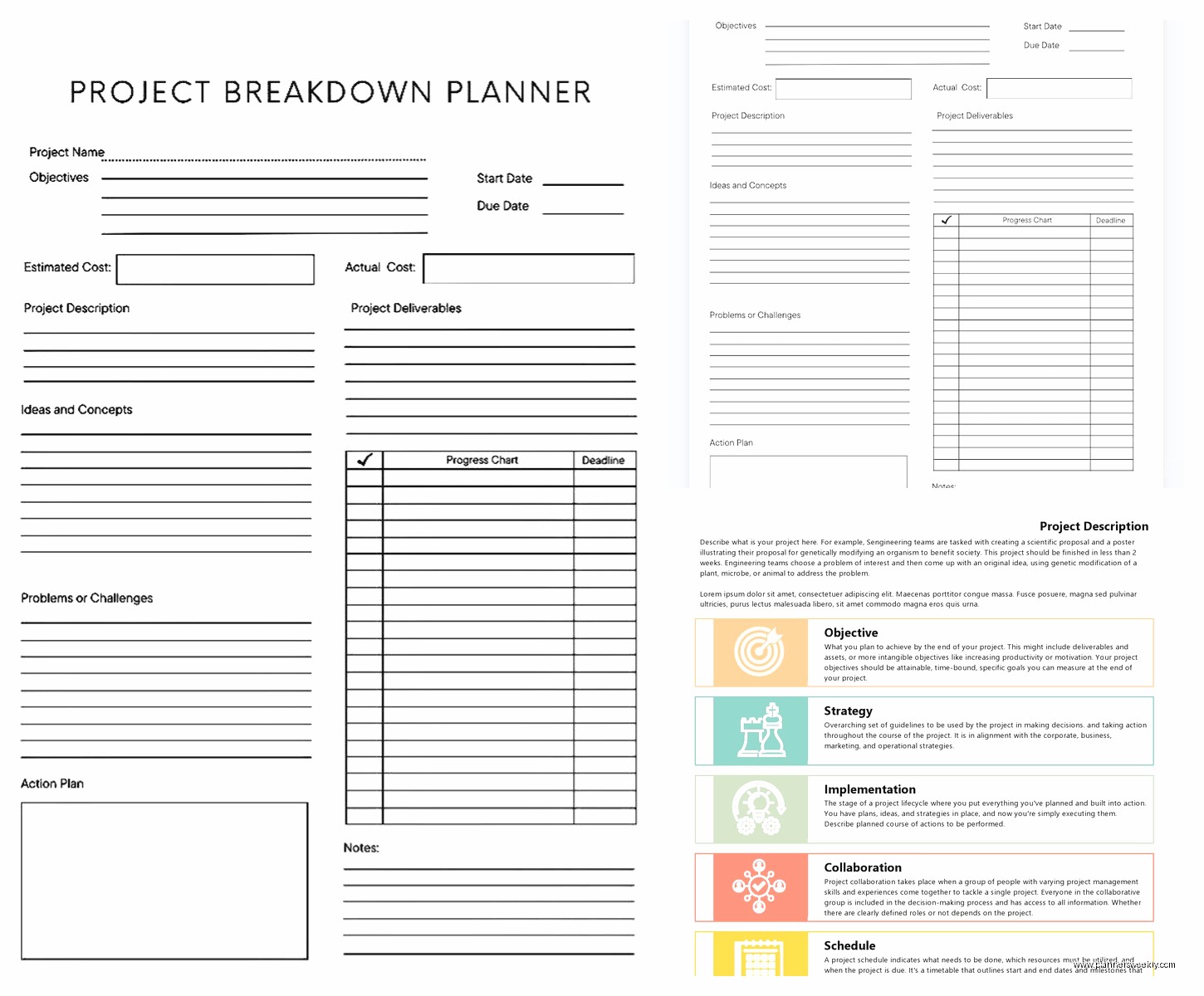
monthly planning is where it gets tricky
Monthly work plan templates are harder because you’re trying to see the bigger picture but also stay flexible. I use a hybrid approach that’s gonna sound weird but works. I have a monthly overview that’s super basic – just major deadlines and themes for each week. Then I have my detailed weekly plans that live underneath.
Template.net has this free monthly work plan that I modified heavily. The original version had all these sections about “success metrics” and “performance indicators” and like, okay sure if you’re reporting to a board of directors but for most of us that’s overkill. I deleted like half the template and just kept the calendar view and the goals section.
What I added that wasn’t there: a section for things that didn’t happen last month that I’m rolling over. Because let’s be real, there’s always stuff you don’t finish and most templates just pretend that doesn’t happen. Then you feel like you’re starting from scratch every month when actually you’ve got carryover.
project-based work plans are a whole different animal
If you’re working on specific projects with defined endpoints, you need a different kind of template. I use one that’s basically a backwards timeline. You put the deadline at the top and then work backwards to figure out what needs to happen when. This was a game-changer for my client projects because I kept underestimating how long things would take.
Wait I forgot to mention – SmartSheet has some really good project work plan templates but they’re only free for 30 days. I used the trial to figure out what structure worked for me and then recreated it in Google Sheets. Their templates are way too robust for most people anyway. Like one of them had Gantt charts and dependency tracking and I’m sitting there going I just need to know when to write the blog posts.
The key sections you actually need for a project work plan:
- The deliverable broken down into specific tasks not just vague goals
- Who’s responsible because even if it’s just you, naming it helps
- The actual deadline plus your internal deadline that’s earlier
- Dependencies like what has to happen before this can happen
- Status tracking that’s simple – I use not started, in progress, stuck, done
That “stuck” category was my addition and it’s so useful. Instead of things just sitting in “in progress” forever, I mark them stuck and then once a week I review everything that’s stuck and figure out what the blocker is. Usually it’s that I need information from someone else or I’m procrastinating because the task is unclear.
daily work plans for when you need that level of detail
Okay so I don’t use daily work plan templates every day because that’s exhausting, but when I have a super packed day or I’m feeling overwhelmed, I break it down hour by hour. The template I use is literally just a spreadsheet with time blocks in 30-minute increments from 8am to 6pm.
This is gonna sound excessive but hear me out – when I’m planning the night before, I include buffer time. Like I’ll block out 2:00-2:30 as “buffer/catch up” because something always takes longer or someone always needs something. Without those buffers I’d be behind schedule by 10am and then feel like the whole day was a failure.
I also put in the non-work stuff. Walking the dog, lunch, the time I need to move the laundry. Because those things happen anyway and if they’re not in the plan, they feel like interruptions instead of just part of life.
the free download situation and where to actually find good templates
So everyone wants free templates right? Here’s where I actually get them and which sites aren’t gonna give your email to a million spam lists:
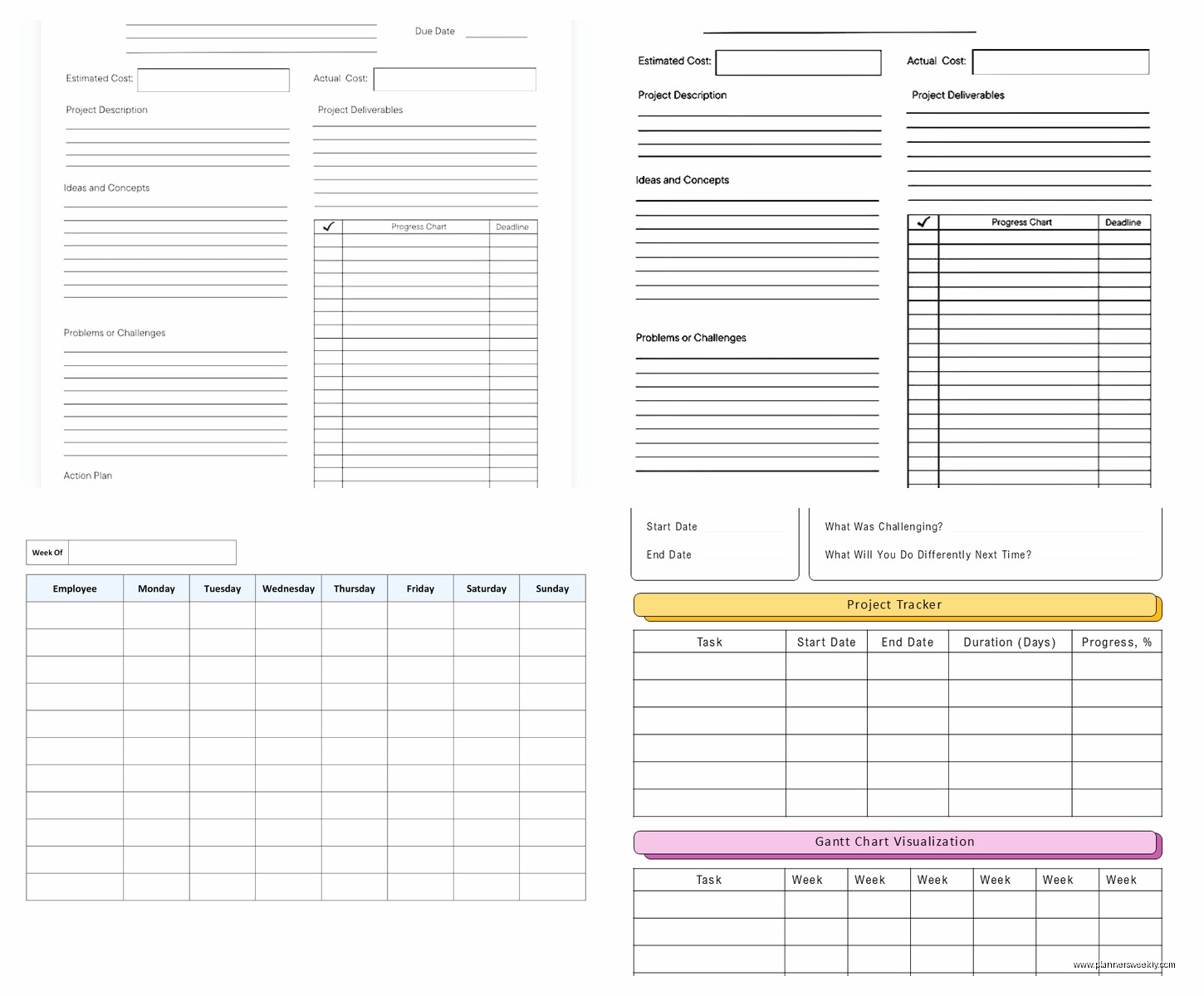
Google Sheets template gallery is underrated. Just open Google Sheets, click on template gallery, and there’s a whole section for project management and planning. They’re basic but that’s good. You can actually use them without spending an hour customizing.
Microsoft Office templates are also free if you have Office 365, which most people do through work. The work plan templates there are more corporate-looking but the structure is solid. I used their “simple work plan” template for like two years before I started customizing my own.
Vertex42 is my go-to for Excel templates. The site looks like it’s from 2005 but the templates are really functional. No sign-up required for most of them, you just download. They have everything from simple weekly planners to complex project timelines.
Template.net has a huge selection but you gotta sign up with your email. I use a separate email address just for template downloads because yeah, you will get marketing emails. But their templates are actually well-designed and they have both simple and complex versions of most things.
avoid these template mistakes I made so you don’t have to
Don’t download a template and try to use it exactly as is. I did this for years and could never stick with any system. Every template is designed for a generic user who doesn’t exist. You gotta customize it for your actual work and actual brain.
Don’t start with the most complex template thinking you’ll grow into it. You won’t. I have tried this approximately twelve times with twelve different systems. Start simple and add complexity only when you’re actually missing something. Last January I downloaded this massive productivity dashboard with like eight interconnected tabs and I think I used it twice before it felt like a burden.
Don’t make your template too pretty. This sounds counterintuitive especially from someone who reviews stationery, but when you spend an hour choosing colors and fonts, you’re procrastinating. Function first, then make it nice if you want. My most-used template is honestly kind of ugly but it works.
Oh and don’t forget to actually open the template. I know this sounds obvious but I have definitely downloaded templates with the best intentions and then never looked at them again. Set a recurring reminder or build template review into your existing routine. I review my weekly work plan every Sunday evening while watching whatever show I’m into – right now it’s a rewatch of The Office – and that pairing makes it feel less like work.
customizing templates without going down a rabbit hole
When you download a template, do these modifications first before you try to use it:
- Delete any section you don’t immediately understand or need – you can always add it back
- Change the time blocks or date ranges to match your actual schedule
- Add one section that’s missing for your specific situation
- Update any corporate language to words you actually use
- Test it for one week before making more changes
That last one is important because I used to customize templates for hours before ever testing them, then discover the whole structure didn’t work for me. Now I do minimal customization, use it for a week, and then adjust based on what was annoying or missing.
The one section I add to almost every template is “wins from last week/month.” Most templates are all forward-looking and you never stop to acknowledge what you actually accomplished. I used to feel like I was always behind even when objectively I was getting tons done. Adding a wins section fixed that.
digital vs paper work plan templates
Okay so I’m obviously biased because I review stationery, but I actually use both. My master work plan is digital in Google Sheets because I need to access it from my phone and laptop and I need it to be searchable. But my daily work plan is on paper.
There’s something about writing out your day by hand that makes it stick in your brain differently. I use a basic template I printed and put in a reusable cover so I just slide in a new sheet each day. The template is literally just time blocks and a section for notes. Nothing fancy.
If you’re gonna print templates, here’s what I learned after wasting a bunch of ink: print in draft mode or black and white unless color is actually functional. Most template designers use color for aesthetic reasons not practical ones. Also print a few days at once, not the whole month, because you’ll probably want to adjust something.
For digital templates, Google Sheets is more versatile than Excel unless you need really complex formulas. Excel templates often break when you open them in Google Sheets though, so if you’re a Google Sheets person, look for templates specifically made for that. Same thing in reverse for Excel.
templates for different work styles and situations
If you’re a freelancer or have multiple clients, you need a template that separates by client but also shows you total workload. I use a weekly template with columns for each major client plus a personal/admin column. Then at the top I have total hours estimated for the week. This keeps me from overcommitting which I definitely used to do constantly.
For people who work in sprints or have cyclical work – like teachers or people in retail with busy seasons – your template needs to reflect that rhythm. Don’t use the same intensity of planning during slow periods as busy ones. I have a simplified version of my template for slow months where I’m doing more strategic planning and less tactical execution.
If you have ADHD or similar attention challenges, your template needs to be more specific and break things down more. My client with ADHD uses a template that breaks every task into subtasks with estimated time for each one. What seems like overkill for me is actually necessary for her brain to process the work. She uses the forest app while working through each subtask which wasn’t part of the template but she added it as a column.
wait I forgot to mention the review process
A work plan template is useless if you don’t review it. Like genuinely useless. I spent years making beautiful plans and then never looking at them again until the week was over. Now I have specific review times built into my calendar.
Daily: Five minutes at the end of the workday to see what got done, what didn’t, what’s moving to tomorrow. I do this while my coffee is brewing for the afternoon slump period.
Weekly: Thirty minutes on Sunday evening to plan the week ahead and review what happened last week. This one is non-negotiable for me now. It’s when I catch things that are falling through the cracks.
Monthly: An hour at the start of each month to look at bigger picture goals and themes. This one I do during work hours because it’s actually strategic work, not just planning.
The monthly review is where I also assess if my template is still working or needs adjustment. Every few months I realize I’m not using a section anymore or I keep wishing I had space for something specific.
specific templates I’m using right now
My current weekly template is a modified version of the Vertex42 weekly schedule. I added a section at the top for my three main priorities for the week – not tasks, but priorities. Like “focus on client relationships” or “catch up on admin backlog.” This keeps me from getting lost in the tasks and forgetting what actually matters.
For content planning which is a huge part of my work, I use a monthly calendar template from Google Sheets that I heavily modified. Each day has a box where I note what content is going out where. Then I have a separate tab with the actual content planning details. The calendar view helps me see gaps and patterns.
For client projects I’m using a template I honestly mostly built myself at this point but it started from a SmartSheet template. It has columns for project name, client, deadline, status, next action, and notes. The next action column is key because every project should have a clear next action, not just a vague status.
I also have a yearly overview template that’s just a one-page calendar showing all twelve months. I mark major deadlines, launches, and planned time off. This is more reference than planning but it’s helpful for seeing the whole year at once. I keep it printed and pinned above my desk.
integrating your work plan with other systems
Your work plan template doesn’t exist in isolation. It’s gotta work with your calendar, your task manager, your email, whatever other systems you use. This is where people often get tripped up including me for a long time.
