
Digital Productivity, Online planners, Planners
Itinerary Template Guide: Travel & Event Planning Tools
Mar
Okay so I just spent the last three weeks testing every itinerary template I could get my hands on because my client Sarah was planning this huge multi-city conference tour and her Google Doc situation was honestly a disaster. Like sticky notes everywhere, flight confirmations in seven different email threads, that whole mess. And honestly? I got way too into this because now I have opinions about every single planning tool out there.
The Physical Planner Situation That Actually Works
So the Passion Planner travel edition – I grabbed this one first because everyone keeps tagging me in posts about it. The breakdown is actually pretty smart, they’ve got dedicated pages for each trip with sections for flights, accommodations, daily schedules, and then this whole packing list area that I thought would be gimmicky but I used it for my trip to Portland last month and actually checked things off like a normal person instead of my usual “throw everything in a suitcase at 5am” method.
The paper quality is good enough that when I spilled coffee on it (because of course I did, I was filling it out at a coffee shop trying to look professional) it didn’t bleed through to the next page. Which honestly is my main test for any planner at this point. My dog knocked over my water bottle on my desk the other day too and the pages just wrinkled but stayed intact.
What bugs me though is the layout assumes you’re doing like weekend trips or maybe a week. If you’re planning something longer or a complex itinerary with multiple cities, you run out of space real fast. I had to use three separate trip sections for Sarah’s two-week thing and it got confusing.
The Bullet Journal Method Nobody Talks About
Wait I should mention the whole bullet journal approach because honestly if you’re into customization this might be your thing. I use a Leuchtturm1917 for my regular planning but I set up a separate one just for travel and event stuff. The itinerary spread I developed looks like this:
- Left page: timeline view with dates down the left margin, activities blocked out by time
- Right page: split into three sections for confirmations, addresses, and random notes that don’t fit anywhere else
- I use washi tape to mark different trips which sounds cutesy but actually helps me flip to the right section super fast
The problem with this method is it takes forever to set up. Like you gotta really enjoy the process of making the template itself. I spent an entire Sunday afternoon in January setting up my travel journal for the year while watching that weird documentary about Fyre Festival, which was ironic given I was literally planning organized events.
Digital Templates That Don’t Make Me Want To Scream
Okay so digital. This is where things get interesting because there’s so many options and half of them are trying to do way too much.
Google Sheets Itinerary Templates
The free Google Sheets templates are actually not terrible? I know that sounds like damning with faint praise but hear me out. I found this one template (I think it was fromVertex42 but don’t quote me on that) that has tabs for different trips and then within each trip it breaks down by day. Each day has columns for time, activity, location, confirmation numbers, and costs.
What I ended up doing was modifying it because the original had this weird color scheme that made my eyes hurt. Changed it to a simple blue and white situation and added a column for “status” so you can mark things as booked, pending, or need to book. This is gonna sound weird but I also added a mood/energy column because if you’re planning a packed conference schedule you need to build in downtime and it helps to see visually when you’ve got too many high-energy things stacked.
The sharing feature is obviously the main benefit here. Sarah could access the same sheet, her assistant could update things, I could see changes in real-time. We used the comment feature to discuss options which beat the heck out of email chains.
Downsides: it’s not pretty, it doesn’t feel special, and if you’re planning a personal vacation sometimes you want something that feels a bit more… I dunno, intentional? Also the mobile experience is clunky if you’re trying to reference your itinerary while actually traveling.
Notion Templates For The Obsessive Planners
Oh and Notion. Okay so I have complicated feelings about Notion because it can do literally everything which means it’s also overwhelming as hell. But for itinerary planning if you’re willing to invest the time upfront it’s actually incredible.
I built out this whole system that has:
- A database for all trips with properties for dates, destination, trip type, budget, status
- Each trip opens to a page with embedded itinerary, packing list, expense tracker, and notes section
- The itinerary itself is a timeline database that you can view as a calendar, table, or board
- I linked it to a separate contacts database so if I’m staying with friends or have local contacts I can pull their info right in
This took me probably six hours to set up initially but now I just duplicate the template for each new trip and fill in the details. The ability to embed confirmations, attach photos, link to Google Maps locations – it’s all there.
My client Jessica used a version of this for her wedding planning which is basically event itinerary planning on steroids and she said it saved her sanity. Being able to see everything in different views depending on what she needed was clutch.
The main issue is the learning curve. If you’re not already a Notion person this is probably too much. And honestly the mobile app has gotten better but it’s still not as smooth as I’d like when you’re actively traveling and just need to quickly check what’s next.
Cozi and TripIt Because Sometimes Simple Wins
Wait I forgot to mention the apps that are specifically designed for this. TripIt is kind of the classic here – you forward confirmation emails to their address and it automatically builds an itinerary. When this works it feels like magic. You just send your flight confirmation, hotel booking, restaurant reservation emails and boom, organized timeline.
When it doesn’t work… well I had this Airbnb confirmation that it just could not parse correctly and kept putting the dates wrong. So you still gotta check everything. The Pro version (I think it’s like $49 a year?) adds real-time flight alerts, seat tracking, points tracking, all that stuff. Worth it if you travel a ton for work. For occasional travel the free version is probably fine.
Cozi is more family-focused but actually works great for group trips. It’s got a shared calendar, to-do lists, and a journal feature. The itinerary planning isn’t as robust as TripIt but if you’re coordinating with multiple people and need to manage more than just the travel logistics it’s solid. I used it when my sister and I planned our mom’s birthday trip and being able to assign tasks (“you book the restaurant, I’ll handle the hotel”) was helpful.
The Excel Spreadsheet You Probably Already Have
Okay so funny story, after testing all these fancy options my client Mark just wanted an Excel template. Just good old Excel. And you know what? Sometimes that’s the right answer.
I built him a workbook with multiple sheets:
- Master itinerary with dates, times, activities, locations, costs
- Flight tracker with all confirmation numbers, seat assignments, airline contacts
- Accommodation details with addresses, check-in/out times, confirmation codes, wifi passwords
- Packing list that he could check off
- Expense tracker with categories and running totals
- Contacts sheet with important numbers and addresses
The whole thing has dropdowns for categories, conditional formatting so overdue items turn red, and formulas that calculate total costs and time between activities. It prints nicely if you want a physical backup which some people still prefer.
Excel is everywhere, everyone knows how to use it basically, it works offline, and you can make it as simple or complex as you need. The templates that Microsoft offers in their template gallery are actually pretty good starting points too.
Printed Templates You Can Actually Write On
I know we’re all digital now or whatever but there’s something about writing out an itinerary by hand. Maybe I’m just old at 40 but I like having a physical copy I can shove in my bag and reference without worrying about phone battery or wifi.
The Printable PDF Situation
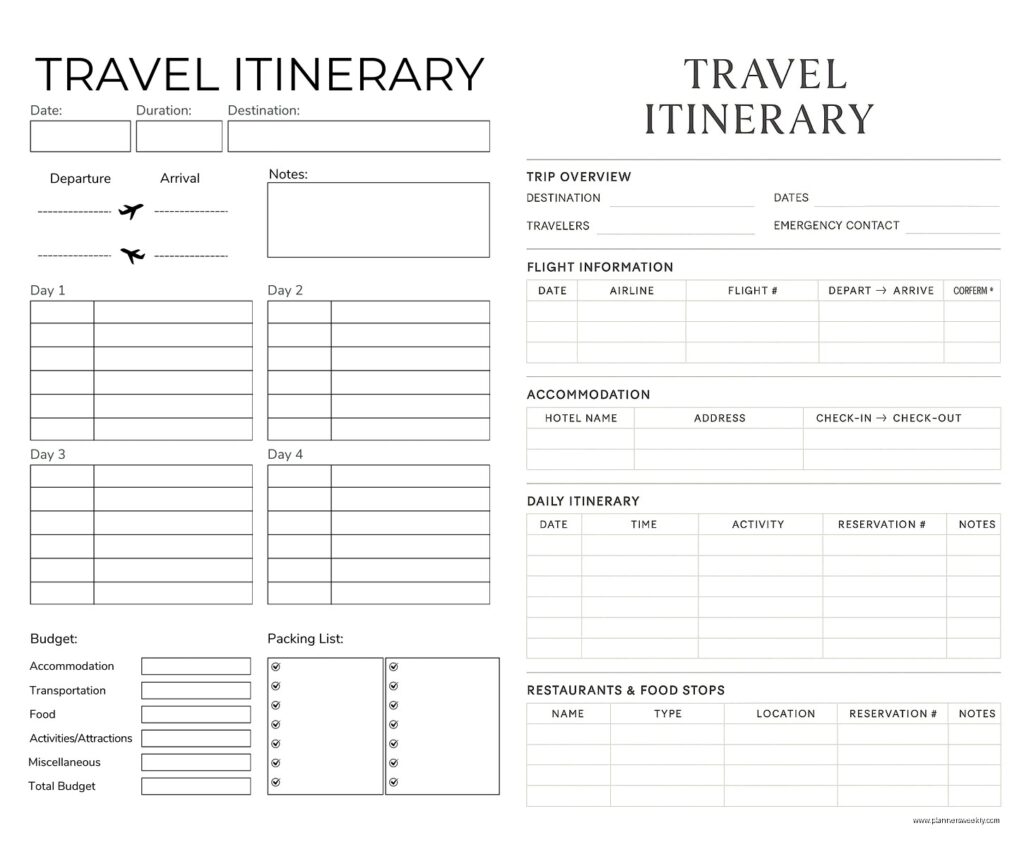
Etsy has approximately nine million itinerary printables and I’ve probably bought thirty of them over the years because I have a problem. The ones that actually work have a few things in common:
- Simple layout that doesn’t try to cram too much on one page
- Clear sections for date, time, activity, location, notes
- Enough white space that your handwriting doesn’t feel cramped
- Sensible page breaks so when you print them things don’t get cut off weird
My favorite one right now is from this seller called BasicInvite but I think they might have changed their name? It’s a minimalist design with just lines and headers, no cutesy graphics that waste ink. I print them on 32lb paper (because regular paper feels flimsy for something I’m gonna be hauling around) and three-hole punch them for a binder.
Oh and another thing – if you’re printing these definitely do a test print first. I learned this the hard way when I printed 20 pages for a client’s conference schedule and the margins were off so half the text got cut off. Had to redo the whole thing at 11pm the night before.
Day Designer and Similar Planners
Day Designer has these trip planning pages in their flagship planner that are honestly really well thought out. They’ve got the dated pages for your regular life and then separate trip pages that aren’t dated. The layout has space for travel details at the top, daily breakdown in the middle, and notes at the bottom.
I used mine for a conference in Austin and it was perfect for that use case – professional enough that I could pull it out in meetings, functional enough that I actually used it instead of it being decorative, and the paper handled my fountain pen without bleeding which matters to me even if it doesn’t matter to normal people.
The Hobonichi Techo has a similar setup in their Weeks version. The weekly pages work great for itinerary planning if you’re doing shorter trips. I use mine for weekend conferences and local events more than travel because the size is small enough to fit in my purse but big enough to actually write useful information.
Event Planning Templates That Are Different From Travel
So event planning itineraries are their own beast compared to travel itineraries. I probably should have mentioned that earlier but whatever, we’re here now.
Timeline-Based Templates For Events
When you’re planning an event – wedding, conference, party, whatever – you need a different kind of itinerary. It’s more about what’s happening when and who’s responsible for making it happen. Less about where you’re going and more about what’s occurring.
I use a modified Gantt chart approach in Smartsheet for bigger events. It’s like Excel on steroids basically. You can set up dependencies so if the caterer setup time changes it automatically adjusts the timeline for everything that comes after. The visualization is really helpful when you’re trying to explain to a client why no, we cannot add another 30 minutes of activities without cutting something else.
For smaller events honestly Google Sheets works fine. I have a template that’s organized like this:
- Column for time (in 15-minute increments usually)
- Column for what’s happening
- Column for who’s responsible
- Column for location (if it’s a multi-space event)
- Column for notes/backup plans
- Column for status (not started, in progress, complete)
I color-code by category – setup is yellow, main event is blue, breakdown is green, that sort of thing. Makes it really easy to see at a glance what phase you’re in.
The Day-Of Timeline That Actually Gets Used
This is gonna sound obvious but the itinerary you use while planning is not the same itinerary you need day-of. I learned this the hard way at a conference I organized where I had this beautiful detailed timeline with all my planning notes and nobody could find the actual information they needed in the moment.
Now I create two versions. The planning version has everything – contacts, confirmation numbers, backup plans, budget notes, all of it. The day-of version is stripped down to just what people need to know: time, what’s happening, where, who needs to be there. That’s it.
I print the day-of version in large font (14pt minimum) and distribute it to everyone who needs it. For a wedding I did last year we had laminated copies for the venue coordinator, photographer, DJ, and wedding party. Having it laminated meant when someone spilled champagne on it (there’s always something) it was fine.
Apps That Try To Do Everything And Mostly Succeed
There’s this whole category of apps that want to be your all-in-one travel and event planning solution. Some are better than others.
Travefy For Travel Professionals
Travefy is designed for travel agents but regular people can use it too. It’s pretty robust – you can build itineraries with maps, import activities and attractions from their database, add photos and descriptions, customize the branding if you’re sharing with clients.
I tested this for my travel agent friend (well she’s more of an acquaintance but we grab coffee sometimes) and it’s definitely overkill for personal travel planning. But if you’re planning complex group trips or if you are actually a travel professional it’s worth looking at. The pricing is per user per month which adds up but the features are solid.
The mobile app is good which matters because you’re presumably using this while traveling.
