Digital Productivity, Online planners, Planners
Social Media Planner: Complete Content Strategy Guide

Mar
Okay so I just reorganized my entire content calendar last week and honestly, the biggest mistake everyone makes with social media planners is they buy one thinking it’ll magically fix their posting schedule when really you need to figure out your actual strategy first.
Here’s what I mean – I had this client who bought like three different planners, the fancy Erin Condren one, some aesthetic Etsy printable, and honestly I forget the third one but she was still posting randomly at 2pm on Tuesdays because she never actually sat down to map out when her audience was online. So before you even touch a planner, open your Instagram insights or whatever platform analytics you have and just… look at when people actually engage with your stuff.
The Stuff You Actually Need to Track
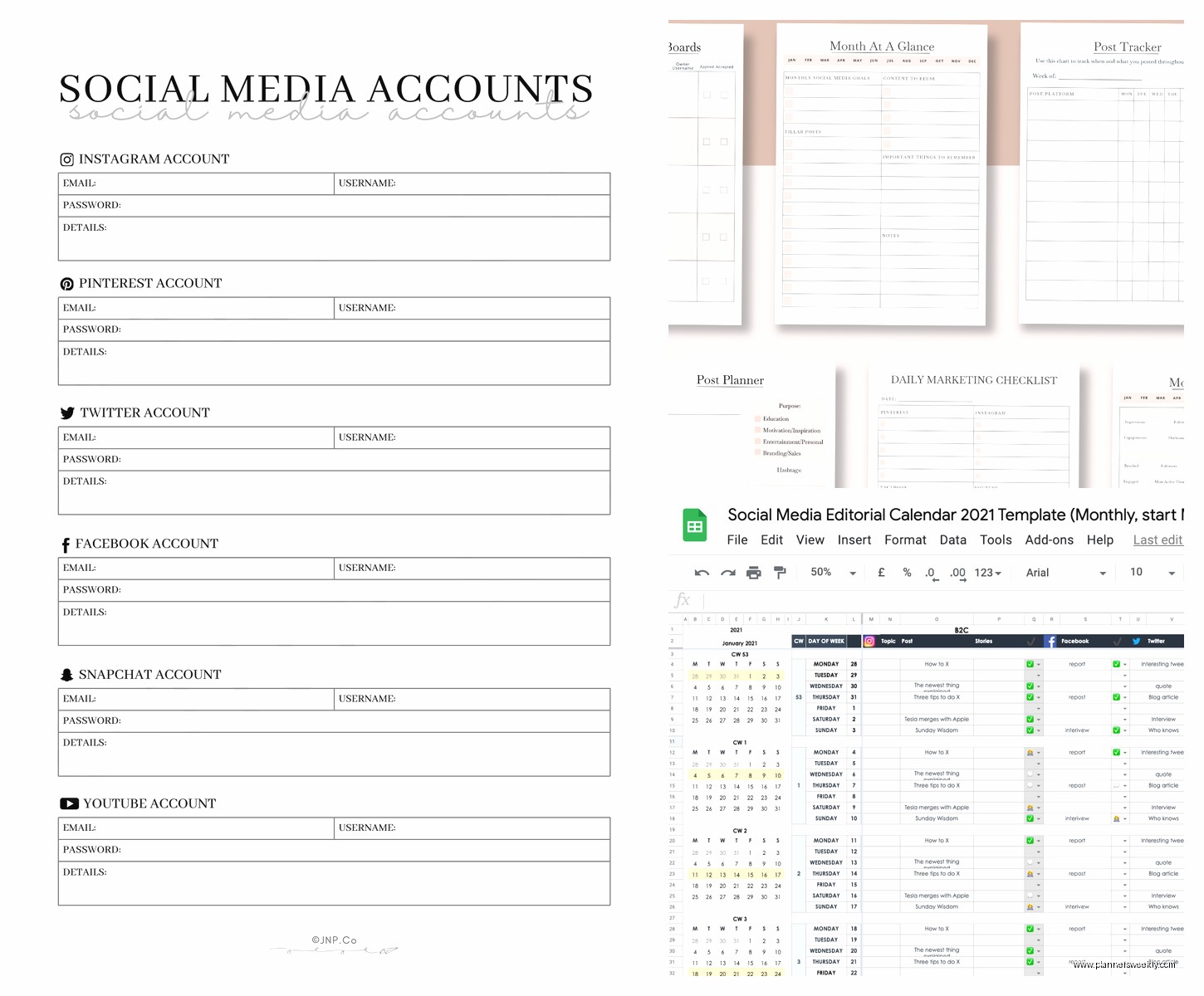
Most planners have way too many boxes and sections that you’ll never fill in. After testing probably fifteen different formats over the past two years, here’s what actually matters:
- Post date and time (obvious but you’d be surprised)
- Platform – because yeah you’re probably not posting the same thing everywhere
- Content type (video, carousel, static image, story)
- Caption or at least the hook
- Hashtag set you’re using
- Status tracker (drafted, scheduled, posted)
Everything else is kinda just aesthetic filler. Like I have this beautiful planner that has sections for “engagement goals” and “community feedback” and I’ve literally never filled those out because who has time for that when you’re actually running a business.
Digital vs Paper and Why I Use Both
So this is gonna sound weird but I actually use both and here’s why – digital planners are great for the actual scheduling part. I use Notion for my main content database because you can filter by platform, date, content pillar, whatever. But my cat knocked over my coffee onto my laptop last month and I couldn’t access anything for like six hours while it dried out and that’s when I realized I needed a paper backup.
The paper planner I actually use consistently is just a basic monthly grid. I got mine from Poppin (the navy blue one with the spiral binding) and it’s nothing fancy. Each day gets a sticky note with the post topic. That’s it. The sticky notes mean I can move stuff around when life happens, which it always does.
Setting Up Your Content Pillars
Okay wait I need to back up because you can’t plan content if you don’t know what you’re even talking about. Content pillars are basically the 3-5 main topics you post about. For me it’s productivity systems, stationery reviews, planning methods, workspace organization, and then like random life stuff that humanizes everything.
You want maybe 60% educational content, 20% promotional, 20% personal or engagement-focused. These percentages are totally flexible but that’s roughly what works for most people who aren’t like, huge influencers with different rules.
I map these out by color coding – educational is blue, promotional is orange, personal is green. In my paper planner I use colored pens, in Notion I use those little colored tags. This way I can glance at my week and see if I’m posting too much sales content or whatever.
The Actual Planning Process That Works
Oh and another thing – batch planning is the only way this doesn’t become a daily nightmare. Every Sunday I sit down for about 90 minutes and plan out the next two weeks. Some people do monthly planning but honestly my brain doesn’t work that far ahead and stuff changes too much.
Here’s my actual process:
- Look at what’s already scheduled (from previous planning sessions)
- Check my content idea dump – I have a running note in my phone where I throw random ideas throughout the week
- Look at what performed well recently and plan similar content
- Fill in gaps with evergreen content from my bank
- Add in any time-sensitive stuff (product launches, seasonal content)
The content bank thing is crucial btw. I keep a folder of like 30 evergreen posts that I can plug in whenever I’m short on ideas. These are things like “5 ways to organize your desk” or “my favorite pens for bullet journaling” – stuff that’s always relevant.
Time Blocking Your Actual Creation
Planning when to post is one thing but you also gotta plan when you’re gonna actually CREATE the content. This is where most people’s systems fall apart. They plan all these posts but then it’s Tuesday morning and they’re scrambling to take photos and write captions.
I block out Mondays and Thursdays for content creation. Monday is for graphics and editing, Thursday is for writing captions and hashtag research. This was a total game changer when I finally committed to it like six months ago. Before that I was just constantly stressed about content.
In my planner I actually mark these blocks with a highlighter so I don’t accidentally schedule client calls during those times. My digital calendar has them as recurring events that I protect pretty fiercely.
Tools That Actually Save Time
Okay so funny story, I resisted scheduling tools for the longest time because I thought they were impersonal or whatever. Then I had a week where I was traveling for a workshop and couldn’t post in real-time and my engagement completely died. Now I use Later for Instagram and it’s honestly worth every penny of the $25/month plan.
The free version works fine if you’re just doing Instagram but if you’re managing multiple platforms the paid version saves so much time. You can see all your platforms in one view, bulk upload content, and the visual Instagram grid planner is *chef’s kiss*.
Hashtag Management
Wait I forgot to mention hashtag strategy in the planner setup. This deserves its own section because it’s tedious but important. I keep 5-7 hashtag sets saved in a Google doc, each with about 20-30 hashtags grouped by topic.
Set 1 is for general productivity content, Set 2 is for stationery reviews, Set 3 is for planning methods, you get it. Then in my planner I just note which set I’m using for each post. This way I’m not researching hashtags every single time I post, which used to take me like 20 minutes per post and was absolutely not sustainable.
I refresh these sets quarterly because hashtags trends change and some get oversaturated. My client canceled last Friday so I spent that hour updating all my hashtag sets and honestly it was kinda therapeutic in a weird way.
Tracking What Actually Works
Your planner needs some kind of performance tracking or you’re just posting into the void hoping for the best. I keep it super simple – at the end of each week I go through my posts and mark the top 3 performers with a star in my paper planner, and in Notion I add the engagement numbers to a separate column.
Then monthly I look at patterns. Are carousels doing better than static images? Do posts with questions in the caption get more comments? Is Tuesday at 9am actually better than Wednesday at 2pm?
This sounds like a lot of data analysis but it’s literally just looking at your insights for maybe 15 minutes once a month. The patterns become obvious pretty quickly. For me, anything posted between 8-10am does way better than afternoon posts, and carousel posts with actionable tips consistently outperform everything else.
The Content Audit Nobody Wants to Do
Every quarter you should probably do a content audit. I know, I know, it sounds boring and it kinda is, but it’s useful. Go through everything you posted in the last three months and categorize it by pillar, content type, and performance.
You’ll start seeing what you’re posting too much of, what you’re neglecting, and what your audience actually wants. I realized I was posting like 40% stationery reviews because that’s what I enjoy creating, but my audience engagement was way higher on productivity systems content. So I adjusted my content plan to flip those percentages.
Dealing With Real Life Interruptions
Here’s the thing nobody tells you about content planning – your perfect schedule will get derailed constantly and that’s fine. I build in buffer days now, usually Fridays, where I don’t plan specific content. If everything went smoothly that week, great, I use Friday for evergreen content from my bank. If stuff got chaotic, I have that day to catch up.
Also I keep like 5-10 posts fully completed and ready to go in my drafts at all times. These are my emergency backup posts for when my kid is home sick or I’m just having a completely unproductive day. This buffer has saved me so many times.
Seasonal Planning Framework
Oh and another thing about planning ahead – I have a separate section in my planner for seasonal content ideas. In January I’m already noting down ideas for summer productivity tips, back to school content for August, holiday gift guides for November. These just live in a running list and then when I get to that month I already have a starting point instead of staring at a blank page.
This doesn’t mean everything is planned months in advance, just that I’m capturing ideas when they come to me so I’m not scrambling later. I was watching this show about organizers the other night and had three content ideas that I immediately added to my October list.
Platform-Specific Planning Considerations
Different platforms need different planning approaches and this is where having everything in one planner really helps. Instagram needs more visual planning – I need to see how the grid looks. TikTok and Reels are more about trending audio and quick turnarounds. LinkedIn is more professional and text-heavy.
In my Notion setup I have different views filtered by platform. My Instagram view shows thumbnail images in a gallery format so I can see the aesthetic flow. My LinkedIn view is just a list with the main points of each post. Pinterest gets planned way further in advance because it takes longer to gain traction there.
The paper planner just has abbreviations – IG for Instagram, TT for TikTok, LI for LinkedIn. Then I know at a glance what needs to be created for where.
Repurposing Content Across Platforms
The biggest time saver in content planning is creating once and posting everywhere, but slightly adapted for each platform. One blog post becomes an Instagram carousel, a LinkedIn article, several TikTok videos breaking down different points, and Pinterest pins.
I mark my “pillar content” in my planner with a P – these are the bigger pieces that get repurposed multiple ways. Then I have a checklist of all the ways I’m planning to repurpose it. This way nothing gets forgotten and I’m maximizing every piece of content I create.
Review and Adjustment Schedule
Your planning system needs regular check-ins or it becomes stale and you stop using it. I do weekly reviews (10 minutes on Sunday), monthly deep dives (about an hour), and quarterly overhauls (half a day).
Weekly is just looking at what worked, what didn’t, and planning the next two weeks. Monthly is updating hashtag sets, checking content pillar balance, and analyzing performance trends. Quarterly is the full audit plus updating my evergreen content bank and refreshing my content ideas list.
The planner itself might need adjusting too. If you’re not using certain sections, remove them. If you keep wishing you had space for something, add it. My current system is like version 7 of my original setup because I keep tweaking it based on what actually helps versus what just looks organized.