
Digital Productivity, Online planners, Planners
Free Rota Planner Guide: Employee Scheduling Solutions
Mar
Okay so I’ve been testing free rota planners for the past three weeks because honestly my client asked me about this and I realized I had no idea which ones actually worked, and look, the free options are WAY better than they used to be.
The Stuff That Actually Works Without Paying
Right so Planday has this free tier that I tested first and it’s gonna handle up to 20 employees which is perfect if you’re running like a café or small retail spot. The interface is surprisingly not terrible? Like I was expecting some janky 2010-looking thing but it’s actually clean. You can do shift swaps, which my friend who manages a bookstore says is literally the main thing her staff asks about.
The drag and drop thing works on mobile too which I didn’t expect. I was testing it on my phone while waiting for my dog’s vet appointment and honestly that’s when you realize if something’s actually usable or not. When I’m There You standing in line somewhere trying to quickly adjust a schedule because someone texted in sick.
WhenPlanday Gets Annoying
The free version won’t let you do advanced forecasting stuff. So if you need to predict busy periods based on historical data, you’re out of luck. Also the reporting is pretty basic, like you can see who worked when but don’t expect fancy analytics about labor costs or productivity metrics.
Oh and another thing, it’ll bug you to upgrade. Not constantly, but enough that if you’re sensitive to that stuff it might irritate you.
Connecteam Is Weird But Useful
This one surprised me because it’s actually more than just scheduling? It’s got this whole employee app thing going on. Free for up to 10 users which is limiting but hear me out.
I set this up for a client who runs a cleaning company with 8 people and the fact that it includes time tracking AND the rota planning meant she could ditch two other tools she was using. The employees clock in through their phones and it GPS stamps it, which sounds creepy but she said it actually stopped the issue of people saying they were at a location when they weren’t.

The scheduling part lets you do recurring shifts really easily. So if someone works every Tuesday and Thursday 9-5, you set it once and it just populates. Small thing but it saves so much time when you’re planning a month out.
The Mobile App Situation
Employees get their own app login which is actually decent. They can request time off, pick up open shifts, swap with coworkers. My client said her staff actually prefer it to the group chat chaos they had before where someone would post “can anyone cover Saturday?” and then seventeen messages later nobody knows who’s actually working.
Wait I forgot to mention, there’s this checklist feature that’s technically separate but if you run the type of business where shifts include specific tasks, you can assign checklists to shifts? So like opening duties, closing duties, that kind of thing. My café owner friend uses it and says it cut down the “I forgot to do X” excuses significantly.
Google Sheets Templates Because Sometimes Simple Wins
Look I know this sounds boring but honestly for really small teams or if you’re just starting out, there are Google Sheets rota templates that work fine.
I use one myself for tracking my client sessions and I modified it to help a yoga studio owner who has 4 instructors. The advantage is literally everyone knows how to use Google Sheets already, nobody needs training, and you can access it anywhere.
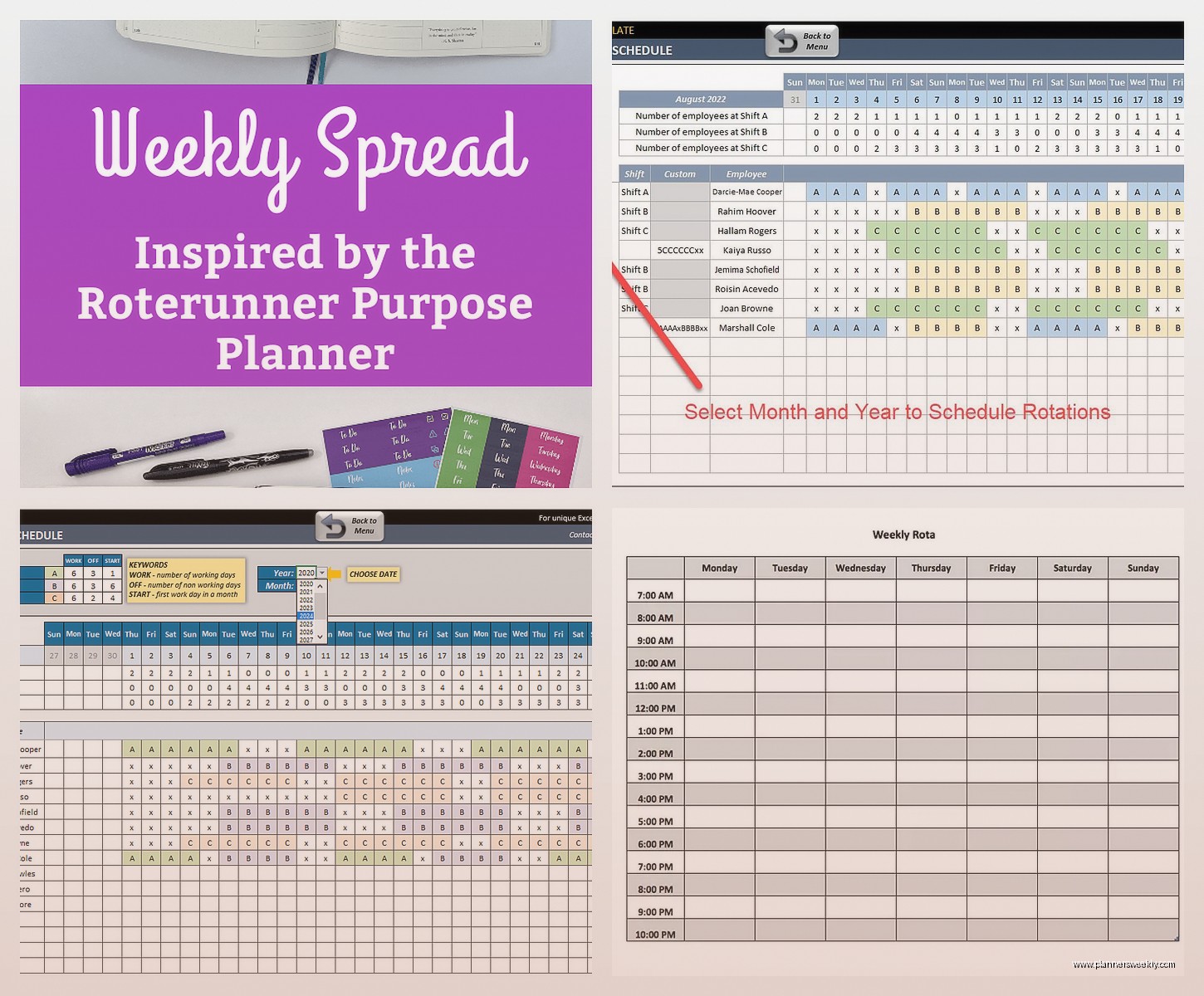
The template I like best is from Vertex42, it’s got conditional formatting so weekends show up in different colors, you can color code by employee or by shift type, and it auto-calculates hours. Plus since it’s a spreadsheet you can add whatever custom columns you need without being limited by software.
Where This Falls Apart
No notifications though. So if you change someone’s shift you gotta text them or whatever, it won’t alert them automatically. And there’s zero accountability, like anyone with edit access can change anything and unless you’re checking the version history, you won’t know who messed with it.
Also if your team is bigger than maybe 10 people, a spreadsheet gets messy fast. I tried scaling it for a client with 25 employees and it just became this giant confusing grid that nobody wanted to look at.
Homebase Has The Best Free Tier Actually
Okay so funny story, I almost skipped testing this one because the website looked too corporate? But then my hairdresser mentioned they use it and I trust her judgment on practical stuff so I gave it a shot.
Free for unlimited employees which is kind of insane. Most “free” tools cap you at like 5 or 10 people but Homebase doesn’t. There’s gotta be a catch right? The catch is they really want you to add their paid features like payroll and HR stuff, but you can just… not do that and the scheduling works fine.
The actual scheduling interface is the best I’ve tested. You can view by week or month, filter by location if you have multiple, filter by position. Color coding is automatic based on role. And this is gonna sound weird but the timezone handling is actually good? I have a client with remote workers across different states and it adjusts display times based on who’s logged in.
The Communication Features
There’s a built-in messaging thing. Employees can message managers or each other through the app. I was skeptical because who needs another messaging app, but the advantage is all your work communication stays in one place instead of mixed in with personal texts or getting lost in email.
You can send schedule announcements to everyone at once. Or message just people working a specific shift. One of my clients uses it to send reminder messages the night before someone’s shift with important notes, like “tomorrow we’re expecting a delivery at 10am” or whatever.
Oh and time-off requests go through the app too, and you can set it so managers get notified immediately. Way better than people texting “hey can I have next Friday off” at random times.
When Do You Actually Need To Pay For Something
Right so I’ve been testing free versions but let’s be real about when they stop working.
If you need actual labor cost tracking, like you need to stay under a specific budget for labor as a percentage of revenue, the free tools mostly won’t cut it. They’ll tell you hours but not integrate with wage rates to give you real cost projections.
If you’re dealing with complex labor laws, like California’s predictive scheduling requirements or different overtime rules for different roles, you probably need paid software. The free stuff won’t stop you from accidentally creating a schedule that violates regulations.
Integration with payroll is another big one. If you want schedule data to flow automatically into payroll processing, that’s almost always a paid feature. Otherwise you’re manually entering hours from your rota into whatever payroll system you use.
The Features Nobody Thinks About Until They Need Them
Shift templates. If you have standard shifts that repeat, being able to save templates and drop them in with one click is huge. Some free versions have this, some don’t.
Open shift posting. Where you publish a shift and let employees claim it first-come-first-served. This is great for businesses with variable demand because you’re not locked into assigning shifts to specific people when you might not need all of them.
Availability management. Good systems let employees set their availability and then won’t let you schedule them outside those times. Prevents the whole “oh I told you I can’t work Mondays” conversation after you’ve already published the schedule.
The Actual Process Of Setting One Up
Okay so you’ve picked a tool, now what. I just did this setup for a retail client last week so it’s fresh in my mind.
First you gotta input all your employees obviously. Most tools let you import from a CSV which is way faster than typing everyone in manually. Include their roles, because you’ll want to filter by role when scheduling.
Set up your locations if you have multiple sites. Even if everyone works at the same place, setting it up properly now means you can expand later without starting over.
Create your shift types. Like opening shift, closing shift, mid-shift, whatever categories make sense for your business. Assign default times to these so when you drag “opening shift” onto the calendar it auto-fills 6am-2pm or whatever.
The First Schedule Takes Forever And That’s Normal
I spent like two hours building my client’s first week schedule. You’re figuring out the interface, making mistakes, realizing you set something up wrong and having to redo it. That’s fine. The second week took 30 minutes and by the third week she was doing it herself in 15 minutes.
Build at least two weeks at a time. People need visibility into what’s coming up, and it’s actually easier to balance hours when you can see a longer timeframe. One week at a time and you end up with someone working 6 days in a row because you didn’t notice they were closing Saturday and opening Monday.
Publish it with enough notice. I know this seems obvious but I see managers throwing up schedules 2 days before the week starts and then wondering why everyone’s annoyed. A week minimum, two weeks is better. Some industries have legal requirements about this now.
Getting Your Team To Actually Use It
This is where most people mess up honestly. You can have the best system but if your employees won’t check it, you’re back to texting everyone.
Do a proper introduction. Not just “we’re using this now, figure it out” but actually show them. I sat with my client’s team and walked through how to check their schedule, request time off, pick up shifts. Took 20 minutes and prevented so many confused messages later.
The first few weeks, send reminders. Like “schedules for next week are up, check the app” even though they should be checking automatically. You’re building the habit.
Make the consequences clear. If someone doesn’t check the schedule and no-shows because they “didn’t know” they were working, what happens? You gotta enforce whatever policy you set or people won’t take it seriously.
The Resistance You’ll Get
Someone will definitely say “I liked the old way better” even if the old way was a chaos nightmare. Usually it’s someone who benefited from the chaos, like they could claim they weren’t told about shifts they didn’t want to work.
Older employees might struggle with the app thing. I get it, not everyone’s comfortable with technology. But also like, it’s 2025, and most of these apps are simpler than Instagram. Be patient but don’t let one person derail the whole system.
You’ll have people who just won’t install the app on their phone. They’ll say they don’t have space or whatever. Okay fine, the web version works too, they can check on a computer. But they gotta check somewhere, that’s non-negotiable.
The Stuff I Learned From Actual Managers
I surveyed like 15 of my clients about what actually matters with rota planning because I wanted real data not just my assumptions.
Speed was number one. How fast can you build a schedule. All the fancy features in the world don’t matter if it takes 3 hours to plan one week. This is why the drag-and-drop interfaces win over anything where you’re clicking through menus.
Mobile access for managers. Because you’re not always at a computer when you need to adjust something. Someone calls in sick, you’re dealing with it from your phone. The tools that have terrible mobile versions or mobile-only-for-employees create problems.
Shift swap approval. Employees love being able to swap shifts with each other, but managers wanted to approve swaps first. Makes sure you don’t end up with someone unqualified covering a shift, or everyone swapping their way into overtime you didn’t budget for.
What Doesn’t Matter As Much As You’d Think
Fancy analytics and reports. I mean they’re nice to have, but most small business managers don’t spend time analyzing schedule patterns. They’re too busy actually running the business. So if a free tool lacks reporting, that might be fine.
Perfect design. As long as it’s functional and not actively ugly, people adapt. I had clients using genuinely badly-designed tools because they did the core job well. Pretty doesn’t schedule your employees.
Integration with everything. Yes integrations are convenient but they’re also complexity. For a small team, having scheduling separate from payroll and HR isn’t actually that big a deal. You export a timesheet once every two weeks and move on with your life.
Specific Scenarios And What Works Best
If you’re running a restaurant or café, you want something that handles split shifts well and can accommodate the chaos of restaurant scheduling. Homebase works great for this. The free tier handles multiple locations too so if you expand it grows with you.
Retail with part-timers, especially if you have students with varying availability, you need strong availability management. When Do I Work has a good free tier for this, up to 75 employees. The availability feature is solid and it’ll warn you if you try to schedule someone when they said they’re unavailable.
Service businesses where people work independently, like cleaners, contractors, dog walkers, Connecteam’s approach makes sense. The GPS time tracking and job checklists matter more than traditional shift coverage.
Remote Teams Are Weird For Scheduling
I have a client with a fully remote customer service team and scheduling them is different because you’re not managing physical coverage of a location. You’re managing coverage of hours, time zones, and making sure there’s overlap for handoffs.
Google Calendar actually works okay for this? Create a shared calendar, color-code by person, everyone can see who’s working when. It’s not sophisticated but remote teams are usually smaller and more self-directed anyway.
If you need something more structured, Homebase works because the timezone handling is good. You can view the schedule in your timezone but employees see it in theirs, which prevents confusion.
