
Digital Productivity, Online planners, Planners
Monthly Desk Planner: Best Desktop Calendar Options
May
Okay so I just spent the last three weeks testing basically every monthly desk planner I could get my hands on and here’s what you actually need to know before buying one.
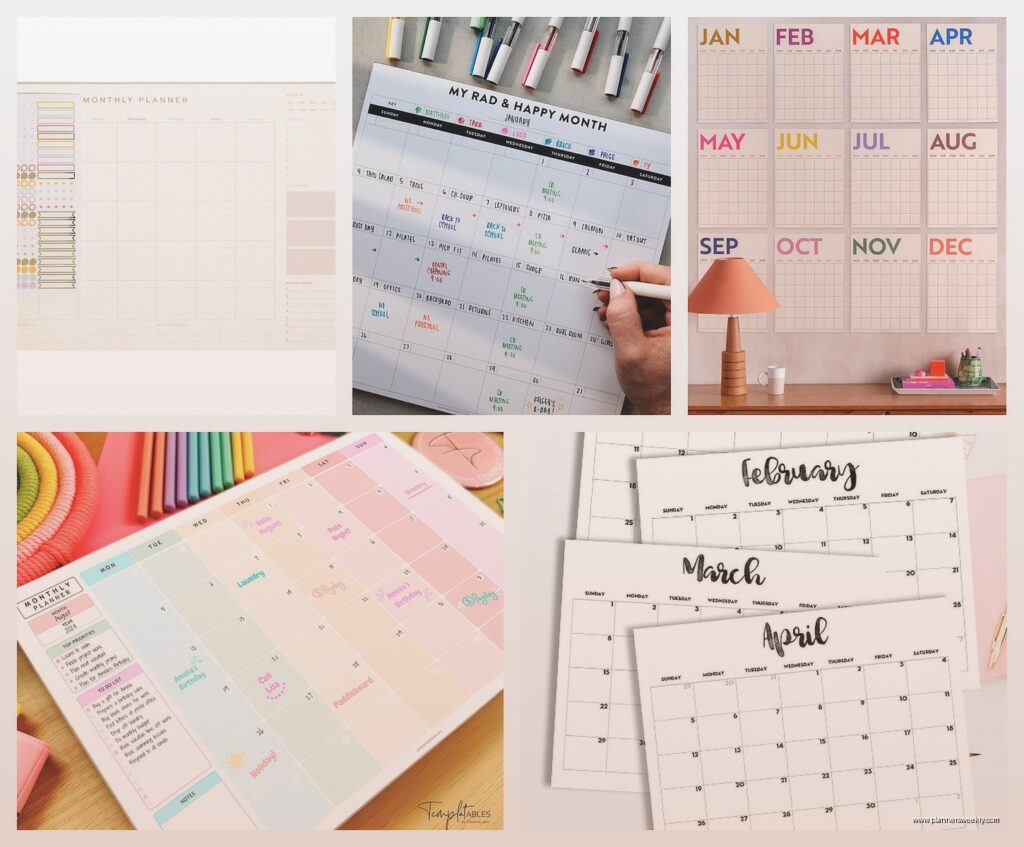
The Blue Sky Day Designer monthly desk pad is probably where you should start if you’ve never had one before. It’s like $15 on Amazon and honestly does everything most people need. The pages are big enough that you can actually write stuff without your handwriting looking like ants had a party, and each month tears off cleanly which sounds basic but I’ve had ones where the perforation is garbage and you end up with this sad raggedy edge. The paper quality is decent, not amazing but like my Pilot G2 pens don’t bleed through which is my minimum standard for anything I’m gonna use daily.
What I like about it is there’s this little notes section on the right side of each page. Super helpful for when you’re in a meeting and someone mentions something for next month but you don’t wanna flip ahead in your planner because you’re trying to look professional. Just jot it in that section. I use mine for tracking when I need to reorder supplies which sounds boring but has saved me from running out of printer paper at the worst possible times.
Oh and another thing about desk planners versus wall calendars that nobody tells you – the angle matters so much more than you’d think. I had this realization when my cat knocked over my coffee mug (she’s fine, the planner was not) and I had to switch to a backup one that sat flatter. Couldn’t see it properly from my chair and kept having to lean forward like some kind of prehistoric human discovering fire. The Blue Sky one has a decent angle built into how the pages sit.
Now if you want something more heavy duty, the AT-A-GLANCE Monthly Desk Pad is the one I recommend to my clients who are like serious about their planning. It’s bigger, around 22 x 17 inches, so you gotta make sure you have the desk space. I don’t, really, but I made it work by putting my keyboard on top of it when I’m not actively writing on the calendar. The paper is thicker and it comes with these corner protectors which seems extra but actually keeps the edges from getting all bent up when you’re shuffling papers around.
The binding on the AT-A-GLANCE is also reinforced so it doesn’t fall apart halfway through the year. I had a cheap one from Target once that just disintegrated around July and I was stuck taping pages together like a craft project gone wrong. Not cute. This one runs about $25-30 depending on where you catch it on sale.
Wait I forgot to mention the Erin Condren monthly desk pad because honestly it’s gorgeous but pricey. Like $35-40 range. The design options are really pretty if you care about that aesthetic Instagram planner life. My friend Sarah has one and takes photos of it for her stories and it always looks perfect. But here’s the thing – the paper is slightly too thin for my taste. Highlighters can show through to the next month which bugs me more than it probably should. But if you’re mostly using pencil or finer tip pens and you want something that doesn’t look like standard office supplies, it’s worth checking out.
The color coding options on the Erin Condren are thoughtful though. Each day has enough space that you can use different colored pens for different life categories without it looking chaotic. I tested this by tracking work deadlines in blue, personal appointments in purple, and content deadlines in green for a month. Actually stayed organized which for me is saying something.
This is gonna sound weird but the Simplified Monthly Desk Pad is the one I keep going back to even though it’s not the prettiest or the cheapest. It’s around $20 and the layout just makes sense for how my brain works. Each month starts on Monday which I know some people hate but I love because my work week starts Monday and having the calendar match that is chef’s kiss. The boxes are slightly bigger than the Blue Sky one and there’s this thin horizontal line in the middle of each box that creates natural sections for AM and PM tasks.
I discovered that feature by accident when I was rushing to write down two appointments on the same day and my handwriting just naturally separated above and below that line. Now I use it intentionally and it’s prevented so many scheduling conflicts. Like I can see at a glance that I have a morning meeting and an afternoon deadline without having to decipher my own handwriting tornado.
Okay so funny story, I was testing the Rifle Paper Co. desk pad during a particularly busy month and my dog decided the corner of it looked delicious. Took a whole chunk out of the March page. But even with reduced real estate, the planner held up well. The paper quality is excellent, probably the best of all the ones I tested. Fountain pens work perfectly on it which matters if you’re into that. The designs are very botanical and artistic which isn’t my usual vibe but I didn’t hate looking at it every day. It’s expensive though, like $38-42 depending on the design you pick.
The thing about Rifle Paper is you’re definitely paying for the artwork. If that brings you joy and makes you more likely to actually use the planner, then yeah it’s worth it. I have clients who swear that having a beautiful planner makes them more productive. I’m more practical about it but I get the appeal.
For people who need more writing space, the Brownline Monthly Desk Pad is basically just bigger boxes with less design fuss. It’s very utilitarian, very “I’m here to do a job.” Around $18-22 and the pages are super thick. You could probably use a Sharpie on this thing without bleed through, not that I recommend that because why would you use a Sharpie on a calendar but you could. The size is similar to the AT-A-GLANCE but the aesthetic is much more basic. Gray and white, very corporate.
I gave one to a client who works in construction and he loves it because he can sketch quick diagrams right on the calendar when he’s planning job timelines. The paper handles it. That’s not something I would’ve thought to test but it’s apparently a real use case.
Oh and if you’re someone who color codes everything and needs that visual system, the Bloom Daily Planners desk pad comes with stickers. Like actual planning stickers in the package. I’m not usually a sticker person because I find them fiddly but my client who’s a teacher uses them to mark different types of deadlines and it actually works really well for her. The planner itself is about $25 and comes in different color schemes. The paper quality is middle of the road, better than the cheapest options but not as nice as Rifle Paper.
One thing I learned testing all these – and this applies to any monthly desk planner – is that you gotta think about how you’re gonna store previous months. Some people just throw them away but I like keeping them for reference. The ones that tear off cleanly are way better for filing if you’re gonna keep them. The spiral bound ones you’d have to like… tear out aggressively and then you have that spiral edge situation. Not ideal.
The Moleskine monthly desk calendar is the spiral bound one I tested and while it’s nice quality, that’s the main drawback. You’re stuck with all the previous months just sitting there under the current one, making the whole thing thicker as the year goes on. It does lay completely flat though which is an advantage. And Moleskine paper is always reliable. This one’s around $28 and comes in their standard black or red covers.
Actually wait, there’s this weird option I found called the House of Doolittle Recycled Monthly Desk Pad that’s made from 100% recycled paper and it’s surprisingly good. Like $12-15 so super affordable, and the paper doesn’t feel recycled if that makes sense. It’s not rough or weird. The layout is very straightforward, nothing fancy, but it gets the job done. Good option if you’re budget conscious or trying to be more environmentally minded with your office supplies.
The corners are reinforced with this cardboard backing that extends past the pages slightly so it protects your desk surface. Didn’t know I needed that feature until I had it. Prevents those weird indent marks you get on wood desks from the calendar corners.
For people who travel a lot or work from different locations, most of these desk pads are too big to be practical. But the Blue Sky compact monthly desk pad is like a smaller version, maybe 11 x 8 inches? Fits in a tote bag easily. I used it when I was working at coffee shops a lot last spring and it was perfect. Still had enough writing space for the essentials but didn’t take over the entire tiny cafe table. Around $12.
This is gonna sound super specific but if you have ADHD or just generally struggle with visual overwhelm, the simpler layouts work better. I have clients who tried the really decorated planners with lots of design elements and found them too distracting. The Brownline or House of Doolittle options with minimal design and clear boxes are better for focus. Something about reducing visual noise makes the actual planning part easier.
I tested this theory myself during a month where I was watching too much reality TV and couldn’t focus on anything (Love Island was really good okay) and the simpler planner genuinely helped me stay on track better than the prettier options.
Paper weight matters more than you’d think. Anything under 70lb paper is gonna feel flimsy and disappointing. Most of the ones I mentioned are 70lb or higher. The Rifle Paper Co. and AT-A-GLANCE are probably the thickest at around 80lb. You can tell immediately when you write on it – there’s just more substance there.
Real talk though, the best monthly desk planner is the one you’ll actually use. I have the fancy Erin Condren one, the practical Simplified one, and the basic Blue Sky one all within reach right now because I use them for different purposes. The Blue Sky is my daily driver, the Simplified is for content planning, and the Erin Condren is basically just for looking at when I need a visual break because it’s pretty.
If you’re buying your first one ever, start with the Blue Sky Day Designer. It’s cheap enough that if you hate it you’re not out much money, but it’s good enough that you’ll probably be fine with it. Then if you find yourself using it constantly and wishing for specific features, upgrade to something more specialized.
The mistake I see people make is buying the most expensive, complicated planning system right away and then getting overwhelmed and abandoning it. Start simple, build the habit, then get fancy if you want.
Oh and regarding desk space – measure before you buy. I know that sounds obvious but I’ve had so many clients buy these huge desk pads and then realize they don’t actually fit on their desk with their computer and everything else. The standard size is around 17 x 22 inches but they range from like 11 x 8 up to 24 x 19. Check the dimensions against your actual desk situation.
Most of these planners run on a standard calendar year, January through December, but some companies make academic year versions that start in July or August. If you’re in education or just prefer that timeline, make sure you’re ordering the right version. I accidentally bought an academic year one once and didn’t realize until January when I opened what I thought was my new planner and it started in July. That was a confusing morning.
The monthly view format is really best for people who need the big picture overview. If you’re someone who needs to plan hour by hour, you’re gonna need a different type of planner entirely. But for tracking deadlines, appointments, general life stuff – monthly desk planners are perfect. You can see the whole month at once which helps with spacing out tasks and not overcommitting yourself to one week.
I use mine mostly for content deadlines and client calls, but I have friends who track everything from workout schedules to meal planning on theirs. The flexibility is the point. It’s just boxes and dates, you fill them however makes sense for your life.
