
Digital Productivity, Online planners, Planners
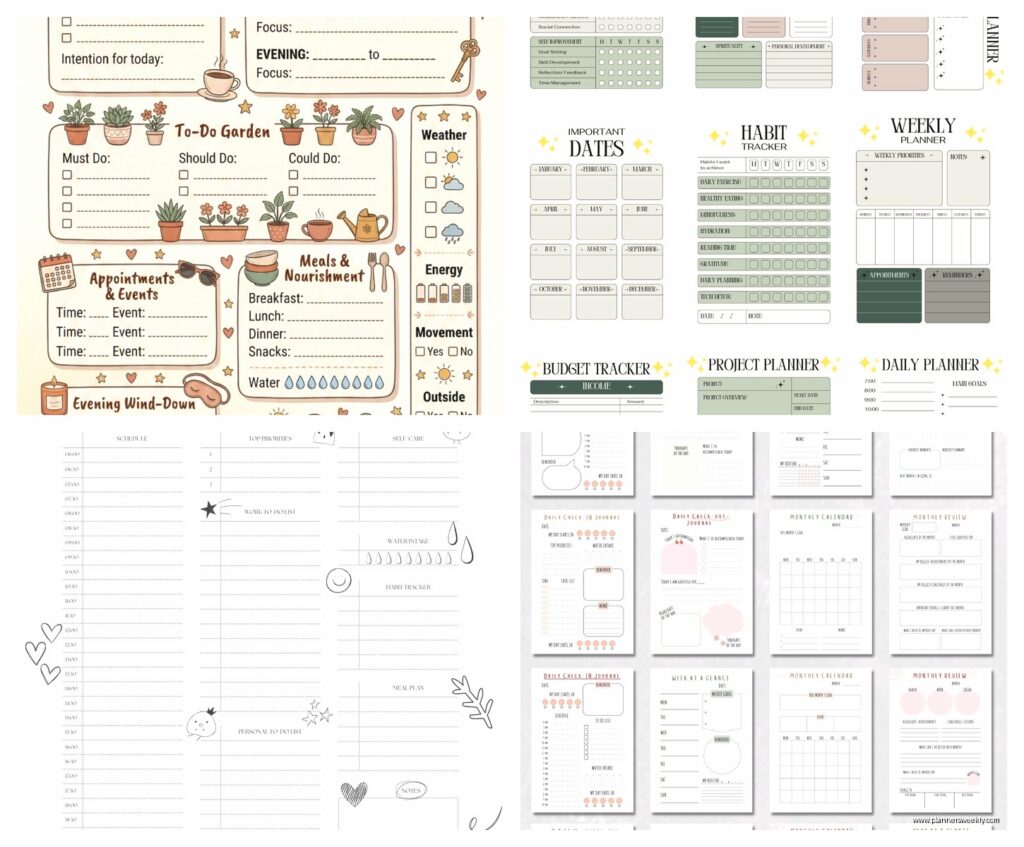
Personalized Daily Planner: Custom Planning Options
Mar
Okay so I just spent like three weeks testing every personalized planner option I could get my hands on and here’s what actually matters when you’re trying to figure out which custom planning system to commit to.
The Whole Digital vs Paper Thing Everyone Gets Wrong
So first thing, everyone asks me “should I go digital or paper” and honestly that’s not even the right question anymore because the best personalized planners now do this hybrid thing that actually works. I was testing the Remarkable 2 last Tuesday while my dog was losing his mind over a squirrel outside and I realized the feel of writing matters more than I thought it would.
Here’s what I tell my clients: if you’re the type who needs to see everything at once, paper’s gonna win. Digital planners with custom templates are amazing for people who travel a lot or hate carrying stuff, but there’s something about physically crossing things off that hits different. I tested both simultaneously for two weeks and my paper planner got way more use even though the digital one had better features technically.
Custom Digital Options That Don’t Suck
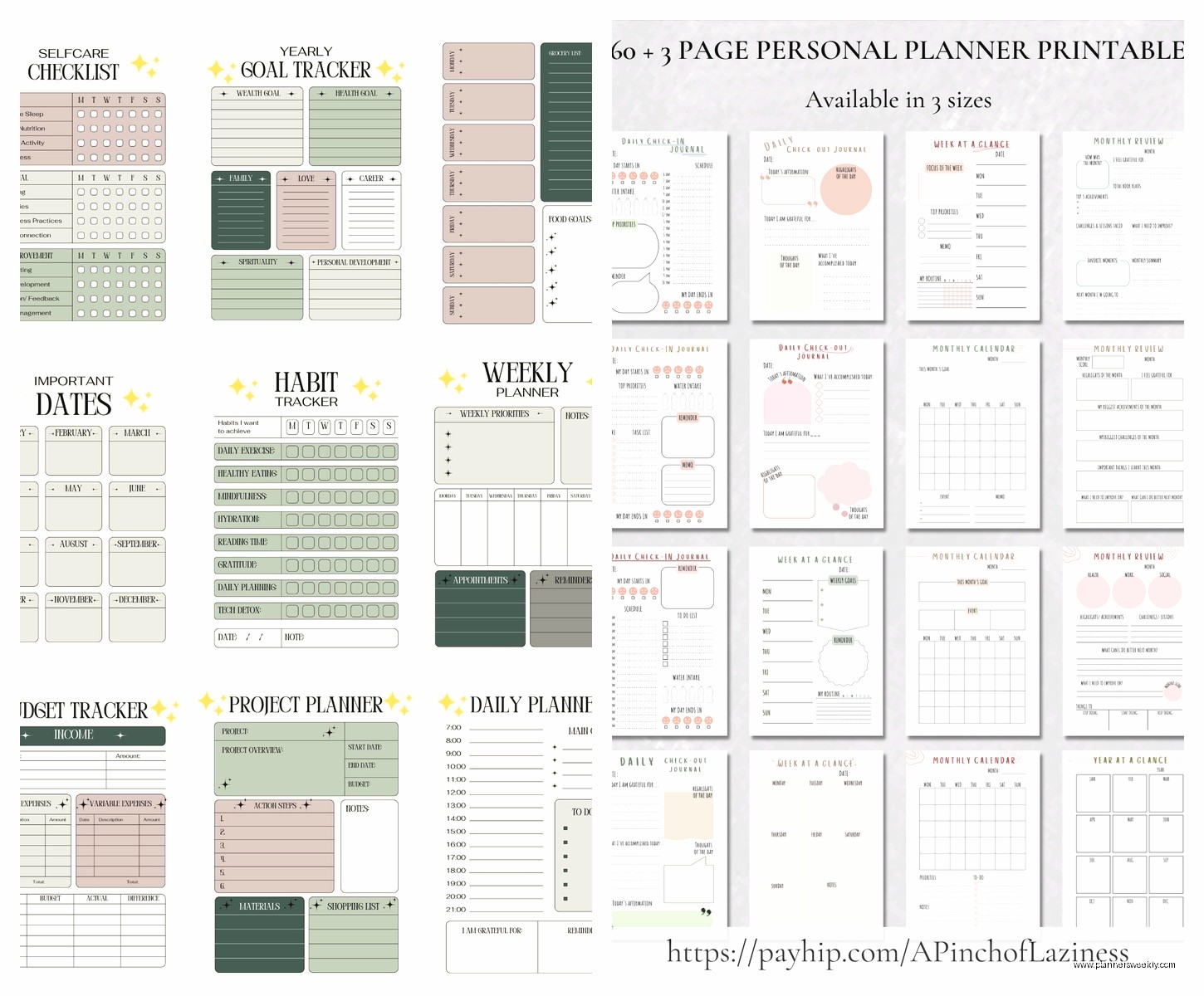
GoodNotes and Notability both let you import custom templates now and the personalization options are actually pretty solid. You can create sections for different life areas, color-code by priority, even add your own habit trackers that look exactly how you want them. I spent like forty minutes one night (couldn’t sleep, was watching that baking show on Netflix) just customizing my daily page layout and honestly it was worth it.
The trick with digital is finding templates that match how your brain actually works. Most people download those gorgeous Instagram-worthy templates and then never use them because they’re optimized for screenshots not actual planning. I bought this template pack from Etsy for like twelve bucks that let me customize literally everything and it changed my whole perspective on digital planning.
Paper Planners with Actual Customization
Okay so this is where it gets interesting because “personalized” means different things to different companies and some of them are just slapping your name on a generic planner and calling it custom.
The Disc-Bound System Nobody Talks About
I’m obsessed with disc-bound planners right now. Like the Levenger Circa or the Happy Planner system. You can literally rearrange pages, add sections, remove stuff you don’t use. My client canceled last Wednesday so I spent an hour at Michaels just looking at all the different inserts you can add to these things.
Here’s why this matters: most planners make you commit to their structure for the whole year. You’ve got weekly pages whether you use them or not, there’s a meal planning section you’ll never touch, whatever. With disc-bound you just take that crap out and add pages that actually serve you.
I added a project tracking section to mine, took out all the monthly calendar pages because I use my phone for that anyway, and created these custom daily pages that have time blocking on the left and a priority matrix on the right. Sounds complicated but it took maybe twenty minutes to set up and now my planning actually matches my workflow.
Services That Do Real Customization
Okay wait I forgot to mention there are actual services now that build planners from scratch based on what you tell them. Agendio is the big one everyone knows about but there’s also Plum Paper and InkWELL Press that do custom layouts.
I tested Agendio last month and the customization options are kinda overwhelming honestly. You pick your size, layout, whether you want time slots or open scheduling, what sections repeat on each page, all of it. It’s like a choose-your-own-adventure for planning. Took me three tries to get a layout that actually worked because I kept overthinking it.
Here’s what I learned: start with their templates and modify instead of building from scratch. I tried building mine from zero and ended up with this weird franken-planner that looked good in theory but was terrible in practice. My second attempt where I just tweaked their “productivity focused” template worked way better.
What Customization Actually Means for Your Daily Pages
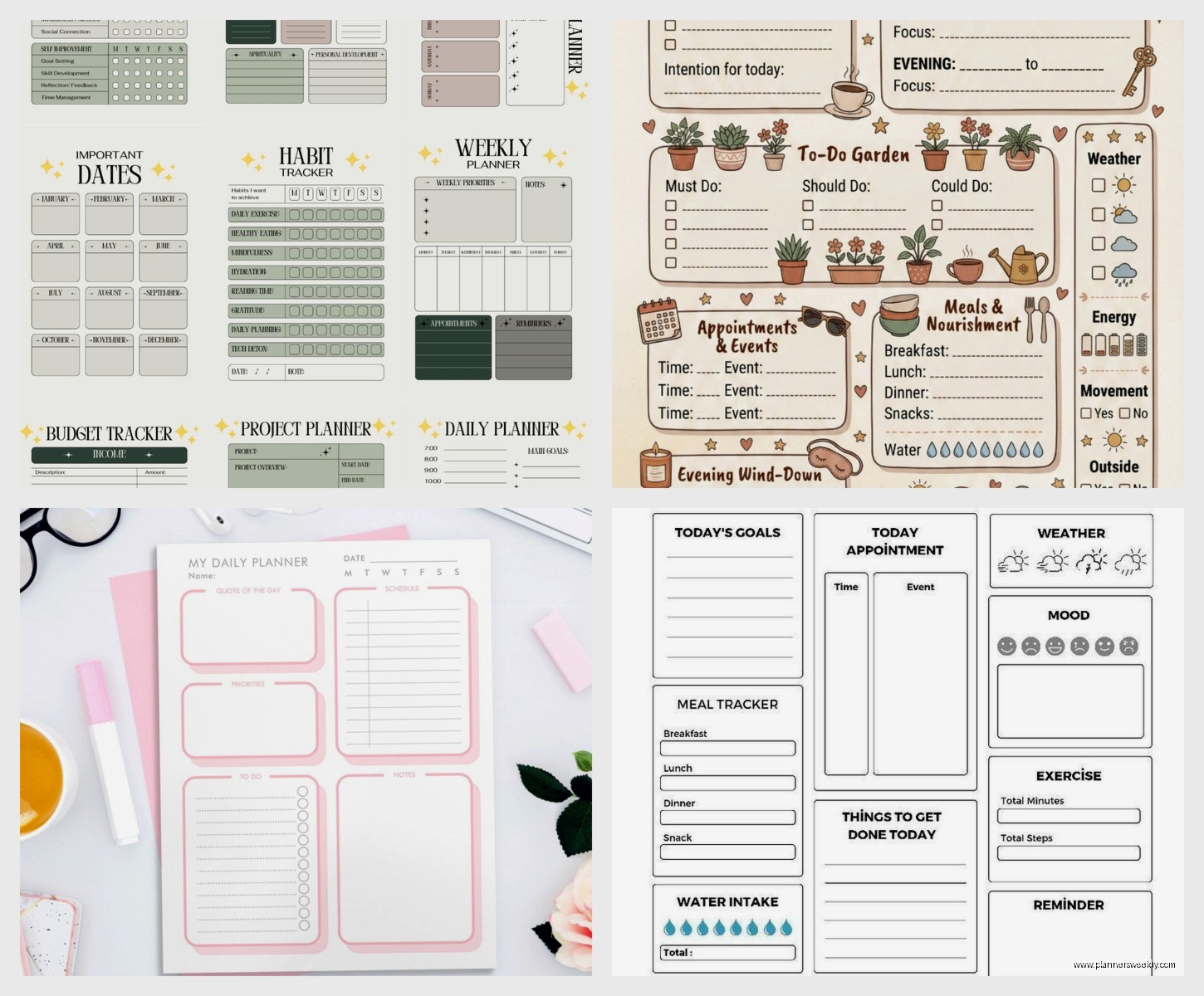
This is gonna sound weird but most people don’t actually need that much customization on their daily pages. Like you think you need fifteen different sections and color coding and habit trackers and water intake logs but in reality you need maybe three or four core elements and space to think.
The daily pages that work best for me have time blocking from 6am to 9pm, a priority task section at the top, and then open space for notes and random thoughts. That’s it. I tried adding all this other stuff, meal planning boxes, exercise tracking, gratitude prompts, and I just ignored all of it after week two.
Time Blocking vs Open Scheduling
Okay so this is where personalization really matters because people are hardcore divided on this. Time blocking is when you’ve got hourly or half-hour slots printed on the page. Open scheduling is just blank space where you write whatever.
I thought I was an open scheduling person for years. Turns out I’m not, I just hadn’t found the right time blocking format. Most planners do 30-minute increments which is too granular for me. I need 1-hour blocks with some flexible space. Found a custom template on Etsy that does exactly that and suddenly time blocking actually works for my brain.
If you’re testing this out, try both for at least a week each. Don’t decide based on what looks prettier or what your favorite productivity influencer uses. I’ve seen so many people force themselves into hourly time blocking because they think that’s what productive people do and they’re miserable.
The Sections Nobody Uses But Everyone Includes
Monthly goals pages are basically decorative for most people. I’m just gonna say it. Same with those year-at-a-glance calendars at the front. You look at them once in January and never again.
Here’s what actually gets used in my testing: weekly overview pages, daily detail pages, and project tracking sections. Everything else is negotiable. If you’re customizing a planner, really think about whether you need monthly reflections or password logs or budget trackers bound into your daily planning system.
I moved all that stuff to separate notebooks and my planner got so much more useful. It’s just for planning now, not trying to be my entire life management system.
Habit Tracking That Doesn’t Feel Like Homework
Oh and another thing about custom planners, everyone wants to add habit trackers and then feels guilty when they don’t fill them out. I tested like eight different habit tracking layouts and here’s what actually works: keep it stupid simple.
Instead of tracking ten habits with elaborate color coding, pick three max and just use checkboxes. I have “moved body” “wrote something” and “planned tomorrow” as my three daily habits and that’s it. Some fancy planners have these huge tracker spreads and they’re just guilt machines honestly.
The custom planner I use now has a tiny habit section at the bottom of each daily page. Three boxes. That’s all the real estate habits get. Game changer for actually using the tracker instead of avoiding that page entirely.
Size and Portability Nobody Considers
This is gonna sound obvious but size matters way more than you think when customizing a planner. I ordered this gorgeous custom planner in A4 size because I wanted lots of writing space and then realized I never wanted to carry it anywhere because it was huge.
Most productive size for me is A5 or the classic Happy Planner size. Big enough to write comfortably, small enough to throw in any bag. If you work from home mostly you can go bigger, but even then I found myself leaving the big planner on my desk and then not planning things when I was in other rooms which defeated the whole purpose.
Pocket planners are cute but unless you have tiny handwriting you’re gonna feel cramped. I tried a passport-size custom planner for a month and ended up just using it for grocery lists because there wasn’t enough space for actual planning.
The Cost Reality Check
Okay so custom planners are expensive, let’s just address that. A fully customized planner from Agendio runs like forty to sixty bucks depending on options. Disc-bound systems cost less upfront but you end up buying inserts and covers and accessories.
Digital custom templates are cheaper, usually between ten and thirty dollars, but you need a tablet and stylus which is a bigger upfront investment. I spent probably two hundred bucks total testing different options before finding what worked.
Here’s my actual advice: start cheap. Buy a basic planner and customize it manually with washi tape, stickers, stamps, whatever. Use it for a month and figure out what you actually need different. Then invest in custom options based on real data about your planning habits not theoretical ideas about what might be nice.
I wasted money on three custom planners that looked perfect in the design phase but didn’t match how I actually work. The fourth one I ordered after tracking what I actually used in a regular planner for six weeks and that’s the one I still use.
Free Options That Are Lowkey Amazing
Wait I forgot to mention you can customize free printables and get like eighty percent of the benefit. There are so many creators offering free daily planner pages you can download and print. Get a three-ring binder, print different layouts, test them out.
I keep a whole folder of free planner printables I’ve collected and I still use them for testing new layouts before committing to anything printed professionally. Some of them are honestly better designed than paid options.
Making It Actually Stick
The personalization that matters most is matching your actual workflow not your aspirational one. Everyone wants to be the person who journals every morning and tracks seventeen metrics and color-codes everything. Most of us are not that person.
My most successful custom planner is boring looking. It has time blocks, a task list, space for notes. That’s the whole page. But I use it every single day because it’s designed for my real life not Instagram.
Test your custom options for at least two weeks before deciding if they work. The first few days everything feels new and exciting. Week two is when you find out if the layout actually serves you or if you’re fighting against it.
Also don’t be afraid to change mid-year. I know we’re all trained to finish the planner we started but if it’s not working just stop using it. I switched planners in March last year and it was the best planning decision I made. My productivity coach brain says finish what you start but my realistic brain says use tools that actually help you.
