
Digital Productivity, Online planners, Planners
Print Planner Guide: Best Printable Planning Options
May
Okay so I’ve been testing print planners for like three months now because honestly the digital thing wasn’t working for me anymore and here’s what I actually found works.
The Happy Planner printables are probably where most people start and look, they’re fine? They’re really customizable which sounds great until you’re sitting there at 10pm trying to decide between 47 different layout options. I spent way too long on this. But if you like having options and don’t mind the decision fatigue, their monthly spreads are actually solid. The weekly layouts though… some of them have so many boxes and sections that I felt like I needed a planner for my planner. Which is ridiculous.
What worked better for me personally was the Passion Planner printable system. They have this whole goal-setting section at the beginning that I thought would be cheesy but actually helped me figure out what I even needed from a planner in the first place. Their weekly layout has a sidebar for your main priorities which sounds basic but it’s literally the only thing that keeps me from filling every single time slot with tasks. My dog got sick last month and I had to reschedule everything and that priority sidebar saved me because I could see at a glance what actually mattered.
Paper Quality Actually Matters More Than You Think
Here’s something nobody tells you until you’ve wasted money on printer ink: the paper you use changes everything. I was using regular copy paper at first because I’m cheap and also didn’t know better, and the ink would bleed through if I used anything other than pencil. Highlighters? Forget about it.
Switched to 32lb paper and it’s completely different. Yeah it costs more but you’re not gonna use a planner that feels flimsy and looks messy. I get mine from Amazon in bulk and it lasts forever. The HP Premium32 works great and doesn’t jam in my printer which is more than I can say for the fancy cardstock I tried that got stuck literally every three pages.
Oh and another thing, if you’re gonna use a three-ring binder system get the reinforcement stickers. Just trust me on this. Your pages will rip out within two weeks otherwise and you’ll be mad about it.
The Layouts That Actually Get Used
I’ve tested probably 15 different layout styles at this point because my client canceled one afternoon so I went down a rabbit hole comparing them all. Here’s what I learned:
Hourly layouts from 6am to 9pm sound productive but unless you’re actually scheduling things by the hour they just make you feel bad about all the empty spaces. I switched to time-blocking layouts instead where you have chunks of time but not specific hours printed on there. Way less guilt, same functionality.
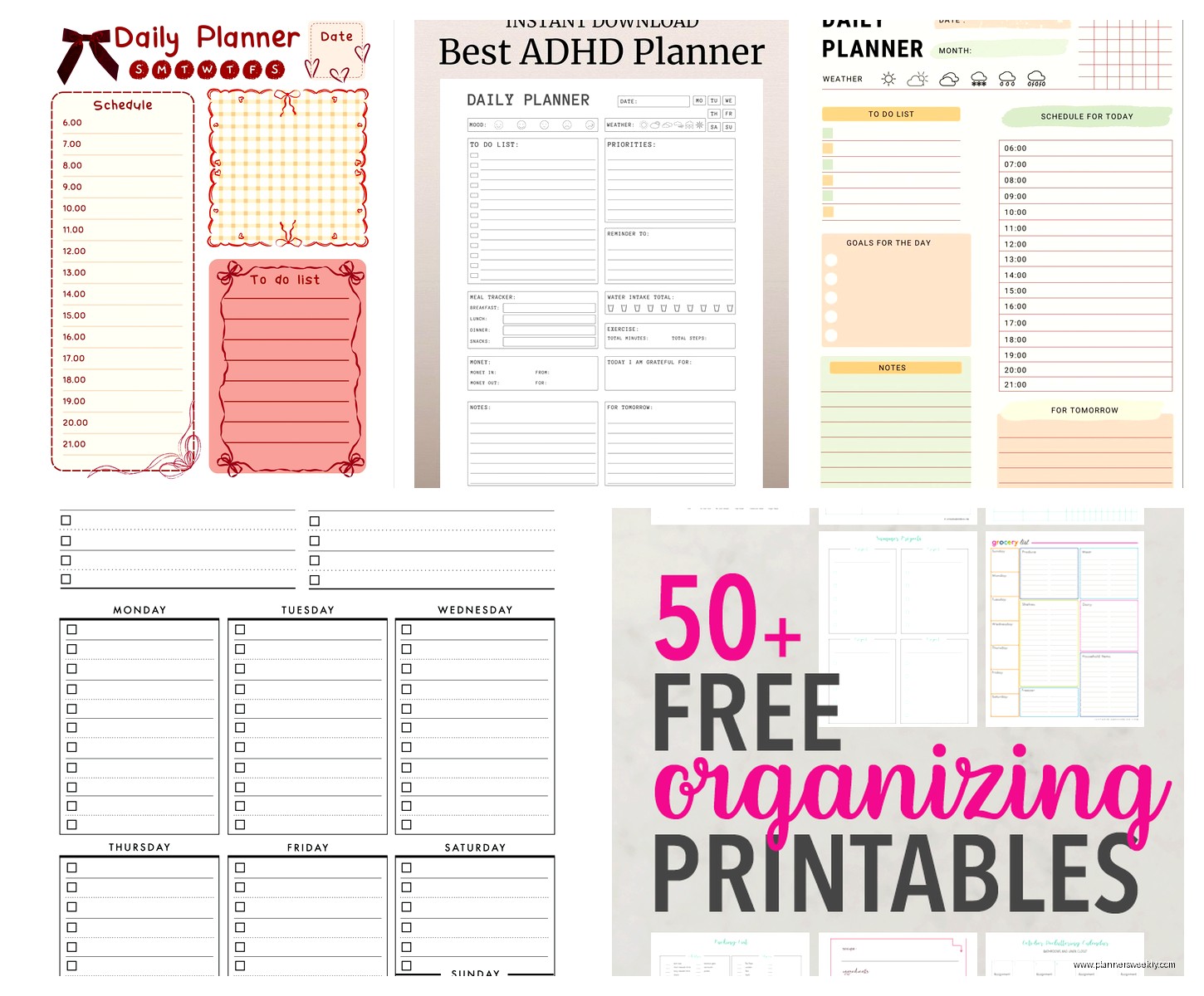
The Productivity Planner printables do this really well. They have space for your top 5 tasks which is actually the right number, not like some planners that want you to list 20 things you’re never gonna finish. They also have this section for “secondary tasks” which is perfect for the random stuff that comes up. You know, like when you remember you need to email someone back or pick up dog food or whatever.
Wait I forgot to mention the vertical vs horizontal debate. Vertical weekly spreads give you more room to write per day but horizontal ones let you see the whole week better. I thought I’d be a vertical person but turns out I need to see everything at once or I forget Wednesday exists. So I’m team horizontal now even though the writing space is smaller.
Budget Printables That Don’t Look Cheap
If you’re not trying to spend money, the Scattered Squirrel printables are free and honestly pretty good? They’re not gonna win design awards but they’re clean and functional. I used their meal planning printables for like two months before I even looked at paid options.
Etsy has a million options and the prices are all over the place. I’ve bought some for $3 that were better than ones I paid $15 for. The trick is looking at the preview images really carefully because some sellers show you these gorgeous mockups but the actual PDF is just… basic. Look for sellers who show the actual pages, not just styled photos with coffee cups and flowers everywhere.
This is gonna sound weird but some of the best printables I’ve found are from individual bloggers who just made them for themselves first. They’re usually more practical because they were solving their own actual problems, not just making something they thought would sell.
Printing Hacks Nobody Talks About
Print in draft mode if you’re just testing layouts. Saves so much ink and you can see if you actually like the format before committing to nice copies. I wasted probably $30 in ink printing everything in high quality before I figured this out.
Also you can print multiple pages per sheet to make like a mini version first. I do 4 pages per sheet sometimes just to see if a layout makes sense before I print it full size. Sounds extra but it’s actually saved me from printing entire months of pages I ended up hating.
The double-sided printing thing is tricky because you gotta figure out which way to flip the paper. My printer makes me flip on the short edge but yours might be different. Print one test page first or you’ll end up with pages that are upside down on the back. Ask me how I know this.
Binding Options For Different Situations
Three-ring binders are the most flexible because you can move pages around but they’re also bulky. I use one at my desk but it’s not something I’m carrying around. Got mine from Target for like $8 and it works fine.
Disc binding systems are trendy right now and okay yeah they’re actually pretty great. You can get a hole punch from Amazon for around $25 and then you can add and remove pages super easily. The Levenger Circa system is the fancy one but the knockoff punches work just as well. I’ve been using mine for four months and it’s holding up fine.
Coil binding is what I do for planners I’m not gonna modify. I take my printed pages to FedEx and they’ll bind them for a few dollars. Makes it feel more official somehow? Plus it lays flat which is nice when you’re actually writing in it.
Oh wait, clipboards. Just a regular clipboard with a binder clip. Sounds too simple but if you only need like a week or two of pages at a time it’s perfect. I keep one by my desk for my weekly pages and it’s honestly what I use most now.
The Sections You Actually Need
Most printable planner systems want you to have like 12 different sections and dividers and honestly you’re not gonna use most of them. Here’s what actually matters:
Monthly overview – you need this to see the big picture stuff. Appointments, deadlines, the important things. I like ones that have a notes section at the bottom for random thoughts that don’t fit anywhere else.
Weekly spread – this is where you live most of the time. Needs enough space to actually write stuff but not so much space that it feels overwhelming when it’s empty. The sweet spot is like 5-7 tasks per day max.
Daily pages are optional and honestly I only use them during really busy weeks. The rest of the time they’re overkill. But it’s nice to have the option to print one if you need it.
Notes pages – just blank lined pages. You need more of these than you think. I print like 10 at a time and stick them in the back of my planner. Always end up using them for meeting notes or random lists or whatever.
Customization Without Going Overboard
You can edit most PDF printables in programs like Adobe Acrobat or even free ones like PDF Escape. I add my own headers sometimes or change the fonts if they’re too fancy to actually read. Some planners have those script fonts that look pretty but are impossible to read quickly.
Color coding is useful but don’t go crazy with it. I use three colors max: work stuff in blue, personal in green, urgent in red. That’s it. I tried doing like 8 different colors once and just ended up confused about what color meant what.
Stickers are fun if you’re into that but they’re not necessary for functionality. I have some that I got from Michaels on sale and I use them sometimes for like birthdays or important events. Makes them stand out visually. But plenty of people just use highlighters and that works fine too.
What Doesn’t Work
Those really minimalist planners with tons of white space look beautiful on Instagram but in real life I need more structure than that. If you’re the kind of person who naturally stays organized maybe they work but I need boxes and lines telling me where to write.
Overly complicated habit trackers. I tried one that had space to track like 20 habits per month and it was just depressing looking at all the empty boxes. Now I only track 3-4 things max and actually do it consistently.
Planners that try to be everything – goal journal, gratitude journal, meal planner, budget tracker all in one. Too much going on. Better to have separate printables for different purposes and only print what you’re actually gonna use that month.
Oh and this is personal preference but I hate planners that have inspirational quotes on every page. It’s distracting and takes up space I could use for actual planning. I’m just trying to remember to send an email, I don’t need a quote about living my best life or whatever.
My Current Setup
Right now I’m using a combination of things because turns out no single planner does everything perfectly. Shocking, I know.
I use Passion Planner weekly spreads for my main planning, printed on that 32lb paper I mentioned. Those go in a disc-bound system so I can add and remove pages easily. At the beginning of each month I print a monthly calendar from Scattered Squirrel because theirs has bigger boxes than Passion Planner’s monthly view.
For project planning I have separate printables from Etsy that are more detailed with sections for tasks, deadlines, notes, all that. I only print those when I’m starting something new, not every week.
Notes pages are just… whatever. Sometimes I use nice ones with headers, sometimes I just print blank lined paper. Doesn’t really matter as long as there’s space to write.
The whole setup cost me maybe $40 total including the disc punch, and I’ve been using it for three months now. Way cheaper than buying a pre-made planner that might not even work for me. Plus I can change things up whenever I want without feeling like I wasted money on a planner I’m not using.
Okay so real talk, you’re probably gonna try a few different things before you find what works. That’s normal. Print cheap versions first, test them for a week or two, then commit to the nice paper once you know what you like. And don’t feel bad about mixing and matching from different sources. Your planner just needs to work for you, it doesn’t need to be Instagram perfect or whatever.
