
Digital Productivity, Online planners, Planners
Printable Budget Sheets: Free Finance Templates

Mar
okay so I literally spent last Tuesday organizing every free budget sheet I could find because my cousin texted me at like 10pm asking which one actually works and I realized I had opinions
The thing with printable budget sheets is most people download like fifteen of them and then use none of them because they’re either too complicated or too basic and there’s no middle ground. I’ve been testing these with my coaching clients for probably three years now and here’s what actually gets used versus what sits in a downloads folder forever
The Zero-Based Budget Sheet
This one’s gonna sound intense but hear me out. It’s where every dollar gets a job before the month starts. I use the template from Vertex42 most often with clients because it’s not trying to be cute with graphics and stuff. You list your income at the top, then every single expense category until you hit zero. Income minus expenses equals zero, that’s the whole concept
What I like is it forces you to account for everything. My client Sarah was convinced she had no idea where her money went each month and after one month with this sheet she found $340 going to subscriptions she forgot about. The template has space for irregular expenses too which is clutch because that’s where people mess up. You gotta include car insurance even though it’s only twice a year or whatever your payment schedule is
The annoying part is it takes like 45 minutes to set up the first time. I usually tell people to do it on a Sunday afternoon with coffee because if you try to rush it you’ll forget categories and then the whole zero-based thing doesn’t work
Monthly Budget Worksheet With Actual vs Planned
oh and another thing that works really well is the side-by-side comparison sheets. These have two columns for each category, one for what you planned to spend and one for what you actually spent. The psychological aspect of seeing those numbers next to each other is surprisingly effective
I found a great free one on Etsy actually, which sounds weird but there’s this seller who makes clean minimal templates. It’s literally just a PDF but it’s laid out better than the ones from big financial sites. You print it, fill in your planned amounts in pen, then use pencil for actual spending as the month goes on
My dog knocked over my coffee right onto one of these last week and I had to redo the whole thing which made me realize the benefit of having a digital backup even for printable sheets. I now photograph mine at the end of each month before filing them. Takes two seconds and I’ve gone back to compare months before
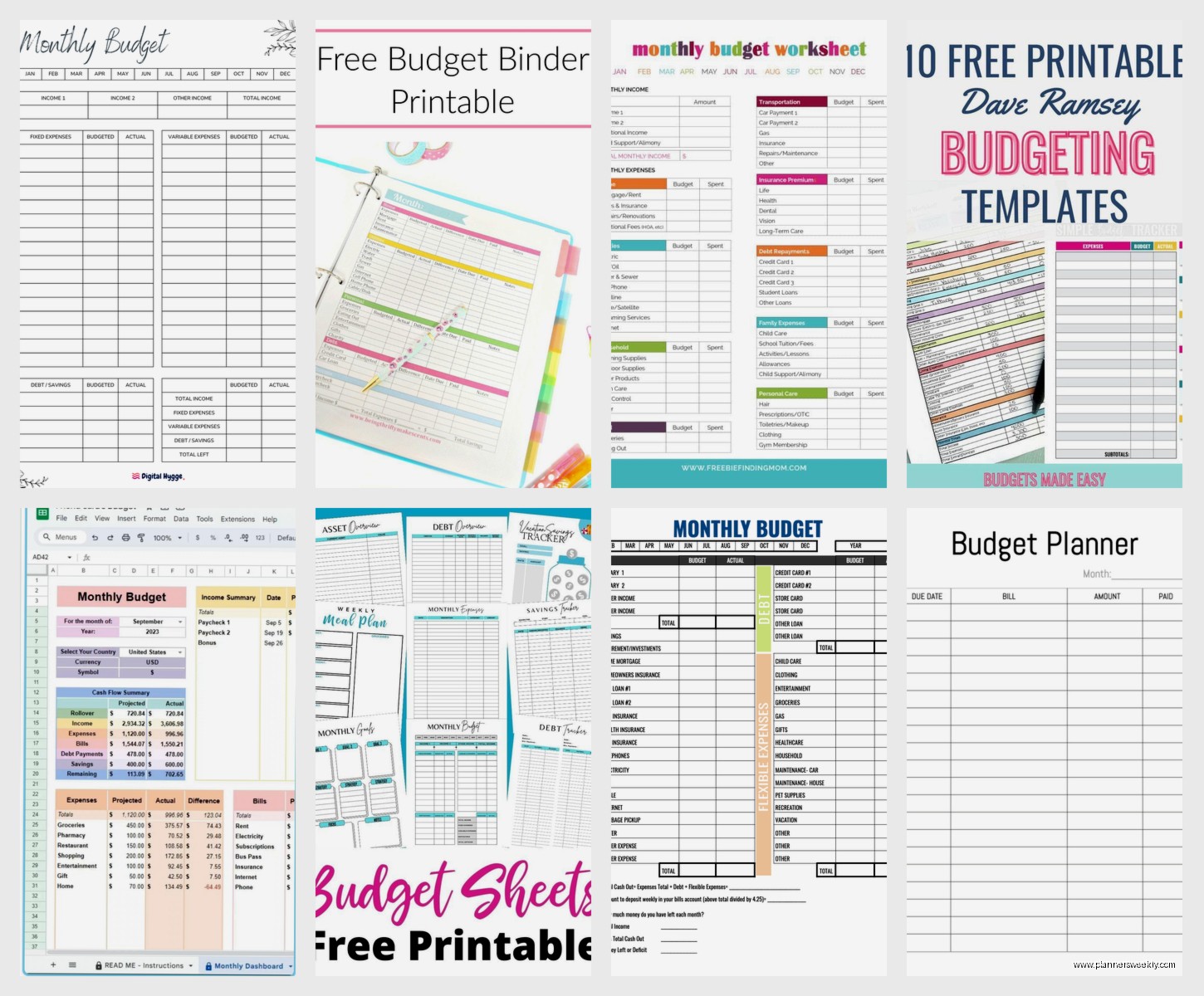
The Envelope Budget System Sheet
wait I forgot to mention the envelope method trackers. These are for if you’re doing cash envelopes but want a paper trail. Basically you write down how much goes in each envelope category and then track when you take money out
I tested this with a client who kept overspending on groceries and we used the template from The Budget Mom’s website. It’s free and has space for like twelve envelope categories. She used actual envelopes for groceries, gas, and entertainment, then tracked everything else normally. Her grocery spending dropped 30% in two months just from the awareness of writing it down every time
The sheet has little boxes you check off as you spend which feels more satisfying than it should. It’s the same concept as a habit tracker but for money. Something about physically marking the box makes you more conscious of the spending
Setting Up Envelope Trackers
You need to decide your categories first before you even print the sheet. I recommend starting with just three or four categories where you consistently overspend. Don’t try to envelope-method your entire budget right away because you’ll give up
Print one sheet per pay period. If you’re paid biweekly, you need a new sheet every two weeks. Monthly pay means one sheet per month. Write the date range at the top so you don’t mix them up later
Debt Payoff Trackers
okay so funny story, I created my own debt tracker before I found good free ones because I was paying off a stupid credit card from when I bought too much stationery, ironically. But now there are actually solid free templates that work better than what I made
The debt snowball tracker is the most popular. You list all your debts smallest to largest, and there’s usually a thermometer or progress bar you color in as you pay it down. My client Jake had $23k in student loans and seeing that thermometer fill in kept him motivated in a way that just checking his loan balance online never did
There’s also debt avalanche trackers where you organize by interest rate instead of balance size. Mathematically these save you more money but psychologically the snowball method works better for most people. I’ve seen both approaches succeed, it really depends on whether you need quick wins or if you’re motivated by optimization
The best free template I’ve found is from Debt Free Charts, they have different designs and you can pick based on how much you owe. Some go up to $100k which is unfortunately necessary for a lot of people with student loans
Paycheck Budget Sheets
this is gonna sound weird but paycheck-to-paycheck budgeting sheets are different from monthly budget sheets and that distinction matters. If you’re paid weekly or biweekly, monthly budgets don’t line up with your actual cash flow and it gets confusing
I use a template that breaks down which bills come out of which paycheck. So like first paycheck of the month covers rent and electricity, second paycheck covers car payment and insurance, whatever your situation is. You can find these by searching “paycheck budget printable” and honestly most of them are similar
The key thing is writing down the actual dates. Don’t just write “first paycheck” write “Friday March 7th paycheck.” Your bills have actual due dates so your budget sheet should match that reality. I learned this after a client missed a payment because she thought she was paying it from her “second paycheck” but the due date fell on a weird week

Bills Calendar Integration
Some paycheck budget sheets include a mini calendar which is super helpful. You can circle bill due dates and draw arrows to which paycheck covers it. Visual learners need this, I’ve noticed. My client who’s a graphic designer couldn’t stick to a text-based budget until we added the calendar component
Sinking Funds Tracker
wait I need to mention sinking funds because this changed everything for me personally. A sinking fund is money you set aside for irregular expenses. Christmas gifts, car maintenance, vet bills, whatever isn’t monthly but you know is coming eventually
The tracker is just a sheet with different savings goals and progress bars. Every time you add money to that category, you color in more of the bar. I have one for “stationery splurges” because I test products for reviews and sometimes I just want something that’s not work-related
Free templates are everywhere for this. I like the ones that show both your monthly contribution and your goal date. So like “saving $50/month for $600 Christmas budget by December 1st” with the math already built in. You can find these on Pinterest but be careful because some are actually paid products disguised as free ones
Expense Tracker Sheets
okay different from a budget, an expense tracker is just recording what you spent. No planning, just tracking. These are good for people who get overwhelmed by budgeting and need to start with awareness first
The basic version has columns for date, category, amount, and maybe payment method. You write down every expense as it happens. I had a client do this for one month before we even talked about a budget and she was shocked to see she spent $380 on takeout. She thought it was maybe $150
The detailed version includes who you paid and what specifically you bought. This is overkill for most people but if you’re trying to cut spending in a specific area it helps to see patterns. Like you might notice you order takeout every Tuesday after your long shift which means the solution isn’t willpower, it’s meal prepping something easy for Tuesdays
Daily vs Weekly Tracking
Some templates are set up as daily logs, others are weekly. I prefer weekly because daily feels like homework. You review your bank account and receipts once a week, usually Sunday evening, and fill in everything from the past seven days. Takes maybe 20 minutes
Daily tracking is more accurate though if you’re the type who forgets what you spent by the end of the week. My friend does this because she has ADHD and if she doesn’t write it down immediately it’s just gone from her memory
Bill Payment Checklist
this one’s simple but so useful. Just a list of all your bills with checkboxes for each month. You check it off when you pay it. That’s it
I cannot tell you how many late fees my clients have avoided by using this stupid simple sheet. Even if you have autopay, sometimes things fail or you forget you turned autopay off or whatever. Having a physical checklist you look at means you catch it
The template should have space for the due date, amount, and payment method. Some include a “paid on” column so you can track if you’re paying early or late. I noticed I was consistently paying one bill three days late because I thought it was due on the 15th but it’s actually due on the 12th. Seeing that pattern on paper made me fix it
No-Spend Challenge Tracker
oh and another thing, no-spend trackers are having a moment right now. It’s a calendar where you mark days you didn’t spend any money. Some people do no-spend weeks, some do specific categories like “no restaurants for 30 days”
The free printables for this are actually really cute which helps with motivation. You get to color in or sticker the days you succeeded. It’s gamifying not spending money which sounds ridiculous but it genuinely works for some personality types
I tried a no-spend month on non-essentials last year while I was watching The Great British Baking Show marathon and the tracker was the only thing that kept me from ordering random stuff online. Every time I wanted to buy something I’d look at my streak of successful days and didn’t want to break it
Income Tracker For Irregular Income
if you’re freelance or have variable income this is essential. You track every payment that comes in with the date and source. At the end of the month you can see your actual income which might be really different from what you estimated
The template I use has space for expected income and actual income. So I write down what I’m supposed to get paid and then confirm when it actually hits my account. Clients sometimes pay late or projects get delayed and this helps you see the real cash flow situation
There’s also year-at-a-glance versions where you can see income trends over twelve months. Super helpful for noticing seasonal patterns. I make less in summer when a lot of my clients are on vacation, so now I plan for that instead of being surprised every July
Where To Actually Find These Templates
okay so practically speaking, Vertex42 has the most comprehensive collection and they’re actually free, not “free with email signup” which I appreciate. The Budget Mom has good ones specifically for debt payoff and envelope budgeting. Pinterest is overwhelming but if you search specific terms like “paycheck budget printable free” you’ll find options
Google Sheets templates work too if you want to print them. The advantage is you can customize before printing. I usually adjust column widths and delete categories I don’t need
Stay away from templates that require special software or have locked cells you can’t edit. If it’s truly free and printable, you should be able to modify it. Some creators lock their templates to push you toward paid versions which is annoying
Actually Using The Sheets
here’s the thing nobody tells you, the template doesn’t matter nearly as much as having a consistent system. I’ve seen people succeed with the ugliest most basic spreadsheet because they actually filled it out every week. And I’ve seen people download beautiful templates that never get used
Pick one or two sheets maximum to start. Don’t try to track everything in fifteen different ways. I recommend either a basic monthly budget sheet plus an expense tracker, or if you’re paying off debt then a budget sheet plus a debt tracker. That’s it. Two sheets
Set a specific time each week to update them. Sunday evening works for a lot of people. Friday afternoon after work is good too. Put it in your calendar like an appointment because otherwise it won’t happen consistently
Keep your sheets somewhere visible. I have a clipboard on my kitchen counter. Some people use a binder. Don’t file them away in a drawer where you’ll forget about them. The visual reminder matters
