
Digital Productivity, Online planners, Planners
Free Agenda Templates: Meeting & Event Planning Tools
Mar
Okay so I just spent the last three weeks testing every free agenda template I could find
And honestly, my inbox became a disaster because I signed up for like fifteen different platforms but whatever, here’s what actually works. So you know how you’re always scrambling before meetings trying to figure out what to talk about? Yeah, I was doing that until I realized I was spending more time panicking than actually planning.
The Google Docs templates are probably where you should start because they’re already in your workspace and you don’t need to download anything. I tested their basic meeting agenda template last Tuesday when I had back-to-back client calls and it’s pretty solid for straightforward stuff. It’s got sections for attendees, objectives, discussion points, and action items which is like… the bare minimum you need but honestly that’s all most meetings require.
The thing is though, it’s super bare bones. Like if you’re running a board meeting or something fancy you’re gonna need to customize it a lot. But for weekly team check-ins? Perfect. I’ve been using it for my productivity coaching group sessions and it takes me maybe five minutes to fill out before each call.
Wait I forgot to mention the Microsoft templates
So Microsoft has this whole template library that nobody talks about and it’s actually really good? I found it by accident when I was looking for something else (my dog knocked over my coffee and I was frantically searching for… I don’t even remember). They have these Word and Excel agenda templates that are way more structured than the Google ones.
The Excel ones are interesting because you can actually do time calculations automatically. Like if you allocate 15 minutes for introductions and 30 minutes for the main discussion, it’ll calculate your end time for you. Which sounds unnecessary until you’re planning a three-hour workshop and trying to figure out when to schedule breaks. I used this for a client event last month and it saved me from my usual mistake of scheduling things too tightly.
Their formal meeting agenda template has this professional layout with company logo space at the top and everything. Looks really polished if you’re sending it to external stakeholders or executives who care about that stuff. I personally think it’s a bit much for internal meetings but you know your workplace better than I do.
Notion templates are where things get interesting
Okay so funny story, I resisted Notion for like two years because everyone was so obsessed with it and I’m contrarian like that. But their meeting agenda templates are genuinely useful, especially if you’re already using Notion for other stuff. The free version gives you access to their template gallery and there are probably twenty different meeting agenda options.
The one I keep coming back to is their “Team Meeting” template because it has this checkbox system for tracking whether discussion items actually got addressed. You can also tag people directly in action items which is huge for accountability. My client Sarah started using this and said her team actually started completing their follow-up tasks for the first time in months.
The downside is you gotta learn Notion’s whole system if you’re not already familiar. It’s not complicated but there’s definitely a learning curve. I spent probably an hour just figuring out how to duplicate the template properly when I first started. But once you get it, you can customize everything.
This is gonna sound weird but hear me out about Canva
Canva has meeting agenda templates and they’re actually really pretty? Like obviously Canva is a design platform so these templates look way better than your standard Word doc. I wouldn’t use them for serious corporate meetings but for creative team planning sessions or client workshops where you want things to feel less formal, they’re perfect.
I used their “Creative Brief Meeting” template for a brainstorming session with some blogger friends and everyone commented on how nice it looked. It’s got these color-coded sections and you can add icons and images. Makes the whole meeting feel more engaging somehow.
You can export as PDF or share the link directly. The free version has some limitations on what design elements you can use but honestly the free templates are already pretty complete. I’ve never needed to upgrade just for agenda templates.
For event planning specifically this changes
Event agendas need way more detail than meeting agendas and I learned this the hard way when I tried to use a basic meeting template for a day-long workshop. Total disaster. You need things like venue information, vendor contacts, setup times, all that logistical stuff.
Smartsheet has these free event planning templates that are basically turbocharged spreadsheets. I know spreadsheets sound boring but stay with me. Their event agenda template has columns for start time, end time, activity description, location, responsible party, and notes. You can also attach files and add dependencies between tasks.
What I really like is you can share it with your whole team and everyone can update it in real-time. When I was helping plan a conference last fall, we had like eight people all updating the agenda as things changed and it never got confusing because everything was tracked. Way better than emailing Word docs back and forth.
The interface is a little clunky if I’m being honest. It’s not as intuitive as some other tools. But for complex events where you need serious project management features, it’s worth the slight learning curve.
Oh and another thing about Google Sheets
If you want something simpler than Smartsheet but more collaborative than Word, just make your own template in Google Sheets. I know that sounds like extra work but I did this once and now I use the same template for every event I plan. It’s literally just a table with columns for time, activity, duration, and notes.
The magic is in the formulas. You can set it up so when you enter a start time and duration, it automatically calculates the end time and the next activity’s start time. Sounds complicated but there are tutorials everywhere and once you set it up once you’re done forever.
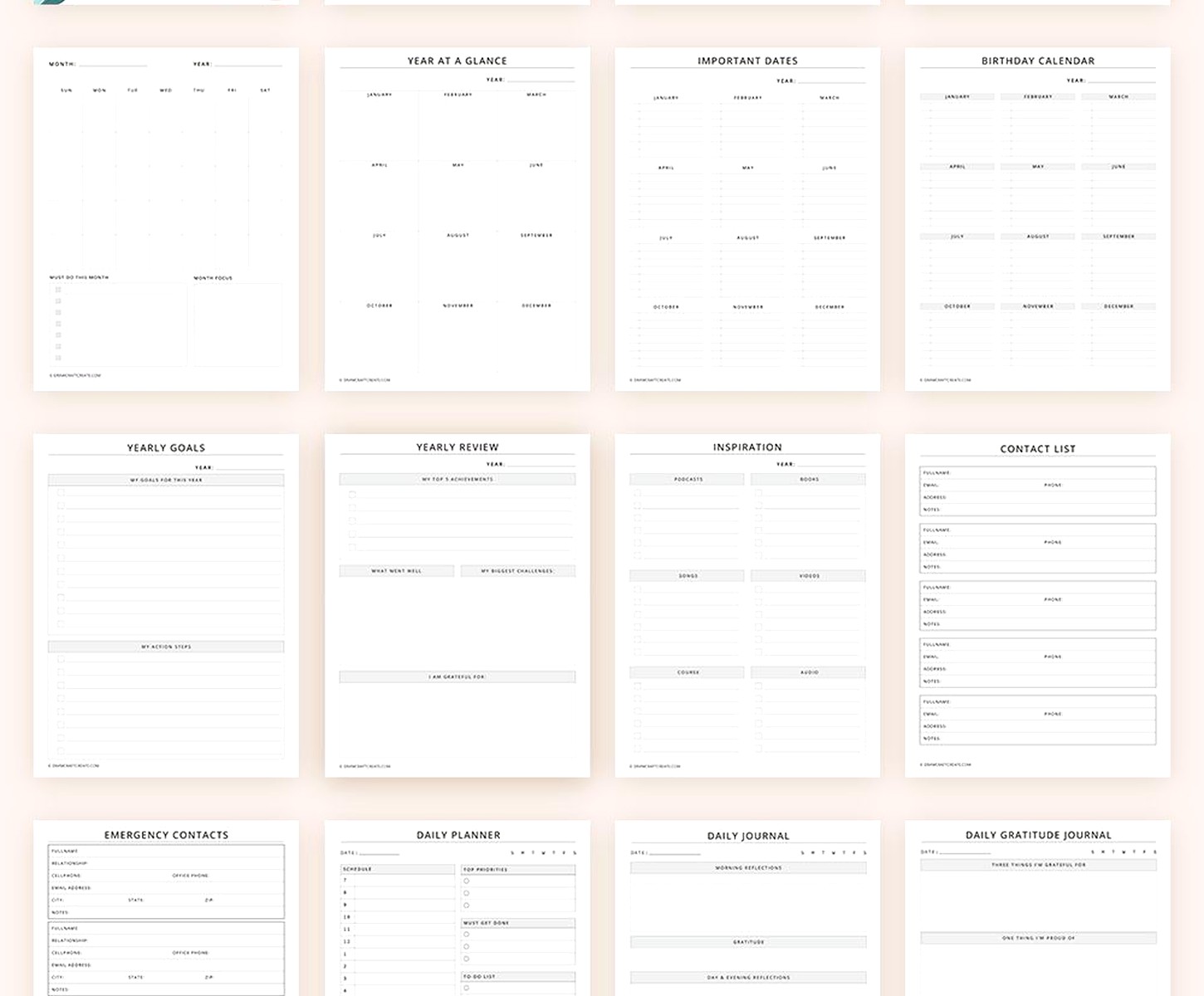
I have mine color-coded so breaks are green, main sessions are blue, and meals are yellow. Makes it really easy to scan the schedule and see the flow of the day. Plus you can share it with attendees as a view-only document so everyone knows what’s happening when.
Trello for the visual people
This is probably unconventional but I’ve been using Trello boards as meeting agendas and it works surprisingly well. Each card is a discussion topic and you can add checklists, attachments, due dates, all that stuff. During the meeting you just move cards from “To Discuss” to “Discussed” and it feels very satisfying.
I started doing this after watching too many crime shows where they have those investigation boards with all the cards and strings (I was watching True Detective when this idea hit me). Obviously meetings aren’t that dramatic but the visual organization is really helpful, especially for recurring meetings where some topics carry over week to week.
The free version of Trello is pretty generous. You get unlimited boards and cards which is all you really need for agenda planning. The only limitation is ten boards per workspace but unless you’re running tons of different meeting types that shouldn’t be an issue.
For standing meetings you’re gonna want something reusable
Like if you have the same weekly team meeting every Monday, you don’t wanna recreate the agenda from scratch each time. Fellow.app has free meeting agenda templates specifically designed for recurring meetings. Their weekly team meeting template has permanent sections for wins, blockers, and upcoming priorities.
Each week you just fill in the new information but the structure stays the same. This is huge for consistency. Your team knows exactly what to expect and what to prepare. I use this for my monthly review sessions with coaching clients and it’s made those conversations so much more productive because we’re not wasting time figuring out what to talk about.
The free version limits you to I think ten meetings per month which might not be enough if you’re in meeting hell at your job. But for the average person running a few regular meetings it’s plenty.
Wait I should mention Hugo too
Hugo is another meeting-specific tool with templates and the free version is actually really functional. Their one-on-one meeting template is probably my favorite for manager check-ins or client calls. It’s got sections for private notes (just for you), shared notes (both people can see), and action items with automatic follow-up.
What’s cool is it connects to your calendar so you can access the agenda right from the calendar invite. During the meeting you take notes directly in the template and then after the meeting it automatically sends a summary to both people. I used this with a client who’s terrible at follow-through and having that automatic summary email made a huge difference.
The interface is really clean too. Not trying to do too much. Just a simple, focused meeting agenda tool. Sometimes that’s all you need instead of these massive project management platforms.
For workshops and training sessions
SessionLab has free templates specifically for facilitation and training. Their workshop agenda template includes timing, learning objectives, materials needed, and step-by-step instructions for each activity. If you’re running any kind of educational session this is way better than trying to adapt a basic meeting template.
I used their “Team Building Workshop” template when I was planning a session for a client’s team and it helped me think through things I would’ve forgotten otherwise. Like it prompts you to plan for different learning styles and includes spots for energizer activities between heavy content sections.
The free version lets you create unlimited sessions but you can only have three saved at a time. So you gotta export or delete old ones. Not ideal but workable if you’re not planning workshops constantly.
Honestly the best template is the one you’ll actually use
I’ve tested all these tools and the truth is the fanciest template doesn’t matter if it’s too complicated for your actual workflow. Like I had this elaborate Notion setup for a while that looked amazing but I stopped using it because it took too long to update before each meeting.
Now I mostly stick with a simple Google Doc template for regular meetings and bump up to Smartsheet only when I’m planning bigger events. The Google Doc is literally just bullet points but it works because I actually fill it out every time instead of procrastinating because the tool is overwhelming.
Start with whatever’s already in your workflow. If you live in Microsoft Office, use their templates. If you’re a Google Workspace person, start there. Don’t force yourself to learn a whole new platform just because someone said it’s better. The best agenda template is the one that makes you more organized without adding extra friction to your process.
Oh and pro tip, whatever template you choose, send it out at least 24 hours before the meeting. Seems obvious but I see people sending agendas five minutes before the call all the time and then wondering why nobody’s prepared. Give people time to review and add their own items if needed. Makes for way better meetings.
